A couple of weeks ago I was contacted about an issue with vSphere 5.0. When a VM Storage Profile was disabled / enabled it looked like HA and DRS got disabled as well. After diving in to the problem it appeared that both HA and DRS were still working. It seems that some how the vSphere Client thinks it is disabled. Again, although it looks like it is disabled it is still fully functioning… but indeed it is very confusing. A simple work around would be enabling HA/DRS. This problem has just been published in our Knowledge Base, and hopefully will be addressed soon.
Storage
VMworld Europe 2011 wrap-up
I was asked to speak at VMworld Europe in Copenhagen and before I flew out I planned on writing daily wrap-ups again. It usually helps me to wind down, but this time I never really got around to it. I figured I would at least write this article at the end of the week to summarize some of my personal highlights.
First of all, let me say that I love the city of Copenhagen. I like the fact that it is clean, they have great public transportation and in most restaurants the food is great and the service okay (for European standards). The Bella Conference Center is an excellent location in my opinion. The rooms are nicely setup, to be honest the lights and audio were much better than in Las Vegas. Surprising in my opinion as you would expect that in Las Vegas they are better equipped for conferences like these.
I also love the fact that it is relatively “small” show compared to VMworld US and for some reason it also seems that the audience is different. Definitely one thing I noticed during the sessions I attended is that it is difficult to break the ice. Even at the end of the sessions I noticed far less people asked questions then during the sessions I attended in Las Vegas. This had me worried for a while as Chris Colotti, Frank Denneman and I were scheduled for a Q and A. As Chris stated on twitter, without Qs there will be no As. Besides a couple of sessions I had a lot of meetings scheduled, the week before VMworld my schedule looked fairly empty but it completely filled up with meetings the days before it started, but I cannot complain as I learned a lot from these meetings as well. Every customer has a different use case / perspective and that helps me again when writing articles or when providing feedback to the Product Managers and Engineers.
We started on Monday at the TAM day with a technical discussion panel on Cloud and all challenges around it. We had a lot of questions around security, availability, compliance, networking, storage and resource management. It was definitely an interesting session as it gave a good perspective of the challenges our customers are facing and the things people care about when it comes to cloud infrastructures or offerings.
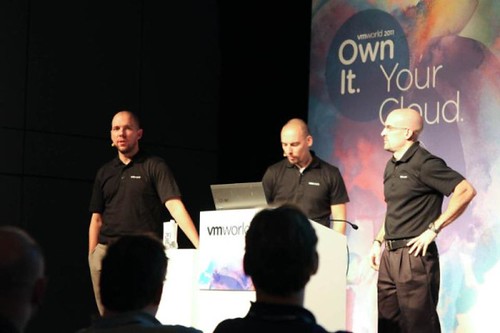
On Tuesday I had my Experts One on One session scheduled and I actually managed to attend some sessions. The Experts One on One was great, particular one 15 minute slot as that person showed up with a full diagram of his environment and we discussed some design considerations around his metro clustering solution. My vSphere Q&A session, which I co-presented with Chris Colotti and Frank Denneman was scheduled on Wednesday at 15:00. It was scheduled in one of the larger rooms and the place filled up. Chris Colotti kicked off with a short introduction of the session and himself after which Frank and I followed. This was the point at which the audience needed to start asking questions… luckily the first person got up and our lovely assistant David Hill ran up and handed the microphone. We were off and it did not stop until the very last second. Great questions and in my opinion it was a very entertaining and educational session. Considering our survey scores I would say that the audience fully agreed. I could not be happier about the outcome (see below).
- How would you are the session: 4.72 out of 5
- How likely are you to recommend this session: 9.14 out of 10
- How likely are you to implement what you’ve learned: 4.61 out of 5
- How would you rate the speakers overall effectiveness: 4.78 out of 5
For everyone who attended the Q and A please feel free to leave your comments here on how we can improve it in the future, or if there is something you would like to see different. (Different topic, different panel members, different format, etc etc.) I am open to all suggestions.
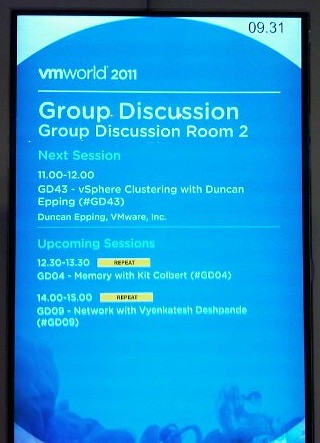
On Thursday I had my Group Discussion (GD43) planned. Again I did not know what to expect as many had told me that some of the Group Discussions were more a monologue because the audience did not speak up. I might have been lucky or I phrased my questions differently, but whatever was the reason is besides the point… It was GREAT again, just like in Las Vegas we ran out of time, but the interaction was awesome! Excellent discussions and great use cases provided by the audience. I hope they will do these at VMware Partner Exchange as well and of course next year at VMworld!
One of the other things that was definitely a highlight for me was the show down between the Dutch vMaffia and Matt of VMworld TV and the Monster VM. I think all of us had a huge laugh. Things like this is what makes VMworld fun and it is the reason I love working for VMware.
I want to thank a couple of people for an excellent time this week, Chris and Julie Colotti, David Hill, Alan Renouf, Raymon Epping, Mark Erica, Luc Dekens and Frank Denneman. I really enjoyed your company. See you at Partner Exchange or VMworld 2012 in San Francisco or Barcelona!
vSphere Metro Storage Cluster solutions, what is supported and what not?
I started digging in to this yesterday when I had a comment on my Metro Cluster article. I found it very challenging to get through the vSphere Metro Storage Cluster HCL details and decided to write an article about it which might help you as well when designing or implementing a solution like this.
First things first, here are the basic rules for a supported environment?
(Note that the below is taken from the “important support information”, which you see in the “screenshot, call out 3”.)
- Only array-based synchronous replication is supported and asynchronous replication is not supported.
- Storage Array types FC, iSCSI, SVD, and FCoE are supported.
- NAS devices are not supported with vMSC configurations at the time of writing.
- The maximum supported latency between the ESXi ethernet networks sites is 10 milliseconds RTT.
- Note that 10ms of latency for vMotion is only supported with Enterprise+ plus licenses (Metro vMotion).
- The maximum supported latency for synchronous storage replication is 5 milliseconds RTT (or higher depending on the type of storage used, please read more here.)
How do I know if the array / solution I am looking at is supported and what are the constraints / limitations you might ask yourself? This is the path you should walk to find out about it:
- Go to : http://www.vmware.com/resources/compatibility/search.php?deviceCategory=san (See screenshot, call out 1)
- In the “Array Test Configuration” section select the appropriate configuration type like for instance “FC Metro Cluster Storage” (See screenshot, call out 2)
(note that there’s no other category at the time of writing) - Hit the “Update and View Results” button
- This will result in a list of supported configurations for FC based metro cluster solutions, currently only EMC VPLEX is supported
- Click name of the Model (in this case VPLEX) and note all the details listed
- Unfold the “FC Metro Cluster Storage” solution for the footnotes as they will provide additional information on what is supported and what is not.
- In the case of our example, VPLEX, it says “Only Non-uniform host access configuration is supported” but what does this mean?
- Go back to the Search Results and click the “Click here to Read Important Support Information” link (See screenshot, call out 3)
- Half way down it will provide details for ” vSphere Metro Cluster Storage (vMSC)in vSphere 5.0″
- It states that “Non-uniform” are ESXi hosts only connected to the storage node(s) in the same site. Paths presented to ESXi hosts from storage nodes are limited to local site.
- Note that in this case not only is “non-uniform” a requirement, you will also need to adhere to the latency and replication type requirements as listed above.
Yes I realize this is not a perfect way of navigating through the HCL and have already reached out to the people responsible for it.

Schedule it today, VMworld Europe 2011, sign up for #VSP1682 and #GD43
I just looked at the VMworld website and it seems that most sessions are filling up quickly, including my sessions. If you want to to attend these sessions make sure you schedule them rather sooner than later! These are my sessions:
- Tuesday 13:30 – EXPERTS-01 – Knowledge Experts One-on-One
These are 15 minute one-on-one session where you will get the chance to ask me anything. So if you want to sit down and discuss something make sure to schedule / book it! - Wednesday 15:00 – VSP1682 VMware vSphere Clustering Q&A (Twitter hashtag: #VSP1682)
Our Q&A session… Frank Denneman and I will be answering anyone question related to HA, DRS, DPM or Storage DRS. Chris Colotti will be moderating it! We will be giving away a bunch of signed copies of our book again to those who manage to ask a question which stumps us. As Chris likes to call it stump the chumps. - Thursday 11:00 – GD43 vSphere Clustering with Duncan Epping (Twitter hashtag: #GD43)
This is a true group discussion. Room for roughly 50 people and I will ask several questions around HA / DRS / SDRS and we will discuss scenarios / environments / challenges. Make sure to sign up quickly as there are only 50 spots available!
Frank and I are also planning a book signing session, as soon as we have the details we will fill you in!
vSphere Storage Appliance – Why I think it is cool
While doing some workshops and presentations for some of our partners and customers one of the comments I usually here when discussing the vSphere Storage Appliance is “Why not just buy a cheap NAS device”? Well there are a couple of arguments:
- Support, many lower end cheap devices are not on the HCL
- Management, most storage devices require specific knowledge and can be difficult to setup
- Resiliency, yes resiliency..
Resiliency is what I want to expand on. I like the vSphere Storage Appliance because of the resilience it offers. Many lower end storage devices have a single storage processor and some even a single power-supply but that is different for the VSA. Lets assume you have a 3 node cluster with each of these three serving up their local storage. What will it look like?

I hope this image is clear but what we see above is a three node cluster. Each node holds 2 volumes. One “active” volume and a Replica volume. Now the Replica volume is where the resiliency comes in to play. If one of the nodes would fail one of the other nodes, depending on which holds the replica, picks up! Yes indeed the VSA volumes are RAID-1 and the failure is literally detected in seconds. Note that this is a synchronous technique, so an acknowledgement is required from both the active and replica of the datastore.
In my example above when ESXi-1 (on the left) would fail then ESXi-2 (middle) would pick up as it is holding the replica. Note that this is a seamless fail-over if the VM is running on a node other than ESXi-1. The amount of time it takes for the fail-over to occur is literally second and the replica will be available through the same ip-address. If the VM happened to be running on ESXi-1 than vSphere HA would restart that virtual machine is in any other scenario.
This video demos what it looks like when a host fails:
For more details on the VSA I would like to recommend the following articles by Cormac Hogan:
- http://blogs.vmware.com/vsphere/2011/08/new-enhanced-vsphere-50-storage-features-part-4-vsphere-storage-appliance.html
- http://blogs.vmware.com/vsphere/2011/08/vsphere-storage-appliance-vsa-useful-links.html
- http://blogs.vmware.com/vsphere/2011/08/vsphere-storage-appliance-part-2-resilience.html
- http://blogs.vmware.com/vsphere/2011/08/vsphere-storage-appliance-vsa-installed-configured-in-10-minutes.html