• Skip to primary navigation
  • Skip to main content
  • Skip to primary sidebar

Yellow Bricks

by Duncan Epping

  • Home
  • Unexplored Territory Podcast
  • HA Deepdive
  • ESXTOP
  • Stickers/Shirts
  • Privacy Policy
  • About
  • Show Search
Hide Search

An Industry Roadmap: From storage to data management #STO7903 by @xtosk

Duncan Epping · Sep 1, 2016 ·

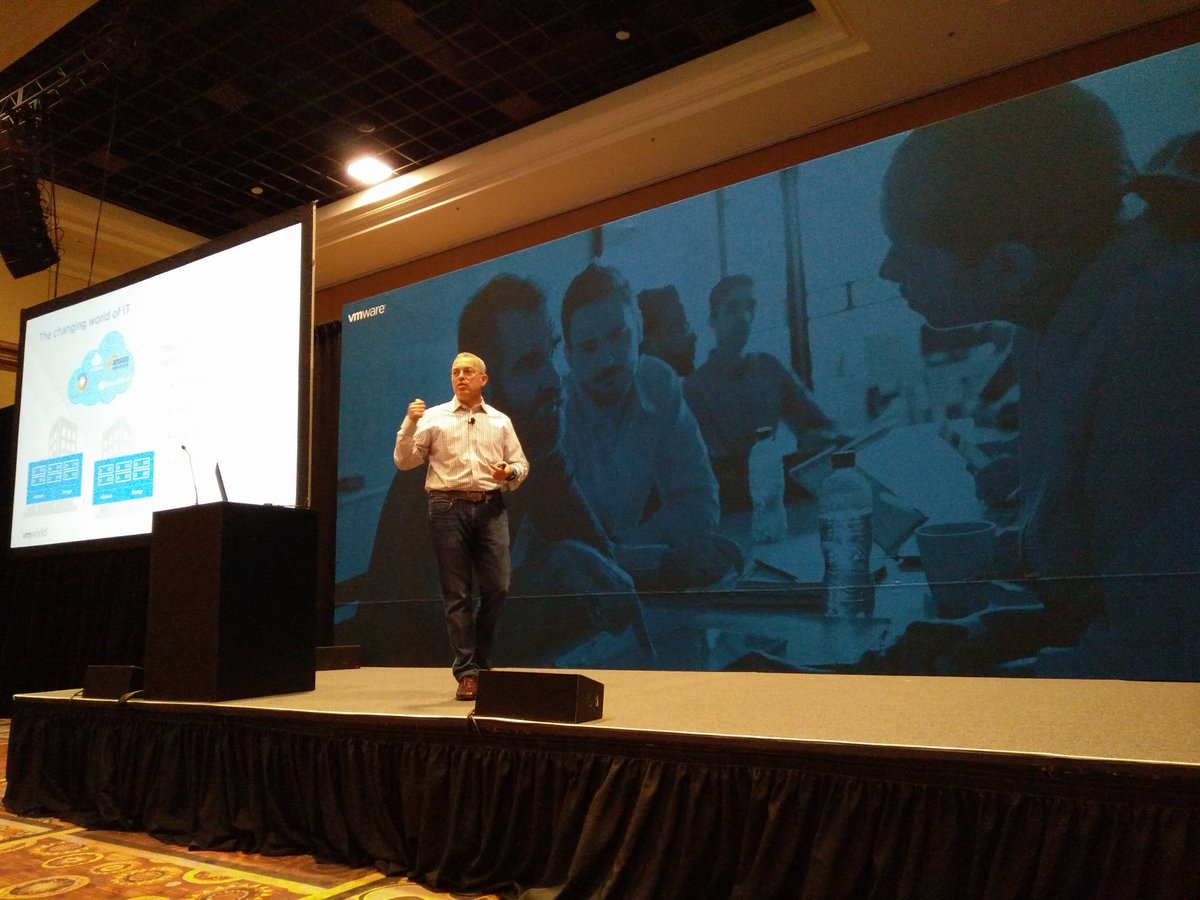
This is the session I have been waiting for, I had it very high on my “must see” list together with the session presented by Christian Dickmann earlier today. Not because it happened to be presented by our Storage an Availability CTO Christos Karamanolis (@XtosK on twitter), but because of the insights I expect to be provided in this session. The title I think says it all: An Industry Roadmap: From storage to data management.

** Keep that in mind when reading the rest of article. Also, this session literally just finished a second ago, I wanted to publish it asap so if there are any typos, my apologies. **

Christos starts with explaining the current problem. There is a huge information growth, 2x growth every 2 years. And that is on the conservative side. Where does the data go? According to analyst it is not expected that this will go to traditional storage, actually the growth of traditional storage is slowing down, actually there is a negative growth seen. Two new types of storage have emerged and are growing fast, Hyper-scale Server SAN Storage and Enterprise Server SAN Storage aka Hyper-converged systems.
With new types of applications changing the world of IT, data management is more important than ever before. Todays storage product do not meet the requirements of this rapidly changing IT world and does not provide the agility your business owners demand. Many of the infrastructure problems can be solved by Hyper-Converged Software, this is all enabled by the hardware evolution we’ve witness over the last years: flash, RDMA, NVMe, 10Gbe etc. These changes from a hardware point of view allowed us to simplify storage architectures and deliver it as software. But it is not just about storage, it is also about operational simplicity. How do we enable our customers to manage more applications and VMs with less. Storage Policy Based Management has enabled this for both Virtual SAN (hyper-converged) and Virtual Volumes in more traditional environments.

Data Lifecycle Management however is still challenging. Snapshots, Clones, Replication, Dedupe, Checksums, Encryption. How do I enable these on a per VM level? How do we decouple all of these data services from the underlying infrastructure? VMware has been doing that for years, best example is vSphere Replication where VMs and Virtual Disks can be replicated on a case by case basis between different types of storage systems. It is even possible to leverage an orchestration solution like Site Recovery Manager to manage your DR strategy end to end from a single interface from private cloud to private cloud, but also from private to public. And from private to public is enabled by vCloud Availability suite, and here you can pay as you g(r)o(w). All of this again driven by policy and through the interface you use on a daily basis, the vSphere Web Client.

How can we improve the world of DR? Just imagine there was a portable snapshot. A snapshot that was decoupled from storage, can be moved between environments, can be stored in public or private clouds and maybe even both at the same time. This is something we as VMware are working on. A portable snapshot that can be used for Data Protection purposes. Local copies, archived copies in remote datacenters with a different SLA/retention.
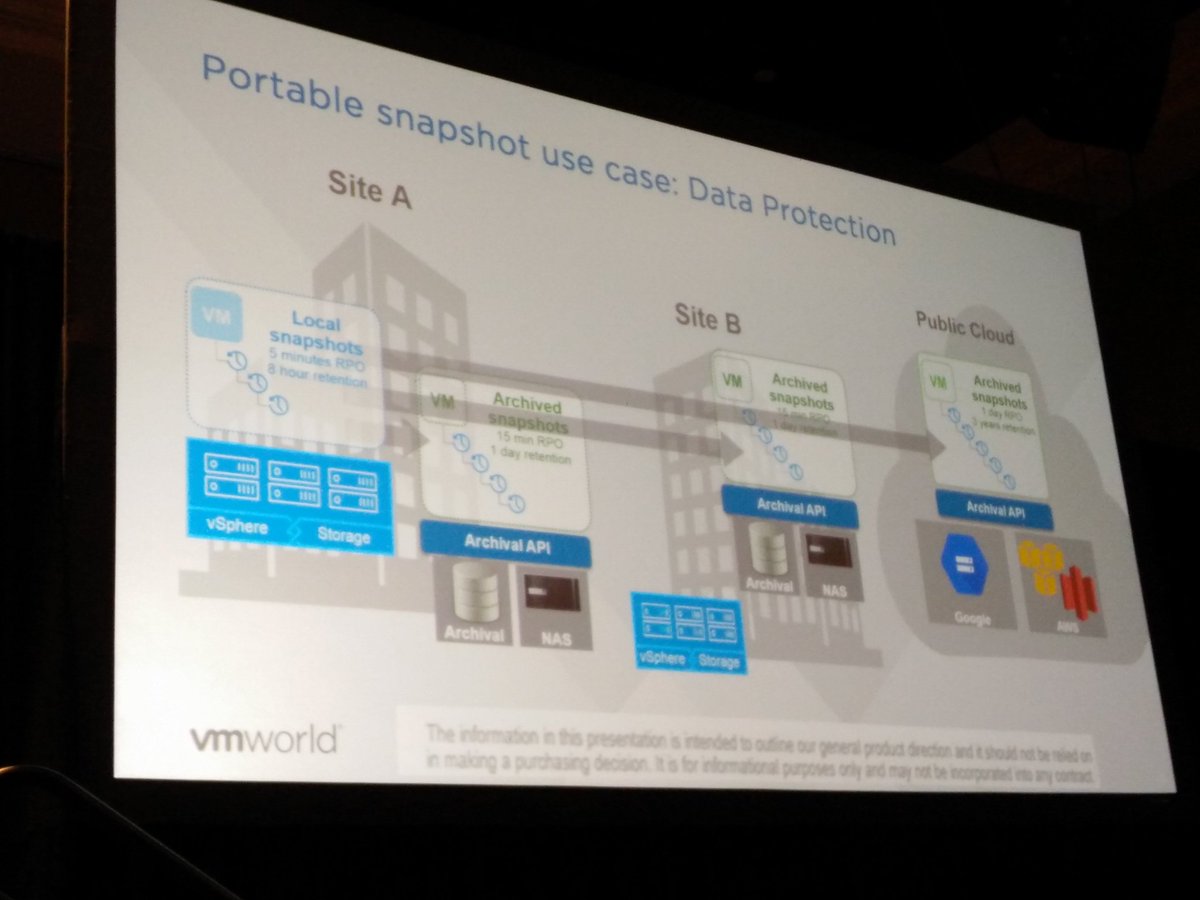
How does this scale however when you have 10000s of VMs? Especially when there are 10s of snapshots per VM, or even hundreds. This should all be driven by policy. If I can move the data to different locations, can I use this data as well for other purposes? How about leveraging this for test&dev or analytics? Portable snapshots providing application mobility.

Christos next demoed what the above may look like in the future, the demo shows a VM being replicated from vSphere to AWS, but vSphere to vSphere or vSphere to Azure were also available as an option. The normal settings are configured (destination datastore and network) and literally within seconds the replication starts. The UI looks very crisp and seems to be similar to what was shown in the keynote on day 1 (Cross Cloud Services). But how does this work in the new world of IT, what if I have many new gen applications, containers / microservices?

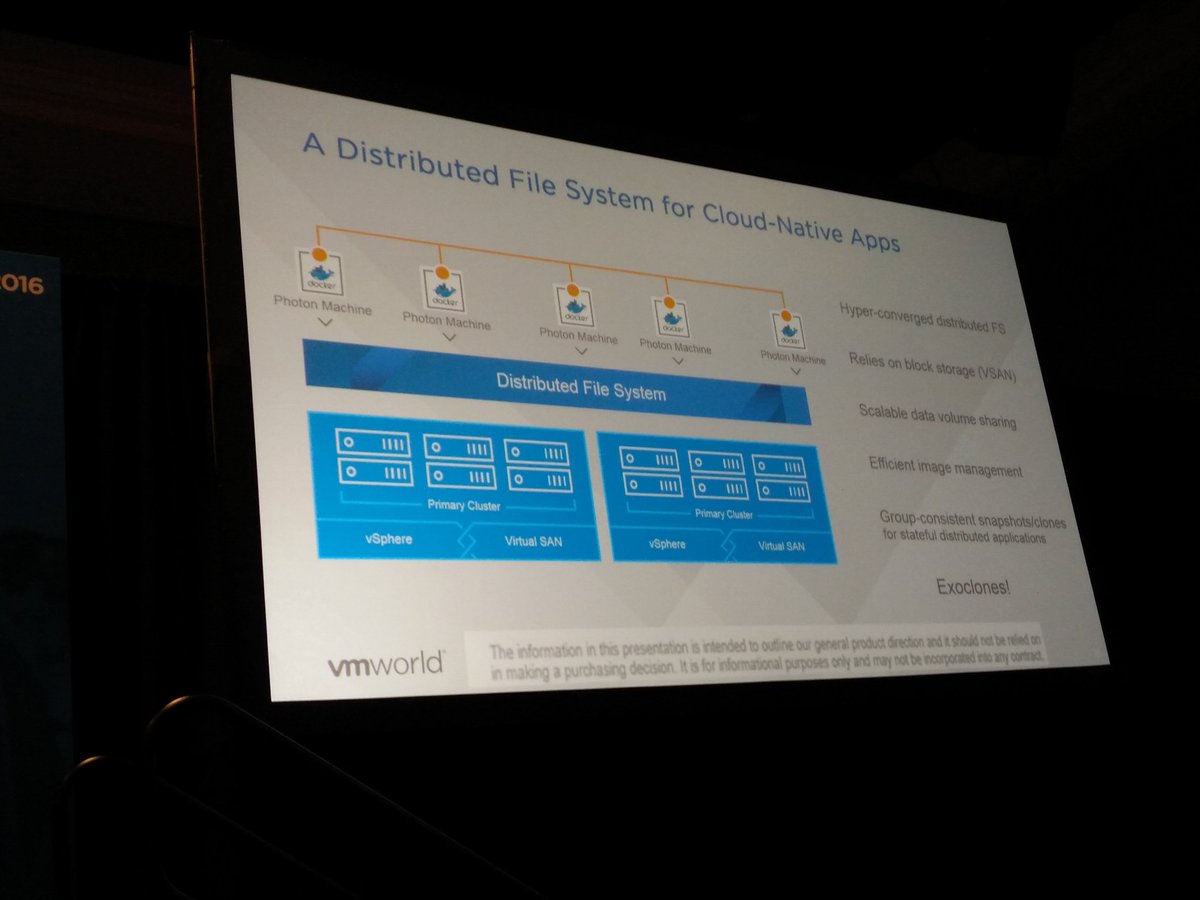
A Distributed File System for Cloud Native apps is now introduced. It appears to be a solution which sits on top of Virtual SAN and provides a file system that can scale to 1000s of hosts with functionality like highly scalable and performing snapshots and clones. These snapshots provided by this Distributed File System are also portable, this concept being developed is called exoclones. It is not something that is just living in the heads of the engineering team, Christos actually showed a demo of an exoclone being exported and imported to another environment.
If VMware does provide that level of data portability, how do you track and control all that data? Data governance is key in most environments, how do we enforce compliance, integrity and availability.  This will be the next big challenge for the industry. There are some products which can provide this today, but nothing that can do this cross-cloud and for both current and new application architectures and infrastructures.

Although for years we seem to have been under the impression that the infrastructure was the center of the universe. Reality is that it serves a clear purpose: host applications and provide users access to data. Your companies data is what is most important. We as VMware realize that and are working to ensure we can help you move forward on your next big journey. In short, it is our goal that you can focus on data management and no longer need to focus on the infrastructure.

Great talk,
#STO7904 VSAN Management Current and Futures by @cdickmann

Duncan Epping · Aug 31, 2016 ·

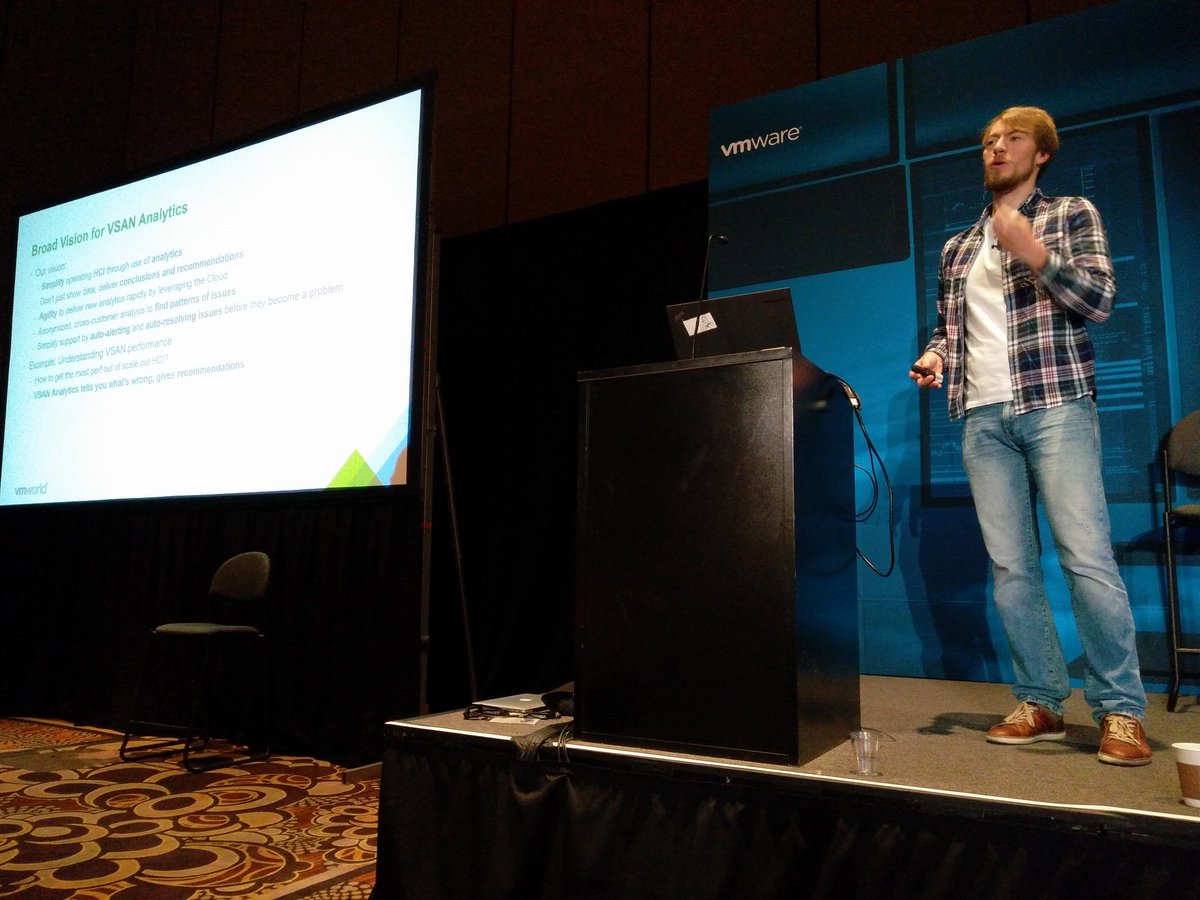
Christian Dickmann (VSAN Development Architect) talking about VSAN Management futures in this session, first of all a big fat disclaimer, all of these features may or may not ever make it in to a release and no promises of timelines were made. This session all revolved around VSAN’s mission: Providing Radically Simple HCI with Choice. Keep that in mind when reading the rest of article. Also, this session literally just finished a second ago, I wanted to publish it asap so if there are any typos, my apologies.

First Christian went over the current VSAN Management Experience, discussing the creation of a VSAN Cluster, health monitoring and performance monitoring. VSAN is already dead simple from a storage point of view, but there is room for improvement from an operational point of view, and mostly in the vSphere space. Install / Update / Upgrades of drivers, firmware, ESXi, vCenter etc.

1st demo: HCI Installer

In this demo a deployment of the vCenter Server Appliance is shown. We connect to an ESXi server fist. Then you provide all the normal vCenter Server details like password. Where do you want to deploy the appliance? How about on VSAN? Well you can actually create the VSAN Datastore during the deployment of the VCSA. You specify VSAN details and go ahead. During the install/configuration process VSAN will simply be configured using a single host cluster. When vCenter is installed and configured you simply add the rest of the hosts to the cluster. Very cool if you ask me!

2nd demo: Simple VMkernel interface creation

In this demo the creation of VMkernel interfaces is shown. Creation of the interfaces is dead simple as you can simply specify the IP ranges and it does this for every host using the specified details. Literally 4 hosts and interfaces were creates in seconds.

3rd demo: Firmware Upgrade

In this demo in the VSAN Healthcheck it is shown that the firmware of the disk controller is out of date. When you say update, vendor specific tools are downloaded and installed first. When this is completed you can remediate your cluster and install drivers and firmware for all nodes in your cluster, all done through the UI (webclient) and literally in minutes in a rolling fashion. I wish I had this when I had to upgrade my lab in the past.

4th demo: VUM Integration

80% of vSphere customers use VUM so integrating VSAN upgrades and updates with VUM makes a lot of sense. During the upgrade process VUM will validate which version of vSphere/VSAN is supported for your environment. If for whatever reason the latest version is not supported for your configuration it will make a recommendation to use a different version. When you remediate VSAN provides the image needed and there is no need even to create baselines etc. All of this manual work is done by VSAN for you. Upgrades literally become 1 or 2 clicks, and all risks are mitigated by validation of hardware/software against the compatibility matrix.

5th demo: Automation

In this demo Christian showed how to automate the deployment of 10 ROBO clusters end to end using PowerCLI. One by one all the different locations are being created. Every single aspect is fully automated, including even the deployment of the witness appliance. The second demo was the upgrade of the VSAN on-disk format using python. In a fully automated fashion all clusters are upgraded in a rolling fashing. No magic here, all using public APIs.

6th demo: VSAN Analytics

Apparently with the 6.2 Christian found out that Admin’s don’t read all KB articles VMware releases, based on the issue experienced with a disk controller he decided to solve this problem. Can we pro-actively inform you about this problem? Yes we can, using a “cloud connected” VSAN Healthcheck we know what you are using and we can inform you about KBs and potential issues and recommendations that may apply to you. And that is what was shown in this demo, a known issue is bubbled up through the healthcheck and the KB details are provided. Mitigating is simply a matter of applying the recommendation. This is still a manual step, and probably will stay as Christian emphasized as you as the administrator need to have control and should make the decision whether you want to apply the steps/patches or not.

Concluding, in literally 40 minutes Christian showed how the VSAN team is planning on simplifying your life. Not just from a storage perspective, but for your complete vSphere infrastructure. I am hoping I can share the demos at some point in the future as they are worth watching. Thanks Christian for sharing, great job!

VMworld 2016, Day 1 and 2 keynotes

Duncan Epping · Aug 31, 2016 ·

VMworld for me is always a very hectic time. Usually multiple sessions, customer meetings, briefings and just many conversations with readers and people you bump in to while going from one place to the other. I tried to do some live blogging, but with everything going on I did not bother. Especially Day 1 and 2 are special for a VMware employee as everything we have been working on is then usually revealed. Of course not all the details, as the keynotes would take days instead of hours. I did take a bunch of notes so I figured I would share it anyway, so lets dive in to it.

Personally I was very exited about the Day 1 keynote, I really liked the personal touch that Pat gave to it and it really got me excited about all the great stuff that was still to come. I am not going to layout the keynote minute by minute, as you can simply watch the recording, but there were a bunch of things that stood out to me that I want to call out.

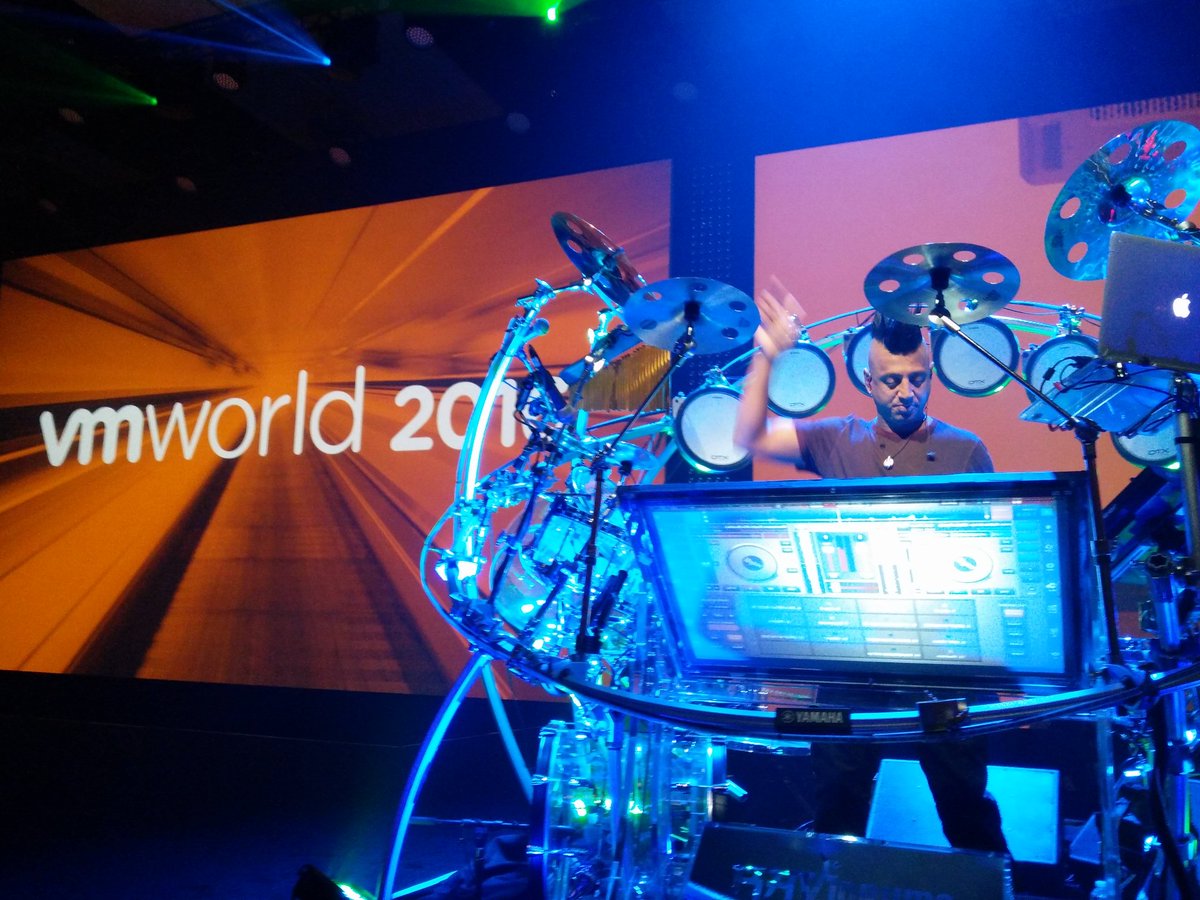
The DJ that opened the keynote was great, very energetic and it really got the crowd excited, even before Pat was on stage! When Pat came he welcomed everyone and introduced 21 folks who have attended all VMworld in the US, afterwards I found out that there is actually 1 person who attended ALL VMworld’s, not just US but also EMEA (Marc H). All 21 received lifetime free passes to VMworld, congrats and I hope each and everyone of you will be able to attend many more in the future!

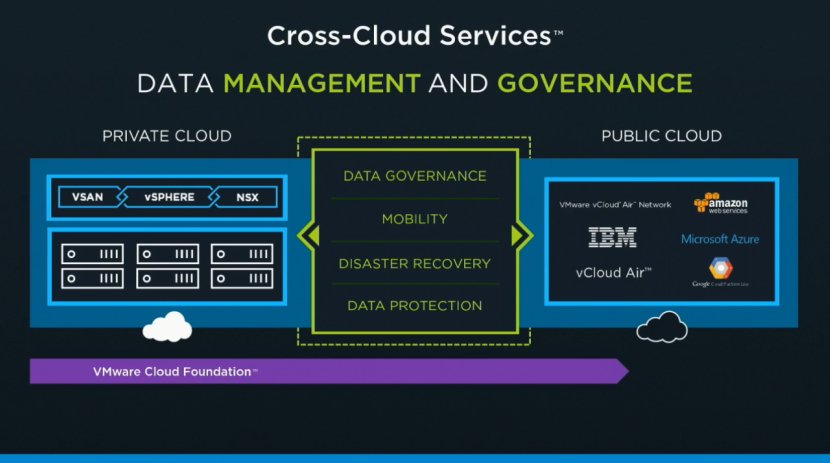
During the keynote many customers were brought up on stage, instead of having the standard customer panel it was woven throughout the keynote which worked well. What I felt was most exciting about the Day 1 keynote was definitely the demo. Cross Cloud Services literally blew my mind. First of all, that UI looked very sharp. It looked fresh, simple and efficient. Secondly, the whole concept of managing various different mega-clouds through a single interface is what many of my customers have been asking for years, and now looks to start being reality. Not just managing but actually being able to move workloads between public clouds, including all associated network and security services and settings. Judging by the twitter stream not everyone caught that, but when Guido Appenzeller mentioned that a workload was cloned from AWS region “x” to region “Y” and to Azure, that also resulted in all network and security services and setting to be extended to those location and even other clouds. All of this in a seamless manner, you as the admin just “clone” the workload and VMware Cross Cloud Services takes care of the rest. This was a demo of a tech preview, in this case the emphasize was on networking and security but there is much more to is as the slide below seems to indicate. (photo of slide by Dana Youngtech)

Day 2 was just as exciting if you ask me, especially when Sanjay Poonen kicks off. What a high energy speaker, definitely one of the best I have seen present at VMworld. The demos shown by Sanjay mainly revolved around Workspace ONE. What struck me most was the deep level of integration, all the way down from the infrastructure up to the application layer. Sanjay for instance showed how changes to a firewall rule for a particular group would lead to certain data in an application dashboard served up by Workspace One would be blocked. Very impressive. I also liked the custom build apps that he showed where through Workspace One an app was served that gathered all of the different approvals and allowed you to approve Concur, Workday and other workflows from a single interface. Great level of integration and a great focus on making the life of a user simpler if you ask me. Oh and before I forget, free Workstation / Fusion license for those who downloaded the VMworld app. (Guessing for attendees only, but haven’t tested.)

Next up on stage was Ray O’Farrell and Kit Colbert. Kit recently joined the Cloud Platform BU as the CTO and Ray is VMware’s CTO. Not surprisingly I guess, but Kit mainly spoke about vSphere Integrated Containers and Photon. The demo that followed was interesting. It showed a new open source project called Harbor, which is a container registry, and it showed VIC. What impressed me is how it all integrated end to end, from the container down to monitoring, management and security through NSX for instance. Kit also spoke briefly about Photon Controller and the benefits this brings, very interesting concept which now also seems to support VSAN.

Up next was Rajiv Ramaswami who is the GM for the Networking and Security Business Unit. Of course the majority of the conversation was about NSX. I was looking forward to this section as I personally haven’t looked much at the recently acquired Arkin, which provides deep insight in to traffic flows and patterns etc. Actually, part of this was also shown in the Day 1 demo, some may recognize the diagram below, which is similar to what was shown in the Cross-Cloud Services UI.

Last up: Yanbing Li. Yanbing is our fearless leader in the Storage and Availability BU and it is needless to say that the main topic in this section was VSAN. Yanbing mentioned that VSAN now has over 5000 customers, and that VMware is adding 100 new customers every week. A couple of upcoming features were introduced namely: Encryption at rest (software based) and Analytics. Both of these features were demoed as well, but that wasn’t it. In the demo they showed how VSAN Analytics pro-actively informs the user that a workload should be migrated to an all-flash cluster to serve the needs of the app. Through vRealize Automation the VM was then migrated to a public cloud and also ended up on an encrypted VSAN datastore, all of if through policy. Very impressive, and I can’t wait for those new features to be available. Hopefully I can share more details soon. And that was the end of the day 2 keynote. Some very cool new things shown, and apparently we can expect much more to be announced at VMworld EMEA.

For those interested, you can watch the sessions here…

@DuncanYB’s recommended reads part 4

Duncan Epping · Aug 26, 2016 ·

VMworld is around the corner so I wanted to get this out today, mainly as it will give you something to read during a long flight, plus I am certain that there will be plenty of news next week and the week after. For those not going to VMworld I will try to share as much as I can through twitter, so follow me on there if you are not yet.

  • Tech Companies Abuse NPS And Hope Customers Don’t Notice by Justin Warren
    Great article about NPS scores and what they are worth / what they are about and how much you should really care. It seems to be one of those metrics that keeps popping up over and over again and I agree it has been abused a lot lately. Good to see Justin stepping up and breaking it down for us, thanks!
  • Oracle, I’m sad about you, disappointed in you, and frustrated with you by Chad Sakac
    I think almost everyone will agree with the sentiment of this post. The situation around Oracle licensing in a virtualized world (non-Oracle virt solutions) has been sad for years. I fully agree with Chad, enough is enough, yet I somehow have the feeling Oracle doesn’t care and I cannot see anything changing anytime soon. But who knows, maybe Larry will surprise us.
  • Intel overhyping flash-killer XPoint? Shocked, we’re totally shocked by The Register
    This one is pretty interesting. I have seen various sessions by Intel as well on 3D XPoint flash, the funny thing is that the first couple of sessions they spoke about 1000x and in later sessions that was 10x. The Flash Summit by Micron apparently emphasized this. The media latency is low, the interface however is still relatively high, also explained by Intel at Storage Field Day in this video. So not really a shocker, there’s still a lot of benefit to 3D XPoint, 10x faster is not bad, and knowing the changes coming in the software stack I can ensure you that the latency will go down.

    • Look at these 6 new devices by Intel…
    • And price wise > What about NVMe 3D NAND for 0.50 USD per GB?
  • HCIBench new Home
    Not a blog, but a new home for HCIBench, now available through the Flings program. So if you want to do some benchmarking, you now know where to go.
  • NUMA Deep Dive Part 5: ESXi VMkernel NUMA Constructs by Frank Denneman
    By now his blog should be bookmarked and you should be regularly checking it to see if a new part has been published. Well if not, here it is… Part 5 of the NUMA Deep Dive series! I am going to read this one during my long flight tomorrow to Las Vegas!

Rubrik landed new funding round and announced version 3.0

Duncan Epping · Aug 24, 2016 ·

After having gone through all holiday email it is now time to go over some of the briefings. The Rubrik briefing caught my eye as it had some big news in there. First of all, they landed Series C, big congrats, especially considering the size, $ 61m is a pretty substantial I must say! Now I am not a financial analyst, so I am not going to spend time talking too much about it, as the introduction of a new version of their solution is more interesting to most of you. So what did Rubrik announce with version 3 aka Firefly.

First of all, the “Converged Data Management” term seems to be gone and “Cloud Data Management” was introduced, and to be honest I prefer “Cloud Data Management”. Mainly because data management is not just about data in your datacenter, but data in many different locations, which typically is the case for archival or backup data. So that is the marketing part, what was announced in terms of functionality?

Version 3.0 of Rubrik supports:

  • Physical Linux workloads
  • Physical SQL
  • Edge virtual appliance (for ROBO for instance)
  • Erasure Coding

When it comes to physical SQL and Linux support it is probably unnecessary, but you will be able to backup those systems using the same policy driven / SLA concepts Rubrik already provides in their UI. For those who didn’t read my other articles on Rubrik, policy based backup/data management (or SLA domains as they call it) is their big thing. No longer do you create a backup schedule. You create an SLA and assign that SLA to a workload or a group even. And now this concept applies to SQL and physical Linux as well, which is great if you still have physical workloads in your datacenter! Connecting to SQL is straight forward, there is a connector service which is a simple MSI that needs to be installed.

Now all that data can be store in AWS S3 and for instance Microsoft Azure in the public cloud or maybe in a privately deployed Scality solution. Great thing about the different tiers of storage is that you qualify the tiers in their solution and data flows between it as defined in your workload SLA. This also goes for the announced Edge virtual appliance. This basically is a virtualized version of the Rubrik appliance, which allows you to deploy a solution in ROBO offices. Through the SLA you bring data to your main data center, but you can also keep “locally cached” copies so that restores are fast.

Finally, Rubrik used mirroring in previous versions to safely store data. Very similar to VMware Virtual SAN they now introduce Erasure Coding. Which means that they will be able to store data more efficiently, and according to Chris Wahl at no performance cost.

Overall an interesting 3.0 release of their platform. If you are looking for a new backup/data management solution, definitely one to keep your eye on.

  • « Go to Previous Page
  • Page 1
  • Interim pages omitted …
  • Page 100
  • Page 101
  • Page 102
  • Page 103
  • Page 104
  • Interim pages omitted …
  • Page 497
  • Go to Next Page »

Primary Sidebar

About the Author

Duncan Epping is a Chief Technologist and Distinguished Engineering Architect at Broadcom. Besides writing on Yellow-Bricks, Duncan is the co-author of the vSAN Deep Dive and the vSphere Clustering Deep Dive book series. Duncan is also the host of the Unexplored Territory Podcast.

Follow Us

  • X
  • Spotify
  • RSS Feed
  • LinkedIn

Recommended Book(s)

Also visit!

For the Dutch-speaking audience, make sure to visit RunNerd.nl to follow my running adventure, read shoe/gear/race reviews, and more!

Do you like Hardcore-Punk music? Follow my Spotify Playlist!

Do you like 80s music? I got you covered!

Copyright Yellow-Bricks.com © 2026 · Log in