• Skip to primary navigation
  • Skip to main content
  • Skip to primary sidebar

Yellow Bricks

by Duncan Epping

  • Home
  • Unexplored Territory Podcast
  • HA Deepdive
  • ESXTOP
  • Stickers/Shirts
  • Privacy Policy
  • About
  • Show Search
Hide Search

BC-DR

Percentage Based Admission Control gives lower VM restart guarantee?

Duncan Epping · Jan 9, 2013 ·

Those who have configured vSphere HA have all seen that section where it asks if you want to use admission control or not. Of course if you decide you want to use it, and you should want this, then the next question that comes is which one do you want to use? I have always preferred the “Percentage Based Admission Control” policy. For some reason though there are people who think that the percentage based admission control policy rules out large VMs from being restarted or offers a lower guarantee.

The main perception that people have is that the percentages based admission control policy gives lower guarantees of virtual machines being restarted than the “host failures” admission control policy. So let break it down, and I mean BREAK IT DOWN, by using an example.

Example

  • 5 hosts
  • 200GB of Memory in cluster
  • 20GHz of CPU in cluster

If no reservations are set:

Percentage Based will do the following:

  1. The Percentage Based policy will take the total amount of resources and subtract the amount of resources reserved for fail-over. If that percentage is for instance 20% than 40GB and 4GHz are subtracted. Which means 160GB and 16GHz are left.
  2. The reserved resources for every virtual machine that is powered on is subtracted from what the outcome of 1. was. If no reservation is set memory then memory overhead is subtracted, if the memory overhead is 200MB then 200MB is subtracted from the 160GB that was left resulting in 159,8GB being available. For CPU the default of 32MHz will be used.
  3. You can power-on virtual machines until the amount of available resources, according to HA Admission Control, is depleted, yes many VMs in this case.

Host Failures will do the following:

  1. The Host Failures policy will calculate the amount of slots. A slot is formed out of two components: memory and cpu. As no reservation is used the default for CPU is used which is 32MHz, with vSphere 5.0 and higher. For memory the largest memory overhead size is used, in this scenario there could be a variety of sizes lets say the smallest is 64MB and the largest 300MB. Now 300MB will be used for the Memory Slot size.
  2. Now that the slotsize is known Admission Control will look for the host with the most slots (available resources / slot size) and subtract those slots from the total amount of available slots. (If one host failure is specified). Every time a VM is started a slot is subtracted. If a VM is started with a higher memory reservation we go back to 1 and the math will need to be done again.
  3. You can power-on virtual machines until you are out of slots, again… many VMs.

If reservations are set:

Percentage Based will do the following:

  1. The Percentage Based policy will take the total amount of resources and subtract the amount of resources reserved for fail-over. If that percentage is for instance 20% than 40GB and 4GHz are subtracted. Which means 160GB and 16GHz are left.
  2. The reserved resources for every virtual machine that is powered on is subtracted from what the outcome of 1 was. So if 10GB of memory was reserved, then 10GB is subtracted resulting in 150GB being available.
  3. You can power-on virtual machines until available resources are depleted (according to HA Admission Control), but as reservations are used you are “limited” in terms of the amount of VMs you can power-on.

Host Failures will do the following:

  1. The Host Failures policy will calculate the amount of slots. A slot is formed out of two components: memory and cpu. As a reservation is used for memory but not for CPU the default for CPU is used which is 32MHz, with vSphere 5.0 and higher. For memory there is a 10GB reservation set. 10GB will be used for the Memory Slot size.
  2. Now that the slotsize is known Admission Control will look for the host with the most slots (available resources / slot size) and subtract those slots from the total amount of available slots. (If one host failure is specified). Every time a VM is started a slot is subtracted, yes that is a 10GB memory slot, even if it has for instance a 2GB reservation. If a VM is started with a higher memory reservation we go back to 1 and the math will need to be done again.
  3. You can power-on virtual machines until you are out of slots, as a high reservation is set you will be severely limited!

Now you can imagine that “Host Failures” can be on the safe side… If you have 1 reservation set the math will be done with that reservation. This means that a single 10GB reservation will impact how many VMs you can power-on until HA screams that it is out of resources. But at least you are guaranteed you can power them on right? Well yes, but realistically speaking people disable Admission Control at this point as that single 10GB reservation allows you to power on just a couple of VMs. (16 to be precise.)

But but that beats Percentage Based right… because if I have a lot of VMs who says my VM with 10GB reservation can be restarted? First of all, if there are no “unreserved resources” available on any given host to start this virtual machine then vSphere HA will ask vSphere DRS to defragment the cluster.As HA Admission Control had already accepted this virtual machine to begin with, chances are fairly high that DRS can solve the fragmentation.

Also, as the percentage based admission control policy uses reservations AND memory overhead… how many virtual machines do you need to have powered-on before your VM with 10 GB memory reservation is denied to be powered-on? It would mean that none of the hosts has 10GB of unreserved memory available. That is not very likely as that means you would need to power-on hundreds of VMs… Probably way too many for your environment to ever perform properly. So chances of hitting this scenario are limited, extremely small.

Conclusion

Although theoretically possible, it is very unlikely you will end up in situation where one or multiple virtual machines can not be restarted when using the Percentage Based Admission Control policy. Even if you are using reservations on all virtual machines then this is unlikely as the virtual machines have been accepted at some point by HA Admission Control and HA will leverage DRS to defragment resources at that point. Also keep in mind that when using reservations on all virtual machines that Host Failures is not an option as it will skew your numbers as it does the math with “worst case scenario”, a single 10GB reservation can kill your ROI/TCO.

In short: Go Percentage Based!
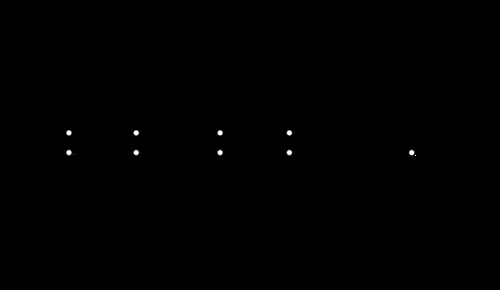
Isolation detection in vSphere 5.1 versus 5.0

Duncan Epping · Dec 31, 2012 ·

I received a question today from someone who wanted to know the difference for isolation detection between vSphere 5.0 and 5.1. I described this in our book, but I figured I would share it here as well. Note that this is an outtake from the book.

The isolation detection mechanism has changed substantially since previous versions of vSphere. The main difference is the fact that HA triggers a master election process before it will declare a host is isolated. In this timeline, “s” refers to seconds. The following timeline is the timeline for a vSphere 5.0 host:

  • T0 – Isolation of the host (slave)
  • T10s – Slave enters “election state”
  • T25s – Slave elects itself as master
  • T25s – Slave pings “isolation addresses”
  • T30s – Slave declares itself isolated and “triggers” isolation response

For a vSphere 5.1 host this timeline slightly differs due the insertion of a minimum 30s delay after the host declares itself isolated before it applies the configured isolation response. This delay can be increased using the advanced option das.config.fdm.isolationPolicyDelaySec.

  • T0 – Isolation of the host (slave)
  • T10s – Slave enters “election state”
  • T25s – Slave elects itself as master
  • T25s – Slave pings “isolation addresses”
  • T30s – Slave declares itself isolated
  • T60s – Slave “triggers” isolation response

Or as Frank would say euuuh show:

Isolation detection in vSphere 5.1 versus 5.0

When the isolation response is triggered, with both 5.0 and 5.1, HA creates a “power-off” file for any virtual machine HA powers off whose home datastore is accessible. Next it powers off the virtual machine (or shuts down) and updates the host’s poweron file. The power-off file is used to record that HA powered off the virtual machine and so HA should restart it. These power-off files are deleted when a virtual machine is powered back on or HA is disabled.

After the completion of this sequence, the master will learn the slave was isolated through the “poweron” file as mentioned earlier, and will restart virtual machines based on the information provided by the slave.


** Disclaimer: This article contains references to the words master and/or slave. I recognize these as exclusionary words. The words are used in this article for consistency because it’s currently the words that appear in the software, in the UI, and in the log files. When the software is updated to remove the words, this article will be updated to be in alignment. **

Death to false myths: Admission Control lowers consolidation ratio

Duncan Epping · Dec 11, 2012 ·

Death to false myths probably sounds a bit euuhm well Dutch probably, or “direct” as others would label it. Lately I have seen some statements floating around which are either false or misused. One of them is around Admission Control and how it impacts consolidation ratio even if you are not using reservations. I have had multiple questions around this in the last couple of weeks and noticed this thread on VMTN.

The thread referred to is all about which Admission Control policy to use, as the selected policy potentially impacts the amount of virtual machines you can run on a cluster. Now lets take a look at the example in this VMTN thread, and I have rounded up some of the numbers to simplify things:

  • 7 host cluster
  • 512 GB of memory
  • 132 GHz of CPU resources
  • 217 MB of Memory Overhead (no reservations used)

So if you do the quick math. According to Admission Control (host failures example) you can power-on about ~2500 virtual machines. That is without taking N-1 resiliency in to account. When I take out the largest host we are still talking about ~1800 virtual machines that can be powered on. Yes that is 700 slots/virtual machines less due to the N-1, admission control needs to be able to guarantee that even if the largest host fails all virtual machines can be restarted.

Considering we have 512GB in total that means that if those 1800 virtual machines on average actively use 280MB we will see TPS / swapping / ballooning / compression. (512GB / 1800 VMs) Clearly you want to avoid most of these, swapping / ballooning / compression that is. Especially considering most VMs are typically provisioned with 2GB of memory or more.

So what does that mean or did we learn? Two things:

  • Admission Control is about guaranteeing virtual machine restarts
  • If you set no reservation you can power-on an insane amount of virtual machines

Let me reemphasize the last bullet, you can power-on an INSANE amount of virtual machines on just a couple of hosts when no reservations are used. In this case HA would allow for 1800 virtual machines to be powered-on before it starts screaming it is out of resources. Is that going to work in real life, would your virtual machines be happy with the amount of resources they are getting? I don’t think so… I don’t believe that 280MB of physically backed memory is sufficient for most workloads. Yes, maybe TPS can help a bit, but chances of hitting the swap file are substantial.

Let it be clear, admission control is no resource management solution. It is only guaranteeing virtual machines can be restarted and if you have no reservations set then the numbers you will see are probably not realistic. At least not from a user experience perspective. I bet your users / customers would like to have a bit more resources available than just the bare minimum required to power-on a virtual machine! So don’t let these numbers fool you.

Insufficient resources to satisfy HA failover level on cluster

Duncan Epping · Dec 4, 2012 ·

I had this question yesterday where the error “Insufficient resources to satisfy HA failover level on cluster” comes from. And although it is hopefully clear to all of my regular readers this is caused by something that is called vSphere HA Admission Control, I figured I would reemphasize it and make sure people can easily find it when they do a search on my website.

When vSphere HA Admission Control is enabled vCenter Server validates if enough resources are available to guarantee all virtual machines can be restarted. If this is not the case the error around the HA failover level will appear. So what could cause this to happen and how do you solve it?

  • Are all hosts in your cluster still available (any hosts down )?
    • If a host is down  it could be insufficient resource are available to guarantee restarts
  • Check which admission control policy has been selected
    • Depending on which policy has been selected a single large reservation could skew the admission control algorithm (primarily “host failures” policy is impacted by this)
  • Admission Control was recently enabled
    • Could be that the cluster was overcommitted, or various reservations are used,  causing the policy to be violated directly when enabled

In most cases when this error pops up it is caused by a large reservation on memory or CPU and that should always be the first thing to check. There are probably a million scripts out there to check this, but I prefer to use either the CloudPhysics appliance (cloud based flexible solution with new reports weekly), or RVTools which is a nice Windows based utility that produces quick reports. If you are interested in more in-depth info on admission control I suggest reading this section of my vSphere HA deepdive page.

Survey Time: vSphere FT

Duncan Epping · Dec 3, 2012 ·

If you have a couple of spare minutes… please fill out this survey about vSphere FT, it would be very helpful for our Product Management team. It takes about 10 minutes to get through.

  • « Go to Previous Page
  • Page 1
  • Interim pages omitted …
  • Page 27
  • Page 28
  • Page 29
  • Page 30
  • Page 31
  • Interim pages omitted …
  • Page 63
  • Go to Next Page »

Primary Sidebar

About the Author

Duncan Epping is a Chief Technologist and Distinguished Engineering Architect at Broadcom. Besides writing on Yellow-Bricks, Duncan is the co-author of the vSAN Deep Dive and the vSphere Clustering Deep Dive book series. Duncan is also the host of the Unexplored Territory Podcast.

Follow Us

  • X
  • Spotify
  • RSS Feed
  • LinkedIn

Recommended Book(s)

Also visit!

For the Dutch-speaking audience, make sure to visit RunNerd.nl to follow my running adventure, read shoe/gear/race reviews, and more!

Do you like Hardcore-Punk music? Follow my Spotify Playlist!

Do you like 80s music? I got you covered!

Copyright Yellow-Bricks.com © 2026 · Log in