• Skip to primary navigation
  • Skip to main content
  • Skip to primary sidebar

Yellow Bricks

by Duncan Epping

  • Home
  • Unexplored Territory Podcast
  • HA Deepdive
  • ESXTOP
  • Stickers/Shirts
  • Privacy Policy
  • About
  • Show Search
Hide Search

See you at VMworld Europe

Duncan Epping · Oct 11, 2018 ·

VMworld Europe is coming up fast. I always get the question where people can find me. This is not an easy question as VMworld Europe usually means two things: sessions and meetings. Actually, it means three things: sessions, meetings and running between those. If you want to find me it is best to attend one of the three sessions I will be part of. Note that one session is full right now.

  • Innovating Beyond HCI: How VMware is Driving the Next Data Center Revolution [HCI3728KE] (seats available)
    Wednesday, Nov 07, 11:00 a.m. – 12:00 p.m.
    In this session, I will be joining Yanbing Lee and John Gilmartin up on stage. This is the general session for the Storage and Availability BU as well as the Integrated Systems BU. In this session, we will discuss where, how, and why HCI and VMware Cloud Foundation started. But more importantly where we are today and where we will be going in the future. It will have great demos that reveal what we have planned in the upcoming year(s), so make sure to register for this one!
  • The Power of Storage Policy-Based Management [HCI1270BE] (seats available)
    Wednesday, Nov 07, 12:30 p.m. – 1:30 p.m.
    The world of software-defined storage moves at a rapid pace, and VMware is one of the biggest enablers. In this session, Cormac and I will guide you through the world of software-defined storage initiatives at VMware and provide a primer to VMware vSAN, VMware Virtual Volumes (VVol), persistent cloud-native storage options (Project Hatchway), the VMware vSphere APIs for I/O filtering, and the binding factor in these cases: storage policy-based management. Be warned: We will bring demos!
  • vSphere Clustering Deep Dive, Part 1: vSphere HA and DRS [VIN1249BE]
    Tuesday, Nov 06, 11:00 a.m. – 12:00 p.m.
    In this session, Frank and I will take you through the trenches of VMware vSphere Distributed Resource Scheduler (DRS) and vSphere High Availability (HA). Find out about options to optimize your DRS settings for your specific requirements and goals, such as if you should be load balancing on active or consumed memory, as well as what has recently changed in the DRS algorithm and if it will impact DRS behavior. And for vSphere HA, you will learn about when it restarts virtual machines (VMs), what kind of restart times to expect, and where you can find evidence that a VM (or multiple) have been restarted. You will find out about all of these items and more. Prepare to dive deep, as the basics will not be covered.

    • Session is repeated on Thursday at 10:30!

Oh, and rumor has it that Frank, Niels and I may be handing out some signed copies of our book again at the Rubrik booth… More on that later. I am hoping we will see long queues through the solution exchange again.

@rubrikInc giving away free copies of the @ClusterDeepDive signed by @FrankDenneman @DuncanYB @NHagoort #VMworld pic.twitter.com/lzIuY0n3ln

— Emad Younis (@emad_younis) August 28, 2018
Want to test vSAN? Go to VMTestdrive!

Duncan Epping · Oct 2, 2018 ·

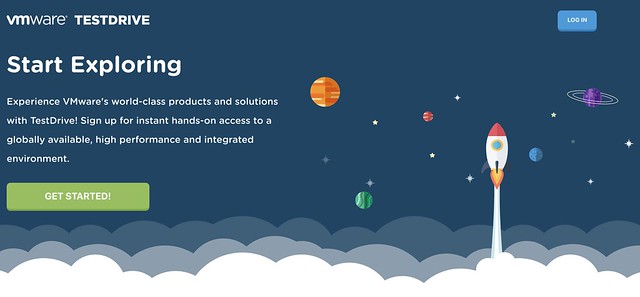
This week I had a conversation with two of my colleagues who are part of the Global Platform Engineering team, Rory and Marilyn. I had spoken with them before on this topic, but at that point, they weren’t quite ready to go all out just yet, but now they are. Rory and Marilyn and their team developed this great platform for product experiences and PoCs, called TestDrive. The platform was initially launched for EUC, and is now being expanded to include other solutions like vSAN, NSX and PKS to name a few. Back in March of this year, they launched the vSAN experience as part of the Modernize Data Centers solution track.

My first question to them, of course, was: what is unique here? We have the VMware HoL for people externally and we internally have OneCloud (field) and Nimbus (dev), why would I use this? The answer was straightforward: TestDrive is the only place you can see VMware products in a real-world, high performance environment, as close as possible to how our customers would deploy. Everything is built on bare metal using VMware’s reference architecture and best practices, and the experience is fully configured and ready to go, you just jump in and start using it. This environment is hosted in the cloud (Softlayer) across all regions (US, EMEA, APJ) and there’s accompanying walkthrough guides to follow or you can also do some freewheeling. Of course, you can’t wipe the environment, so there are some constraints around what you can test.

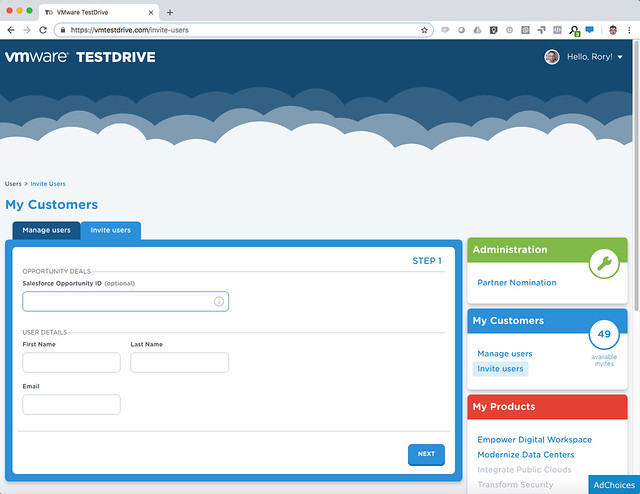
Literally, hundreds of thousands of PoCs and experiences were conducted on this platform (200k experiences in FY18, 344k so far this year) What I liked most is the integration they provided with backend systems, as a VMware employee or VMware Partner you can sign up straight away and get a permanent SuperUser account. SuperUsers also have the ability to directly invite customers to TestDrive themselves! After you, for instance, demonstrated something to a customer you can simply give them access to the same environment by inviting them from the TD portal (https://kb.vmtestdrive.com/hc/en-us/articles/360001449574-Inviting-Your-Customers-to-TestDrive)

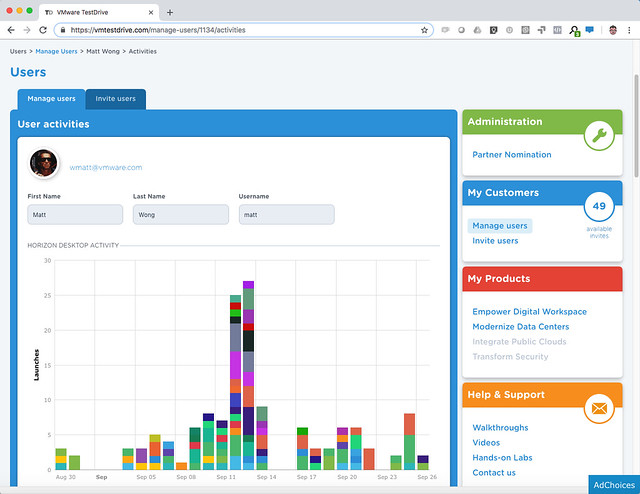
What they end up testing is then tracked as well, so as a partner or VMware employee you can keep track and follow up when required.

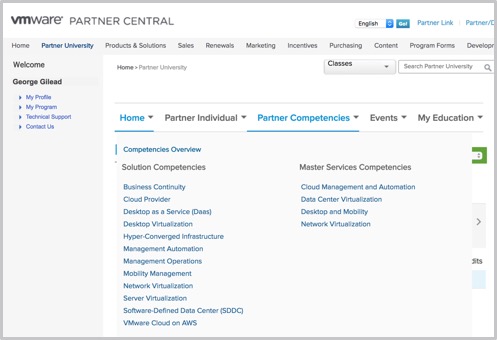
For Partners to sign up you need to be accredited with the VTSP HCI competency, available at no cost from VMware Partner Central. Simply log in, navigate to Partner University to subscribe to the Hyper-Converged Infrastructure accreditation training.

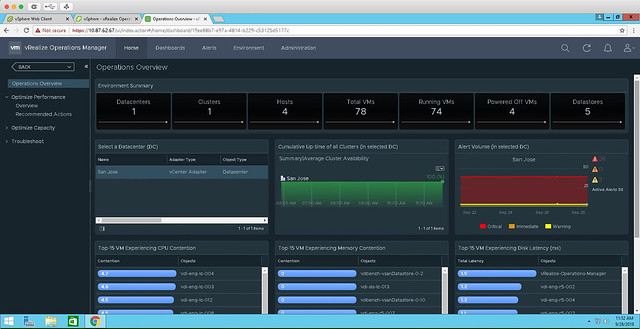
Rory and Marilyn reached out to me to look at the vSAN experience specifically. This hosted experience allows you to walkthrough a live vSAN environment, running active workloads. In the TestDrive environment, vSAN is hosting a combination of Horizon Desktops as well as VMs running HCIBench. Using both vSAN Health and Performance Service and vROps, the live vSAN environment allows you to see and measure the IOPs and latency in real time. They also have VROps available in the environment, so you can also see the stats in there, and the integration there is. Right now they are running vSphere and vSAN 6.7, but soon they will upgrade to 6.7 U1, when available. Note, this is not nested, these are bare-metal ALL-FLASH systems! Check out this walkthrough guide for a step by step of what’s available for vSAN, https://kb.vmtestdrive.com/hc/en-us/articles/360001304973-Introduction-to-vSAN-with-vCenter-and-vROps

How do you access it? Well if you are a VMware Employee or Partner simply sign up straight from https://vmtestdrive.com/ and dive in! If you are a reader, a VMware customer, and you are interested in testing this, well Rory and Marilyn were so kind to give me my own Invitation Code: DUNCANYB which gives all of you access. Simply go to: https://vmtestdrive.com/ click Getting Started, put in your email and use invitation code DUNCANYB to get 30 days access, or use this custom link with the invititation code included: http://bit.ly/dybvsan

Books linked, buy paper Clustering Deep Dive get ebook for 2.95!

Duncan Epping · Oct 1, 2018 ·

We just managed to link the paper and electronic version of the Clustering Deep Dive. This means that if you buy the paper book today, you can get the e-book at a discount. This was something a lot of you have asked for, so we pushed it through. Unfortunately, it did mean we had to re-upload the book to a different back-end system and “history” is lost, so those who already bought the paper version of the book, unfortunately, can’t get the same deal. If you are interested in getting both versions, go here. Or click below on the book, or one of the other books I recommend reading 🙂


VMworld Europe Session Builder is open!

Duncan Epping · Sep 25, 2018 ·

VMworld Session Builder is open, so if you are planning on going to VMworld Europe you may want to go to the session builder website and add the sessions you would like to see to your schedule. I created a list for VMworld US, most of these still apply. I also have two sessions of my own at VMworld Europe, you can add those by searching for “Epping”, or just click here and you will see them listed.

It also seems registrations are starting to ramp up fast now, if you haven’t registered I would urge you to do so today, typically sessions fill up quickly, and you don’t want to find yourself missing out on the sessions you wanted to see as a result of a late registration!

Oh, and we may have a couple of books to hand out in EMEA as well… Stay tuned for more on that later!

The @rubrikInc booth at #VMworld is busy! Just a little bit left to get a signed copy of the vSphere Clustering Deep-dive book from @DuncanYB @FrankDenneman and @NHagoort pic.twitter.com/7t4lUThwwv

— Ben Meadowcroft (@BenMeadowcroft) August 28, 2018

MS Word: Paste and Match Formatting by default

Duncan Epping · Sep 19, 2018 · 16 Comments

Something that bugged me for a long time on a Mac was the copy/paste behavior. I always wanted it to default to match the formatting of the document I am working in, or even paste in unformatted text. Pasting formatted text just messes up your whole document. I never knew how to do this until I recently saw a tweet about it. As I received a question about it today I figured I would write a short blog as the original post on this topic is difficult to find. I do want to point out that all credits for this trick go to user “BAT”, and of course thanks to Rob Nolen for tweeting this!

So how do you “change” the default “paste” option? Well, you don’t really, but you can configure a shortcut and set it to call a menu item. You do this as follows:

  • Open System Preferences
  • Go to Keyboard
  • Click Shortcuts
  • Add an “App Shortcut”
  • Select “Microsoft Word” as the app
  • Use the following as the “Menu Title”: Paste and Match Formatting
  • And in the keyboard shortcut use the key combination COMMAND-V

Now you have created a shortcut that maps to the “paste and match formatting” menu item. Which is very very handy! Thanks Rob and BAT for sharing this, you saved me from a lot of frustration.

  • « Go to Previous Page
  • Page 1
  • Interim pages omitted …
  • Page 69
  • Page 70
  • Page 71
  • Page 72
  • Page 73
  • Interim pages omitted …
  • Page 497
  • Go to Next Page »

Primary Sidebar

About the Author

Duncan Epping is a Chief Technologist and Distinguished Engineering Architect at Broadcom. Besides writing on Yellow-Bricks, Duncan is the co-author of the vSAN Deep Dive and the vSphere Clustering Deep Dive book series. Duncan is also the host of the Unexplored Territory Podcast.

Follow Us

  • X
  • Spotify
  • RSS Feed
  • LinkedIn

Recommended Book(s)

Also visit!

For the Dutch-speaking audience, make sure to visit RunNerd.nl to follow my running adventure, read shoe/gear/race reviews, and more!

Do you like Hardcore-Punk music? Follow my Spotify Playlist!

Do you like 80s music? I got you covered!

Copyright Yellow-Bricks.com © 2026 · Log in