• Skip to primary navigation
  • Skip to main content
  • Skip to primary sidebar

Yellow Bricks

by Duncan Epping

  • Home
  • Unexplored Territory Podcast
  • HA Deepdive
  • ESXTOP
  • Stickers/Shirts
  • Privacy Policy
  • About
  • Show Search
Hide Search

Server

Did you know? SCSI Reservations…

Duncan Epping · Oct 26, 2010 ·

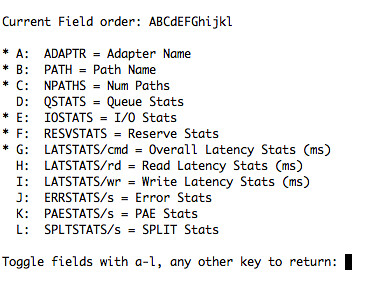
Today we had an interesting discussion on the VCDX mailing list. One thing I noticed a while back when I was randomly looking around in “esxtop” was a new field. The field is called ” RESVSTATS and can be enabled in all disk related displays(d, u,v).
esxtop performance reservations scsi

This will make troubleshooting storage related performance issues a bit easier as the SCSI Reservations(RESV/S) are shown a column(click the screenshot for a larger version) when enabled, and even more specifically SCSI Reservation Conflicts (CONS) are shown next to it):

Did you know? All hosts failed…

Duncan Epping · Oct 22, 2010 ·

** for vSphere 5.0 check this update! **

Today I received a very valid question around a full cluster failure. What happens when all the hosts in a cluster go down and at some point return? Will the VMs be restarted and what do I need to have in place to ensure they will?

It seems to be an urban myth that you need to use “auto-start” for a full cluster failure. But as you might have noticed that won’t work when HA is enabled. So what will?

VMware HA

Is it really that simple? Yes it is! When a full cluster fails and nodes start powering up HA will restart the VMs. As you know HA (or to be precise the primary nodes) maintains the host states, which includes the status of all VMs on those hosts. When one of the primary nodes returns to duty it will trigger the restarts based on the last known state. Make sure you set the restart priority correct so that any VMs hosting “management apps” will be booted up first.

It can’t get any simpler than that can it!

HA, the missing link…

Duncan Epping · Oct 20, 2010 ·

One of the things that has always been missing from VMware’s High Availability solution stack is application awareness. As I explained in one of my earlier posts this is something that VMware is actively working on. Instead of creating a full App clustering level VMware decided to extend “VM Monitoring” and created an API to enable App level resiliency.

At VMworld I briefly sat down with Tom Stephens who is part of the Technical Marketing Team as an expert on HA and of course the recently introduced App Monitoring. Tom explained me what App Monitoring enables our partners to do and he used Symantec as the example. Symantec monitors the Application and all its associated services and ensure appropriate action is taken depending on the type of failure. Now keep in mind, it is still a single node so in case of OS maintenance their will be a short downtime. However, I personally feel that this does bridge a gap, this could add that extra 9 and that extra level of assurance your customer needs for his tier-1 app.

Not only will it react to a failover, but it also ensures for instance that all service are stopped and started in the correct order if and when needed. Now think about that for a second, you are doing maintenance during the weekend and need to reboot some of the Application Servers which are owned by someone else. This feature would enable you to reboot the machine and guarantee that the App will be started correctly as it knows the dependencies!

Tom recently published a great article about this new HA functionality and the key benefits of it, make sure you read it on the VMware Uptime blog!

Storage IO Control Best Practices

Duncan Epping · Oct 19, 2010 ·

After attending Irfan Ahmad’s session on Storage IO Control at VMworld I had the pleasure to sit down with Irfan and discuss SIOC. Irfan was so kind to review my SIOC articles(1, 2) and we discussed a couple of other things as well. The discussion and the Storage IO Control session contained some real gems and before my brain resets itself I wanted to have these documented.

Storage IO Control Best Practices:

  • Enable Storage IO Control on all datastores
  • Avoid external access for SIOC enabled datastores
    • To avoid any interference SIOC will stop throttling, more info here.
  • When multiple datastores share the same set of spindles ensure all have SIOC enabled with comparable settings and all have sioc enabled.
  • Change latency threshold based on used storage media type:
    • For FC storage the recommended latency threshold is  20 – 30 MS
    • For SAS storage the recommended latency threshold is  20 – 30 MS
    • For SATA storage the recommended latency threshold is 30 – 50 MS
    • For SSD storage the recommended latency threshold is 15 – 20 MS
  • Define a limit per VM for IOPS to avoid a single VM flooding the array
    • For instance limit the amount of IOPS per VM to a 1000

it’s a bloggers lab (vm)world

Duncan Epping · Oct 11, 2010 ·

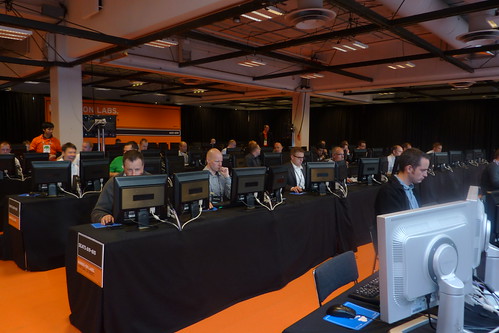
The labs are filling up, roughly 150 active labs at the moment and more people coming in to get their hands dirty.

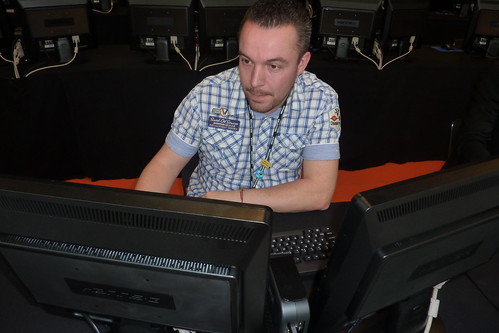
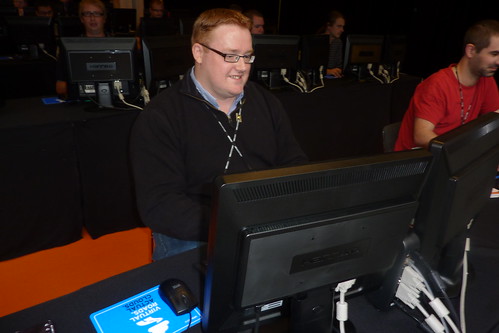
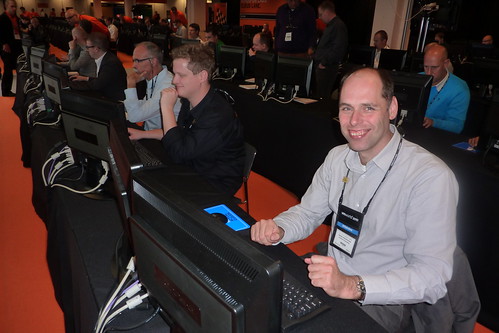
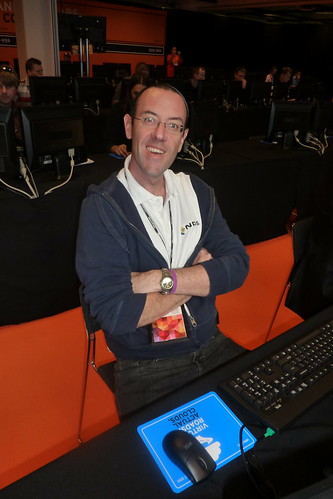
I actually managed to spot a whole bunch of bloggers and took a picture to have evidence that these guys are not just here to look cute, but actually get their hands dirty as well. As stated before there are 30 different lab topics available, always something you haven’t looked into and can explore.

Here you go, meet the bloggers…

Gabe van Zanten (gabesvirtualworld.com)

Heino Skov (virtualtroll.com)

Joep Piscaer on the left(virtuallifestyle.nl and Gerben Kloosterman on the right (virtualarchitect.nl)

Maish Saidel-Keesing(Technodrone)

Arnim van Lieshout (van-lieshout.com)

  • « Go to Previous Page
  • Page 1
  • Interim pages omitted …
  • Page 201
  • Page 202
  • Page 203
  • Page 204
  • Page 205
  • Interim pages omitted …
  • Page 336
  • Go to Next Page »

Primary Sidebar

About the Author

Duncan Epping is a Chief Technologist and Distinguished Engineering Architect at Broadcom. Besides writing on Yellow-Bricks, Duncan is the co-author of the vSAN Deep Dive and the vSphere Clustering Deep Dive book series. Duncan is also the host of the Unexplored Territory Podcast.

Follow Us

  • X
  • Spotify
  • RSS Feed
  • LinkedIn

Recommended Book(s)

Also visit!

For the Dutch-speaking audience, make sure to visit RunNerd.nl to follow my running adventure, read shoe/gear/race reviews, and more!

Do you like Hardcore-Punk music? Follow my Spotify Playlist!

Do you like 80s music? I got you covered!

Copyright Yellow-Bricks.com © 2026 · Log in