• Skip to primary navigation
  • Skip to main content
  • Skip to primary sidebar

Yellow Bricks

by Duncan Epping

  • Home
  • Unexplored Territory Podcast
  • HA Deepdive
  • ESXTOP
  • Stickers/Shirts
  • Privacy Policy
  • About
  • Show Search
Hide Search

Storage

vSphere 5.0: UNMAP (vaai feature)

Duncan Epping · Jul 15, 2011 ·

With vSphere 5.0 a brand new primitive has been introduced which is called Dead Space Reclamation as part of the overall thin provisioning primitive. Dead Space Reclamation is also sometimes referred to as unmap and it enables you to reclaim blocks of thin-provisioned LUNs by telling the array that specific blocks are obsolete, and yes that command used is the SCSI “unmap” command.

Now you might wonder when you would need this, but think about it for a second.. what happens when you enable Storage DRS? Indeed, virtual machines might be moved around. When a virtual machine is migrated from a thin provisioned LUN to a different LUN you probably would like to reclaim the blocks that were originally allocated by the array to this volume as they are no longer needed for the source LUN. That is what unmap does. Now of course not only when a virtual machine is storage vmotioned but also when a virtual machine or for instance a virtual disk is deleted. Now one thing I need to point out that this is about unmapping blocks associated to a VMFS volume, if you delete files within a VMDK those blocks will not be unmapped!

When playing around with this I had a question from one of my colleagues, he did not have the need to unmap blocks from these thin-provisioned LUNs so he asked if you could disable it, and yes you can:

esxcli system settings advanced set --int-value 1 --option /VMFS3/EnableBlockDelete

The cool thing is that it works with net-new VMFS-5 volumes but also with upgraded VMFS-3 to VMFS-5 volumes:

  1. Open the command line and go to the folder of the datastore:
    cd /vmfs/volumes/datastore_name
  2. Reclaim a percentage of free capacity on the VMFS5 datastore for the thin-provisioned device by running:
    vmkfstools -y <value>

The value should be between 0 and 100, with 60 being the maximum recommended value. I ran it on a thin provisioned LUN with 60% as the percentage to reclaim. Unfortunately I didn’t have access to the back-end of the array so could not validate if any disk space was reclaimed.

/vmfs/volumes/4ddea74d-5a6eb3bc-f95e-0025b5000217 # vmkfstools -y 60
Attempting to reclaim 60% of free capacity 3.9 TB on VMFS-5 file system 'tm-pod04-sas600-sp-4t'.
Done.
/vmfs/volumes/4ddea74d-5a6eb3bc-f95e-0025b5000217 #
Storage DRS interoperability

Duncan Epping · Jul 15, 2011 ·

I was asked about this a couple of times over the last few days so I figured it might be an interesting topic. This is described in our book as well in the Datastore Cluster chapter but I decided to rewrite it and add some of it into a table to make it easier to digest. Lets start of with the table and explain why/where/what… Keep in mind that this is my opinion and not necessarily the best practice or recommendation of your storage vendor. When you implement Storage DRS make sure to validate this against their recommendations. I have marked the area where I feel caution needs to be taken with (*).

Capability Mode Space I/O Metric
Thin Provisioning Manual Yes (*) Yes
Deduplication Manual Yes (*) Yes
Replication Manual (*) Yes Yes
Auto-tiering Manual Yes No (*)

Yes you are reading that correctly, Storage DRS enabled with all of them and even with I/O metric enabled except for auto-tiering. Now although I said “Manual” for all of them I even believe that in some of these cases Fully Automated mode would be perfectly fine. Now as it will of course depend on the environment I would suggest to start out in Manual mode if any of these 4 storage capabilities are used to see what the impact is after applying a recommendation.

First of all “Manual Mode”… What is it? Manual Mode basically means that Storage DRS will make recommendations when the configured thresholds for latency or space utilization has been exceeded. It also will provide recommendations for placement during the provisioning process of a virtual machine or a virtual disk. In other words, when setting Storage DRS to manual you will still benefit from it as it will monitor your environment for you and based on that recommend where to place or migrate virtual disks to.

In the case of Thin Provisioning I would like to expand. I would recommend before migrating virtual machines that the “dead space” that will be left behind on the source datastore after the migration can be reclaimed by the use of the unmap primitive as part of VAAI.

Deduplication is a difficult one. The question is, will the “deduplication” process be as efficient after the migration as it was before the migration. Will it be able to deduplicate the same amount of data? There is always a chance that this is not the case… But than again, do you really care all that much about it when you are running out of disk space on your datastore or are exceeding your latency threshold? Those are very valid reasons to move a virtual disk as both can lead to degradation of service.

In an environment where replication is used care should be taken when balancing recommendations are applied. The reason for this being that the full virtual disk that is migrated will need to be replicated after the migration. This temporarily leads to an “unprotected state” and as such it is recommended to only migrate virtual disks which are protected during scheduled maintenance windows.

Auto-tiering arrays have been a hot debate lately. Not many seem to agree with my stance but up til today no one has managed to give me a great argument or explain to me exactly why I would not want to enable Storage DRS on auto-tiering solutions. Yes I fully understand that when I move a virtual machine from datastore A to datastore B the virtual machine will more than likely end up on relatively slow storage and the auto-tiering solution will need to optimize the placement again. However when you are running out of diskspace what would you prefer, down time or a temporary slow down? In the case of “I/O” balancing this is different and in a follow up post I will explain why this is not supported.

** This article is based on vSphere 5.0 information **

5 is the magic number

Duncan Epping · Jul 12, 2011 ·

Yes, here it is… the moment we’ve all been waiting for… vSphere 5.0. Finally announced today, and on top of that also new releases of vCD (1.5), SRM (5.0), vShield (5.0) and of course a new product called the vSphere Storage Appliance. Over the last months I have been working hard on collateral for this launch and soon it should be available. For me personally vSphere 5.0 is most definitely the launch that had the most impact ever. Not only did I work on some of the material that will be released, I also prepared roughly 20 blog articles which will be released over the upcoming weeks and lets not forget the vSphere 5.0 Clustering Tech Deepdive that we’ve released today. Crazy times indeed, but that’s not the topic of this article. Lets talk about vSphere 5.0 for a bit and why I am so excited about this release in particular. I could do a copy of past of the releasenotes, which I am certain many will do, but where’s the fun in that? Instead I am going to list some of the changes in vSphere 5.0 and mention why I feel these are important. I won’t go into much detail yet as that will more than likely happen in one of the upcoming articles.

I have picked 5 topics which I feel deserved to be called out and which are enormous!

  1. Storage DRS
  2. vSphere HA aka FDM
  3. Profile-Driven Storage
  4. vSphere Storage APIs
  5. Stateless

Storage DRS

This is near and dear to my heart. I have been involved with SDRS very closely over the last 8 months and provided a lot of feedback around the UI, some which has made it into this release. So what is Storage DRS and why do you need it? Storage DRS does for storage what DRS does for compute resources. Storage DRS allows you to aggregate storage resources (datastores) into a single object called a Datastore Cluster. This datastore cluster is the object you will need to manage from now on. SDRS will balance resources (aka virtual machines) within a datastore cluster. In other words, SDRS allows you to specify a latency and space utilization threshold and based on that it will make balancing recommendations. It can do this fully automated and that probably sounds very compelling to most of you, and it is. However I feel that the true strength of SDRS is Initial Placement. Some of you might recognize this, and some of you unfortunately won’t, but when I deployed virtual machines I would check all VMFS volumes first and identify those with the most available disk space and than check the average latency to make sure I wasn’t creating hot spots. That was a fairly cumbersome task to be honest and that is exactly what SDRS also solves. On top of that it offers things like “Datastore Maintenance Mode” and (Anti) Affinity Rules. Definitely a feature worth evaluating in my opinion and a feature which would justify an upgrade to Enterprise+ due to the reduction in operational effort and the possible problems/bottlenecks it can detect and help preventing.

vSphere HA aka FDM

This is one of those features that many take for granted. HA just works doesn’t it…. But all of us have seen some of the constraints that came with it like the max of 5 primary nodes. All of that has been solved with vSphere 5.0. vSphere HA has been rewritten from the ground up. Yes I do mean from the ground up, AAM is dead and FDM is introduced. FDM stands for Fault Domain Manager and is the name of the new agent. From a UI perspective not a lot has changed however, except for a couple things that appear to be minor but are major in my opinion like: Datastore Heartbeating and Admission Control Policies. Datastore Heartbeating allows HA to make a distinction between a host that is isolated and between a host that has failed. You might wonder why that is important, well in the past HA would try restarting VMs regardless of the state of the host and this causes some overhead and even problems in the past. That has now been solved. On top of that the Admission Control Policies were improved. The percentage based admission control policy allows you to specify a separate percentage for both CPU and memory. There’s much more under the covers that has changed though, no more primary/secondary node concept as stated but a master/slave concept with an automated election process. Anyway, too much details for now, will come back to that later.

Profile-Driven Storage

Profile-Driven Storage is the future. In an ideal world admins are maintaining massive spreadsheets detailing storage characteristics and VM storage requirements. This spreadsheet should be used during the provisioning and during the migration of VMs, but we all know that in many cases placement is either at random or “best of knowledge”. In both cases, and even when a spreadsheet/database is used, this leads to human error or a serious operational overhead. With vSphere 5.0 that is not necessary anymore as Profile-Driven Storage helps preventing these errors. Profile-Driven Storage, in the UI referred to as VM Storage Profile, allows you to create a profile with specific characteristics. This profile can simply be linked to a VM/VMDK and will allow you to do compliancy checks. Simple solution, but very effective and especially when combined with one of the new vSphere Storage APIs…

vSphere Storage APIs

Most of you have seen VAAI into action by now. We all know how it can help reducing the time to make a clone, deploy a template, create an eager zero thick disk and of course offload the locking mechanism. With 5.0 this has been expanded and enhanced. First and foremost, in my opinion, all primitives (features) are now T10 compliant. This means that every single storage vendor out there that adheres to the T10 standards can benefit from VAAI without the need to write their own plugin. On top of that a Thin Provisioning primitive is introduced which does two things: reclaim dead space and provide out-of-space info. Reclaim dead space useful in environments where thin provisioned LUNs are used and VMs are often deleted. This will allow the array to reclaim the blocks associated with the LUN when they are no longer in use. Out-of-space info, well I guess you know what that does… provide details around utilization on the backend (array) to the frontend (vCenter/ESXi) and allows for alarms etc. On top of that a brand new feature is introduced called vSphere Storage API for Storage Awareness aka VASA. VASA surfaces storage characteristics to vCenter. Basically it enables you to retrieve storage details from the “storage provider” and use this for Profile-Driven Storage, SDRS etc. Think about details like RAID level used, thin / thick, deduped, replication etc.

Stateless

Last but not least, support for Stateless. This allows you to run diskless setups and boot ESXi into memory over the network. vSphere 5.0 provides the Auto Deployment tool which allows you to manage stateless ESXi environments. The cool thing in my opinion about stateless ESXi, keep in mind that “state” is stored by Auto Deployment and vCenter, is that is makes the update process extremely easy. Instead of patching dozens of hosts you patch the main image and just reboot your host whenever you please. Is that agile or what?

Wrapping up

There’s much more of course to vSphere 5.0 than I have touched on today. However, I suspect that the whole blogosphere will be swamped with blog articles and as such there is no point in calling out every single cool detail as they will drown in a large amount of info floating around. These 5 are my personal favorites mainly because they reduce the amount of operational effort required to run a virtualized infrastructure. I cannot wait for the product to be available and hear all your responses!


** Disclaimer: This article contains references to the words master and/or slave. I recognize these as exclusionary words. The words are used in this article for consistency because it’s currently the words that appear in the software, in the UI, and in the log files. When the software is updated to remove the words, this article will be updated to be in alignment. **

Hot of the press: vSphere 5.0 Clustering Technical Deepdive

Duncan Epping · Jul 12, 2011 ·

** Update: Available now: paperback full |paperback black & white **

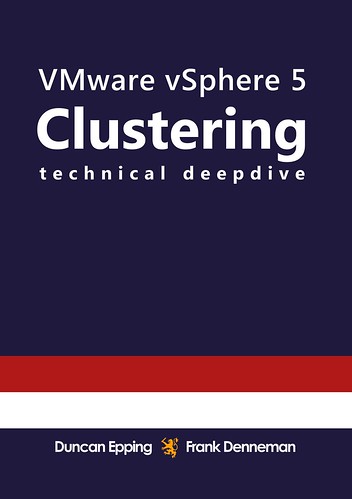
After months of hard work the moment is finally there, the release of our new book: vSphere 5.0 Clustering Technical Deepdive! When we started working, or better said, planning an update of the book we never realized the amount of work required. Be aware that this is not a minor update. This book covers HA (full rewrite as HA has been rewritten for 5.0), DRS (mostly rewritten to focus on resource management) and Storage DRS (new!). Besides these three major pillars we also decided to add what we call supporting deepdives. The supporting deepdives added are: vMotion, Storage vMotion, Storage I/O Control and EVC. This resulted in roughly 50% more content (totaling 348 pages) than the previous book, also worth noting that every single diagram has been recreated and are they cool or what?

Before I will give you the full details I want to thanks a couple of people who have helped us tremendously and without whom this publication would not have been possible. First of all I would like to thank my co-author Frank “Mr Visio” Denneman for all his hard work. Frank and I would also like to thank our VMware management team for supporting us on this project. Doug “VEEAM” Hazelman thanks for writing the foreword! A special thanks goes out to our technical reviewers and editors: Doug Baer, Keith Farkas and Elisha Ziskind (HA Engineering), Anne Holler, Irfan Ahmad and Rajesekar Shanmugam (DRS and SDRS Engineering), Puneet Zaroo (VMkernel scheduling), Ali Mashtizadeh and Gabriel Tarasuk-Levin (vMotion and Storage vMotion Engineering), Doug Fawley and Divya Ranganathan (EVC Engineering). Thanks for keeping us honest and contributing to this book.

As promised in the multiple discussions we had around our 4.1 HA/DRS book we wanted to make sure to offer multiple options straight away. While Frank finalized the printed copy I worked on formatting the ebook. Besides the black&white printed version we are also offering a full color version of the book and a Kindle version. The black&white sells for $ 29.95, the full color for $ 49.95 and the Kindle for an ultra cheap price: $ 9.95. Needless to say that we recommend the Kindle version. It is cheap, full color and portable or should we say virtual… who doesn’t love virtual? On a sidenote, we weren’t planning on doing a black and white release but due to the extremely high production costs of the full color print we decided to offer it as an extra service. Before I give the full description here are the direct links to where you can buy the book. (Please note that Amazon hasn’t listed our book yet, seems like an indexing issue, should be resolved soon hopefully For those who cannot wait to order the printed copy check-out Createspace or Comcol.

Amazon:
eBook (Kindle) – $ 9.99
(price might vary based on location as amazon charges extra for delivery)
Black & White Paper – $ 29.95
Full Color Paper – $ 49.95

Createspace:
Black & White Paper – 29.95
Full Color Paper – 49.95

For the EMEA folks comcol.nl offered to distribute it again, paper black & white can be found here, and full color here.

VMware vSphere 5.0 Clustering Technical Deepdive zooms in on three key components of every VMware based infrastructure and is by no means a “how to” guide. It covers the basic steps needed to create a vSphere HA and DRS cluster and to implement Storage DRS. Even more important, it explains the concepts and mechanisms behind HA, DRS and Storage DRS which will enable you to make well educated decisions. This book will take you in to the trenches of HA, DRS and Storage DRS and will give you the tools to understand and implement e.g. HA admission control policies, DRS resource pools, Datastore Clusters and resource allocation settings. On top of that each section contains basic design principles that can be used for designing, implementing or improving VMware infrastructures and fundamental supporting features like vMotion, Storage I/O Control and much more are described in detail for the very first time.

This book is also the ultimate guide to be prepared for any HA, DRS or Storage DRS related question or case study that might be presented during VMware VCDX, VCP and or VCAP exams.

Coverage includes:
– HA node types
– HA isolation detection and response
– HA admission control
– VM Monitoring
– HA and DRS integration
– DRS imbalance algorithm
– Resource Pools
– Impact of reservations and limits
– CPU Resource Scheduling
– Memory Scheduler
– DPM
– Datastore Clusters
– Storage DRS algorithm
– Influencing SDRS recommendations

Be prepared to dive deep!

Pick it up, leave a comment and of course feel free to make those great mugshots again and ping them over via Facebook or our Twitter accounts! For those looking to buy in bulk (> 20) contact clusteringdeepdive@gmail.com.

VMware HA Survey

Duncan Epping · Jul 5, 2011 ·

The Product Management Team reached out to me this week and asked me if I could help getting some real world data around HA by posting some information about a survey. These surveys are generally used to priorities features or even add functionality. So if you want to contribute please take the survey. It will roughly take 4 minutes to complete.

We have observed some of our customers have not virtualized the clustered workloads and thus we want to understand their reasons for not doing so. Also, for the clustered workloads that have been virtualized we want to learn of some of the factors that are preventing our customers from replacing the existing clustering software with VMware HA. Thus, we seek some information about your clustered setup to better understand some of your challenges. This would help us improve VMware HA in areas important to you. Kindly take a few minutes to complete this survey.


http://tinyurl.com/3pca8wn

  • « Go to Previous Page
  • Page 1
  • Interim pages omitted …
  • Page 97
  • Page 98
  • Page 99
  • Page 100
  • Page 101
  • Go to Next Page »

Primary Sidebar

About the Author

Duncan Epping is a Chief Technologist and Distinguished Engineering Architect at Broadcom. Besides writing on Yellow-Bricks, Duncan is the co-author of the vSAN Deep Dive and the vSphere Clustering Deep Dive book series. Duncan is also the host of the Unexplored Territory Podcast.

Follow Us

  • X
  • Spotify
  • RSS Feed
  • LinkedIn

Recommended Book(s)

Also visit!

For the Dutch-speaking audience, make sure to visit RunNerd.nl to follow my running adventure, read shoe/gear/race reviews, and more!

Do you like Hardcore-Punk music? Follow my Spotify Playlist!

Do you like 80s music? I got you covered!

Copyright Yellow-Bricks.com © 2026 · Log in