• Skip to primary navigation
  • Skip to main content
  • Skip to primary sidebar

Yellow Bricks

by Duncan Epping

  • Home
  • Unexplored Territory Podcast
  • HA Deepdive
  • ESXTOP
  • Stickers/Shirts
  • Privacy Policy
  • About
  • Show Search
Hide Search

Storage

Disk.SchedNumReqOutstanding the story

Duncan Epping · Jun 23, 2011 ·

There has been a lot of discussion in the past around Disk.SchedNumReqOutstanding and what the value should be and how it relates to the Queue Depth. Jason Boche wrote a whole article about when Disk.SchedNumReqOutstanding (DSNRO) is used and when not and I guess I would explain it as follows:

When two or more virtual machines are issuing I/Os to the same datastore Disk.SchedNumReqOutstanding will limit the amount of I/Os that will be issued to the LUN.

So what does that mean? It took me a while before I fully got it, so lets try to explain it with an example. This is basically how the VMware IO scheduler (Start-Time Fair Scheduling aka SFQ) works.

You have set your queue depth for your HBA to 64 and a virtual machine is issuing I/Os to a datastore. As it is just a single VM up to 64 IOs will then end up in the device driver immediately. In most environments however LUNs are shared by many virtual machines and in most cases these virtual machines should be treated equally. When two or more virtual machines issue I/O to the same datastore DSNRO kicks in. However it will only throttle the queue depth when the VMkernel has detected that the threshold of a certain counter is reached. The name of this counter is Disk.SchedQControlVMSwitches and by default it is set to 6, meaning that the VMkernel will need to have detected 6 VM switches when handling I/O before it will throttle the queue down to the value of Disk.SchedNumReqOutstanding, by default 32. (VM Switches means that it will need to detect 6 times that the selected I/O is not coming from the same VM as the previous I/O.)

The reason the throttling happens is because the VMkernel cannot control the order of the I/Os that have been issued to the driver. Just imagine you have a VM A issuing a lot of I/Os and another, VM B, issuing just a few I/Os. VM A would end up using most of the full queue depth all the time. Every time VM B issues an I/O it will be picked quickly by the VMkernel scheduler (which is a different topic) and sent to the driver as soon as another one completes from there, but it will still get behind the 64 I/Os already in the driver, which will add significantly to it’s I/O latency. By limiting the amount of outstanding requests we will allow the VMkernel to schedule VM B’s I/O sooner in the I/O stream from VM A and thus we reduce the latency penalty for VM B.

Now that brings us to the second part of all statements out there, should we really set Disk.SchedNumReqOutstanding to the same value as your queue depth? Well in the case you want your I/Os processed as quickly as possible without any fairness you probably should. But if you have mixed workloads on a single datastore, and wouldn’t want virtual machines to incur excessive latency just because a single virtual machine issues a lot if I/Os, you probably shouldn’t.

Is that it? No not really, there are several questions that remain unanswered.

  • What about sequential I/O in the case of Disk.SchedNumReqOutstanding?
  • How does the VMkernel know when to stop using Disk.SchedNumReqOutstanding?

Lets tackle the sequential I/O question first. The VMkernel will allow by default to issue up to 8 sequential commands (controlled by Disk.SchedQuantum) from a VM in a row even when it would normally seem more fair to take an I/O from another VM. This is done in order not to destroy the sequential-ness of VM workloads because I/Os that happen to sectors nearby the previous I/O are handled by an order of magnitude (10x is not unusual when excluding cache effects or when caches are small compared to the disk size) faster than an I/O to sectors far away. But what is considered to be sequential? Well if the next I/O is less than 2000 sectors away from the current the I/O it is considered to be sequential (controlled by Disk.SectorMaxDiff).

Now if for whatever reason one of the VMs becomes idle you would more than likely prefer your active VM to be able to use the full queue depth again. This is what Disk.SchedQControlSeqReqs is for. By default Disk.SchedQControlSeqReqs is set to 128, meaning that when a VM has been able to issue 128 commands without any switches Disk.SchedQControlVMSwitches will be reset to 0 again and the active VM can use the full queue depth of 64 again. With our example above in mind, the idea is that if VM B is issuing very rare IOs (less than 1 in every 128 from another VM) then we still let VM B pay the high penalty on latency because presumably it is not disk bound anyway.

To conclude, now that the coin has finally dropped on Disk.SchedNumReqOutstanding I strongly feel that the advanced settings should not be changed unless specifically requested by VMware GSS. Changing these values can impact fairness within your environment and could lead to unexpected behavior from a performance perspective.

I would like to thank Thor for all the help he provided.
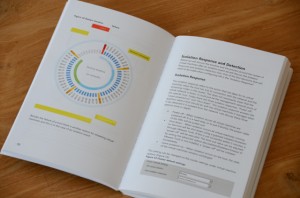
sneak peek of the upcoming vSphere Clustering book

Duncan Epping · Jun 10, 2011 ·

For those who are not following Frank’s blog, he just posted a sneak peek of the upcoming vSphere Clustering book. It looks really really slick in full color. I promise you won’t be disappointed. Go to Frank’s article for more details.

List of VAAI capable storage arrays?

Duncan Epping · Jun 6, 2011 ·

I was browsing the VMTN community and noticed a great tip from my colleague Mostafa Khalil and I believe it is worth sharing with you. The original question was: “Does anybody have a list of which arrays support VAAI (or a certain subset of the VAAI features)?”. Mostafa updated the post a couple of days back with the following reponse which also shows the capabilities of the 2.0 version of the VMware HCL:

A new version of the Web HCL will provide search criteria specific to VAAI.

As of this date, the new interface is still in “preview” stage. You can access it by clicking the “2.0 preview” button at the top of the page which is at: http://www.vmware.com/go/hcl/

  • The criteria are grouped under Features Category, Features and Plugin’s.
  • Features Category: Choice of “All” or “VAAI-Block”
  • Features: Choice of “All”, Block Zero”, “Full Copy”, “HW Assisted Locking” and more.
  • Plugin’s: Choice of “All” and any of the listed plugins.

HCL.jpg

Unfortunately there appear to be some glitches when it comes to listing all the arrays correctly, but I am confident that it will be fixed soon… Thanks Mostafa for the great tip.

Surprising results FC/NFS/iSCSI/FCoE…

Duncan Epping · May 16, 2011 ·

I received a preliminary copy of a this report a couple of weeks ago, but since then nothing has changed. NetApp took the time to compare FC against, FCoE, iSCSI and NFS. Like most of us, probably, I still had the VI3 mindset and expected that FC would come out on top. Fact of the matter is that everything is so close, the differences are neglectable and tr-3916 shows that regardless of the type of data access protocol used you can get the same mileage. I am glad NetApp took the time to test these scenarios and used various test scenarios. It is no longer about which protocol works best, what drives the most performance… no it is about what is easiest for you to manage! Are you an NFS shop? No need to switch to FC anymore. Do you like the simplicity of iSCSI? Go for it…

Thanks NetApp for this valuable report. Although this report of course talks about NetApp it is useful material to read for all of you!

What’s the point of setting “–IOPS=1” ?

Duncan Epping · Mar 30, 2010 ·

To be honest and completely frank I really don’t have a clue why people recommend setting “–IOPS=1” by default. I have been reading all these so called best practices around changing the default behaviour of “1000” to “1” but none of these contain any justification. Just to give you an example take a look at the following guide: Configuration best practices for HP StorageWorks Enterprise Virtual Array (EVA) family and VMware vSphere 4. The HP document states the following:

Secondly, for optimal default system performance with EVA, it is recommended to configure the round robin load balancing selection to IOPS with a value of 1.

Now please don’t get me wrong, I am not picking on HP here as there are more vendors recommending this. I am however really curious how they measured “optimal performance” for the HP EVA. I have the following questions:

  • What was the workload exposed to the EVA?
  • How many LUNs/VMFS volumes were running this workload?
  • How many VMs per volume?
  • Was VMware’s thin provisioning used?
  • If so, what was the effect on the ESX host and the array? (was there an overhead?)

So far none of of the vendors have published this info and I very much doubt, yes call me sceptical, that these tests have been conducted with a real life workload. Maybe I just don’t get it but  when consolidating workloads a threshold of a 1000 IOPS isn’t that high is it? Why switch after every single IO? I can imagine that for a single VMFS volume this will boost the performance as all paths will be equally hit and load distribution on the array will be optimal. But for a real life situation where you would have multiple VMFS volumes this effect decreases.  Are you following me? Hmmm, let me give you an example:

Test Scenario 1:

1 ESX 4.0 Host
1 VMFS volume
1 VM with IOMeter
HP EVA and IOPS set to 1 with Round Robin based on the ALUA SATP

Following HP’s best practices the Host will have 4 paths to the VMFS volume. However as the HP EVA is an Asymmetric Active Active array(ALUA) only two paths will be shown as “optimized”. (For more info on ALUA read my article here and Frank’s excellent article here.) Clearly when IOPS is set to 1 and there’s a single VM pushing IOs to the EVA on a single VMFS volume the “stress” produced by this VM would be equally divided on all paths without causing any spiky behaviour. In contrary to what a change of paths every “1000 IOs” might do. Although a 1000 is not a gigantic number it will cause spikes in your graphs.

Now lets consider a different scenario. Let’s take a more realistic one:

Test Scenario 2:

8 ESX 4.0 Hosts
10 VMFS volumes
16 VMs per volume with IOMeter
HP EVA and IOPS set to 1 with Round Robin based on the ALUA SATP

Again each VMFS volume will have 4 paths but only two of those will be “optimized” and thus be used. We will have 160 VMs in total on this 8 Host cluster and 10 VMFS volumes which means 16 VMs per VMFS volume. (Again following all best practices.) Now remember we will only have two optimized paths per VMFS volume and we have 16 VMs driving traffic to a volume, but not only 16 VMs this is also coming from 8 different hosts to these Storage Processors. Potentially each host is sending traffic down every single path to every single controller…

Let’s assume the following:

  • Every VM produces 8 IOps on average
  • Every host runs 20 VMs of which 2 will be located on the same VMFS volume

This means that every ESX host changes the path to a specific VMFS volume every 62 seconds(1000/(2×8)), with 10 volumes that’s a change every 6 seconds on average per host. With 8 hosts in a cluster and just two Storage Processors… You see where I am going? Now I would be very surprised if we would see a real performance improvement when IOPS is set to 1 instead of the default 1000. Especially when you have multiple Hosts running multiple VMs hosted on multiple VMFS volumes. If you feel I am wrong here or work for a Storage Vendor and have access to the scenarios used please don’t hesitate to join the discussion.

<update> Let me point out though that every situation is different, if you have had discussions with your storage vendor based on your specific requirements and configuration and this recommendation was given… Do not ignore it, ask why and if it indeed fits –> implement! Your storage vendor has tested various configurations and knows when to implement what, this is just a reminder that implementing “best practices” blind is not always the best option!</update>

  • « Go to Previous Page
  • Page 1
  • Interim pages omitted …
  • Page 98
  • Page 99
  • Page 100
  • Page 101
  • Go to Next Page »

Primary Sidebar

About the Author

Duncan Epping is a Chief Technologist and Distinguished Engineering Architect at Broadcom. Besides writing on Yellow-Bricks, Duncan is the co-author of the vSAN Deep Dive and the vSphere Clustering Deep Dive book series. Duncan is also the host of the Unexplored Territory Podcast.

Follow Us

  • X
  • Spotify
  • RSS Feed
  • LinkedIn

Recommended Book(s)

Also visit!

For the Dutch-speaking audience, make sure to visit RunNerd.nl to follow my running adventure, read shoe/gear/race reviews, and more!

Do you like Hardcore-Punk music? Follow my Spotify Playlist!

Do you like 80s music? I got you covered!

Copyright Yellow-Bricks.com © 2026 · Log in