• Skip to primary navigation
  • Skip to main content
  • Skip to primary sidebar

Yellow Bricks

by Duncan Epping

  • Home
  • Unexplored Territory Podcast
  • HA Deepdive
  • ESXTOP
  • Stickers/Shirts
  • Privacy Policy
  • About
  • Show Search
Hide Search

My Personal Top 10 Albums of All Time

Duncan Epping · Jun 8, 2016 ·

Yesterday on twitter someone asked me what my personal favourite rock album was, not something I had to think about for long, in that genre there are a couple of bands for me that really stand out. When I replied to the question Christian Mohn responded as well, he had a different album in mind and based on that he wrote an article with his top 10. (Recommended read for sure!) I figured I would go through the same exercise. Not easy considering I listen to many different types of music, and there are many many albums I really like. Just like Christian I looked at some of my play stats, but they don’t necessarily reveal how I feel about an album and partly are also the result of a phase and what is happening around me.

So I sat down and started listing albums, and then started removing albums from the list. I tried to include at least 1 album from every genre I listen to, but with a strong focus on rock / alternative music. Ow, if the youtube link isn’t working in the country you live in there’s not much I can do about it… Also, if you are here purely for technology articles I appreciate that as well, just skip the article.

Here we go.

10. Elvis – If I can Dream (with the Royal Philharmonic Orchestra)
This is where it all started for me, not this particular album, but Elvis in general. My parents were fans, and as they owned a bunch of records it was what I played first on my own record player. Compared to what my friends were listening back then, if they were even listening to anything, it was a bit different… not as “current”. I guess this is where it started for me. This album in particular stands out, it has most of my favourite songs, it was released in 2015. Yes 2015, they recorded new orchestral arrangements and combined that with earlier recorded vocals. It sounds amazing. My favourite song is definitely Bridge Over Troubled Water. (youtube / spotify) [Read more…] about My Personal Top 10 Albums of All Time
Looking for the VROps VSAN Content Pack?

Duncan Epping · Jun 7, 2016 ·

I just noticed the link for the VROps VSAN Content Pack had changed and it isn’t easy to find through google either. Figured I would post it quickly so at least it is indexed and easier to find. Also including the LogInsight VSAN content pack link for your convenience:

  • LogInsight VSAN content pack: https://solutionexchange.vmware.com/store/products/vmware-vsan
  • VROps VSAN content pack: https://solutionexchange.vmware.com/store/products/vrealize-operations-management-pack-for-storage-devices

Kindle version of Essential Virtual SAN (6.2) available now!

Duncan Epping · Jun 3, 2016 ·

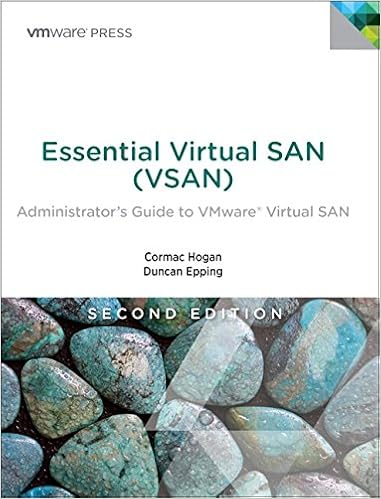
Just noticed the Kindle version of Essential Virtual SAN (6.2), second edition, is available now! We decided to go for an “e-book” first model to get it to market as quick as possible. I hope you will enjoy the book as much as Cormac and I did writing it. Pick it up!

Fully updated for the newest versions of VMware Virtual SAN, this guide show how to scale VMware’s fully distributed storage architecture to meet any enterprise storage requirement. World-class Virtual SAN experts Cormac Hogan and Duncan Epping thoroughly explain how Virtual SAN integrates into vSphere 6.x and enables the Software Defined Data Center (SDDC). You’ll learn how to take full advantage of Virtual SAN, and get up-to-the-minute insider guidance for architecture, implementation, and management.

If you want to order the paper version at a local book store, here are the ISBN details, or just go to Amazon and pre-order it of course.

  • ISBN-13: 978-0134511665
  • ISBN-10: 0134511662

I have memory pages swapped, can vSphere unswap them?

Duncan Epping · Jun 2, 2016 ·

“I have memory pages swapped out to disk, can vSphere swap them back in to memory again” is one of those questions that comes up occasionally. A while back I asked the engineering team why we don’t “swap in” pages when memory contention is lifted. There was no real good answer for it other than it was difficult to predict from a behavioural point of view. So I asked what about doing it manually? Unfortunately the answer was: well we will look in to it but it has no real priority it this point.

I was very surprised to receive an email this week from one of our support engineers, Valentin Bondzio, that you can actually do this in vSphere 6.0. Although not widely exposed, the feature is actually in there and typically (as it stands today) is used by VMware support when requested by a customer. Valentin was kind enough to provide me with this excellent write-up. Before you read it, do note that this feature was intended for VMware Support. While it is internally supported, you’d be using it at your own risk, and consider this write-up to be purely for educational purposes. Support for this feature, and exposure through the UI, may or may not change in the future.

By Valentin Bondzio

Did you ever receive an alarm due to a hanging or simply underperforming application or VM? If yes, was it ever due to prolonged hypervisor swap wait? That might be somewhat expected in an acute overcommit or limited VM / RP scenario but very often the actual contention happened days, weeks or even month ago. In those scenarios, you were just unlucky enough that the guest or application decided to touch a lot of the memory that happened to be swapped out around the same time. Which until this exact time you either didn’t notice or if you did, didn’t pose any visible threat. It just happened to be idle data that resided on disk instead of in memory.

The notable distinction being that it is on disk with every expectation of it being in memory, meaning a (hard) page fault will suspend the execution of the VM until that very page is read from disk and back in memory. If that happens to be a fairly large and contiguous range, even with gracious pre-fetching from the ESXi, you’ll might experience some sort of service unavailability.

How to prevent this from happening in scenarios where you actually have ample free memory and the cause of contention is long resolved? Up until today that answer would be to power cycle your VM or using vMotion with local swap store to asynchronously page in the swapped out data. For everyone that is running on ESXi 6.0 that answer just got a lot simpler.

Introducing unswap

As the name implies, it will page in memory that has been swapped out by the hypervisor, whether it was actual contention during an outage or just an ill-placed Virtual Machine or Resource Pool Limit. Let’s play through an example:

A VM experienced a non-specified event (hint, it was a 2GB limit) and now about 14GB of its 16GB of allocated memory are swapped out to the default swap location.

# memstats -r vm-stats -u mb -s name:memSize:max:consumed:swapped | sed -n '/  \+name/,/ \+Total/p'
           name    memSize        max   consumed    swapped
-----------------------------------------------------------
      vm.449922      16384       2000       2000      14146

[Read more…] about I have memory pages swapped, can vSphere unswap them?

VSAN everywhere with Computacenter

Duncan Epping · Jun 1, 2016 ·

This week I had the pleasure to have a chat with Marc Huppert (VCDX181). Marc works for Computacenter in Germany as a Senior Consultant and Category Leader VMware Solutions. He primarily focuses on datacenter technology. I noticed a tweet from Marc that he was working on a project where they will be implementing a 60 site ROBO deployment. It is one of those use cases that I don’t get to see too often in Europe so I figured I would drop him a note. We had a conversation of about an hour and below is the story around this project, and some of the other projects Marc has worked on.
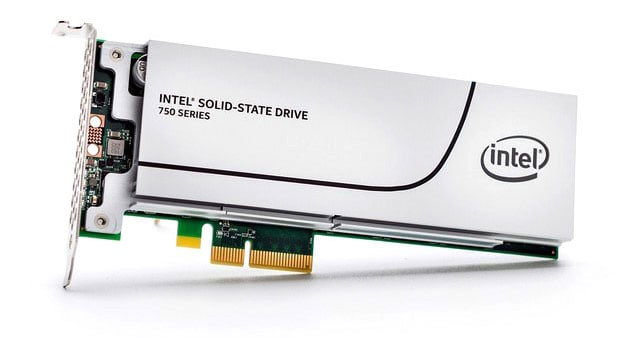
Marc mentioned that he has been involved with VSAN for about 1.5 years now. They at first did intensive testing internally to see what VSAN could do for their customers and looked at the various use cases for their customer base. Quickly they discovered that when combining VSAN with Fusion-IO they ended up with a very powerful combination. Not only extremely reliable (Marc mentioned he has never seen a Fusion-IO card fail), but also an extremely well performing solution. They did comparisons between Fusion-IO and regular SATA connected SSDs and performance literally doubled, not just for reads but also writes was a big difference. One of the other reasons for considering PCIe based flash is to have the maximum number of disk slots available for the capacity tier. It all makes sense to me. Right now for current projects, NVMe based flash by Intel is being explored, and I am very curious to see what Marc’s experience is going to be like in terms of performance, reliability and the operational aspects compared to Fusion-IO.

Which brings us to the ROBO project, as this is the project where NVMe will be used surprisingly enough. Marc mentioned that this customer, a large company, has over 60 locations all connected to a central (main) datacenter. Each location will be equipped with 2 hosts. Depending on the size of the location and the number of VMs needed a particular VSAN configuration can be selected:

  • Small – 1 NVMe device + 5 disks, 128GB RAM
  • Medium – 2 NVMe devices + 10 disks, 256GB RAM
  • Large – 3 NVMe devices + 15 disks, 384GB RAM

Yes, that also leaves room to grow when desired, as every disk group can go up to 7 disks. From a Compute point of view the configurations do not differ too much besides memory config and disk capacity, actually the CPU is the same, to keep operations simple. In terms of licensing, the vSphere ROBO and VSAN ROBO edition are being leveraged, which provides a great scalable and affordable ROBO infrastructure, especially when coming from a two node configuration with a traditional storage system per location. Not just the price point, but primarily the day 2 management.

When demonstrating VSAN to their customer this is what impressed the customer the most. They have two people managing the entire virtual and physical estate, that is 60 locations (120 nodes) and the main datacenter which houses ~ 5000VMs and many physical machines as a result. You can imagine that they spend a lot of time in vCenter and they prefer to manage things end to end from that same spot, definitely don’t want be switching between different management interfaces. Today they manage many small storage systems for their ROBO locations, and they immediately realised that VSAN in a ROBO configuration would reduce the time they spend managing those locations significantly.

And that is just the first step, next up would be the DMZ. They have a separate compute cluster as it stands right now, but it unfortunately connects back to the same shared storage system as where there production is running. They do fully understand the risk, but never wanted to incur the large cost associated with a storage system dedicated for their DMZ, not just capex but also from an opex point of view. With VSAN the economics change, making a fully isolated and self-contained DMZ compute and storage cluster dead simple to justify, especially when combining it with NSX.

One awesome customer if you ask me, and I am hoping they will become a public VSAN reference at some point in the future as it is a great testimony to what VSAN can do. We briefly discussed other use cases Marc had seen out in the field and Horizon View, Management Clusters and production came up. Which is very similar to what I see. Marc also mentioned that there is a growing interest in all-flash, which is not surprising considering the dollar per GB cost of SAS is very close to flash these days.

Before we wrapped it up, I asked Marc if had any challenges with VSAN itself, what he felt was most complex. Marc mentioned that sizing was a critical aspect and that they have spend a lot of time in the past figuring out which configurations to offer to customers. Today the process they use is fairly straight forward: select Ready Node configuration, change SATA SSD with PCIe based Flash or NVMe, increase or decrease number of disks. Fully supported, yet still flexible enough to meet all the demands of his customers.

Thanks Marc for the great conversation, and looking forward to meeting up with you at VMworld. (PS: Marc has visited all VMworld events so far in both the US and EMEA, a proper old-timer you could say :-))

You can find him on Twitter or on his blog: http://www.vcdx181.com

  • « Go to Previous Page
  • Page 1
  • Interim pages omitted …
  • Page 105
  • Page 106
  • Page 107
  • Page 108
  • Page 109
  • Interim pages omitted …
  • Page 497
  • Go to Next Page »

Primary Sidebar

About the Author

Duncan Epping is a Chief Technologist and Distinguished Engineering Architect at Broadcom. Besides writing on Yellow-Bricks, Duncan is the co-author of the vSAN Deep Dive and the vSphere Clustering Deep Dive book series. Duncan is also the host of the Unexplored Territory Podcast.

Follow Us

  • X
  • Spotify
  • RSS Feed
  • LinkedIn

Recommended Book(s)

Also visit!

For the Dutch-speaking audience, make sure to visit RunNerd.nl to follow my running adventure, read shoe/gear/race reviews, and more!

Do you like Hardcore-Punk music? Follow my Spotify Playlist!

Do you like 80s music? I got you covered!

Copyright Yellow-Bricks.com © 2026 · Log in