• Skip to primary navigation
  • Skip to main content
  • Skip to primary sidebar

Yellow Bricks

by Duncan Epping

  • Home
  • Unexplored Territory Podcast
  • HA Deepdive
  • ESXTOP
  • Stickers/Shirts
  • Privacy Policy
  • About
  • Show Search
Hide Search

VMware

vSAN 7.0 u3: IO Trip Analyzer

Duncan Epping · Sep 28, 2021 ·

In vSAN 7.0 U1 a new feature was introduced called IO Insight. IO Insight basically enabled customers to profile workloads and it provided them with a lot of information around the type of IO the workload was producing. In vSAN 7.0 U3 this is taken one step further with the IO Trip Analyzer. The IO Trip Analyzer provides details around the, yes you guessed it, trip of the IO. It basically informs you about the latency introduced at the various stages of the path the IO has to travel to end up on the capacity layer of vSAN.

Why would you need this? This tool is going to be very useful and will complement IO Insight when it comes to doing performance troubleshooting, or when it comes to getting a better understanding of the IO path. IO Trip Analyzer can be easily enabled by going to the “Monitor” section of the VM you want to enable it for.

You simply click “Run new test” and then specify for how long you want to analyze the VM (between 5 and 60 minutes). When the specified amount has passed you simply click on “View Result” and this will then provide you a diagram of the VM and its components.

When you then click on one of the dots, you will be able to see what kind of latency is introduced on the layer. It will provide you a potential cause for the latency and it will provide you some insights in terms of how you can potentially resolve the latency. Also, if there’s a significant amount of latency introduced then of course the diagram will show this through colors for the respective layer where the latency is introduced.

Before I share the demo, I should probably mention that there are some limitations in this first release of the IO Trip Analyzer (Not supported: Stretched Clusters, CNS persistent volumes, iSCSI etc) but I suspect those limitations will be lifted with every follow-up release of vSAN. I truly feel that this is a big improvement when it comes to performance troubleshooting, and I can’t wait to see what the vSAN team is planning for the future of this release.
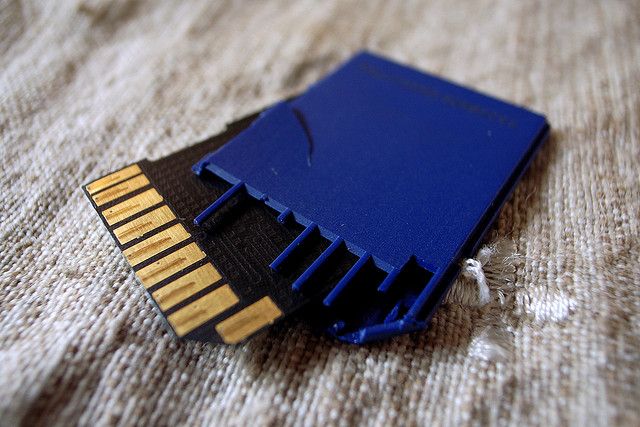
Booting ESXi from SD/USB devices? Time to reconsider when buying new hardware!

Duncan Epping · Sep 17, 2021 ·

We’ve all seen those posts from people about worn-out SD/USB devices, or maybe even experience it ourselves at some point in time. Most of you reading this probably also knew there was an issue with 7.0 U2, which resulted in USB/SD devices wearing out a lot quicker. Those issues have been resolved with the latest patch for 7.0 U2. It has, however, resulted in a longer debate around whether SD/USB devices should still be used for booting ESXi, and it seems that the jury has reached a verdict.
On the 16th of September, a KB article was published by VMware, which contains statements around the future of SD/USB devices. I can be short about it, if you are buying new hardware make sure to have a proper persistent storage device, USB/SD is not the right choice going forward! Why? The volume of reads/writes to and from the OS-DATA partition continues to increase with every release, which means that the lower grade devices will simply wear out faster. Now, I am not going to repeat word for word what is mentioned in the KB, I would just like to urge everyone to read the KB article, and make sure to plan accordingly! Personally, I am a fan of M.2 flash devices for booting. They are not too expensive(greenfield deployments), plus they can provide enterprise-grade persistent storage to store all your ESXi related data. Make sure to follow the requirements around endurance though!

Command-line upgrade of vCenter fails with Test transaction failed to update packages error

Duncan Epping · Aug 27, 2021 ·

I have various test environments, and one of my environments I was testing the command-line upgrade of vCenter Server. Now, most of my environments we tend to use for destructive testing and strange update/upgrade scenarios, so we hit some strange issues every now and then. While I was doing the command-line based upgrade of vCenter Server (see this post for how to do that), I hit an error. The error was the following:

Test transaction failed to update packages

I looked at the log called “/var/log/vmware/applmgmt/software-packages.log”, and I noticed the following entry:

eventlog is obsoleted by (installed) syslog-ng-3.17.2-1.ph3.x86_64

I removed the package manually as follows:

rpm -e syslog-ng-3.17.2-1.ph3.x86_64

I then retried the update and it worked, as shown in the screenshot below!

Updating VCSA and hitting the error Test RPM transaction failed

Duncan Epping · Aug 26, 2021 ·

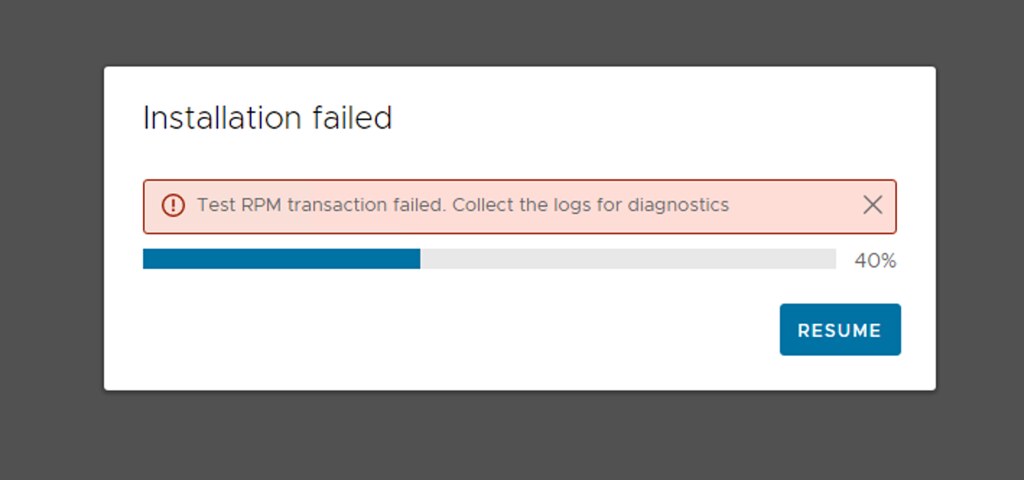
I was updating my environment to vCenter Server 7.0 U2c, while going through the process I got this error that says “Test RPM transaction failed”. Below is the screenshot of the error. if you click “resume” you then, unfortunately, get stuck in an infinite loop. The only way to get out of the loop is by removing a file via SSH on vCSA called “/etc/applmgmt/appliance/software_update_state.conf”.

So now what if you want to update? We resolved it as follows, and let me include the deletion of the state file as well:

rm /etc/applmgmt/appliance/software_update_state.conf

Then we rebooted the VCSA:

reboot

Then we went into the appliance shell via SSH and ran the installer from the appliance:

appliancesh
software-packages install --url --acceptEulas

After which the installation was completed correctly.

vSAN Storage Rules policy capability allows to set dedupe per VM?

Duncan Epping · Aug 24, 2021 ·

There was a question posted on the VMware Community Forums, and as this is something I have been asked regularly, I figured I would do a quick blog post about it. Although I have covered this before, it doesn’t hurt to repeat, as it appears to be somewhat confusing for people. When you create a VM Storage Policy, starting with vSAN 7.0 U2 you have the ability to specify if a VM needs to be Encrypted, have Dedupe and Compression enabled, have Compression-Only enabled, and/or needs to be stored on all-flash vSAN or Hybrid. Never noticed it? Look at the screenshot below.

In the screenshot, you see that you have the ability to specify which data service needs to be enabled. I guess this is where the confusion comes into play, as this functionality is not about enabling the data service for the VM to which you assign the policy. This is about which data service needs to be enabled on the datastore to which the VM can be provisioned. Huh, what? Okay, let’s explain.

If you are using vSAN as your storage platform, and you are sharing vSAN Datastores between clusters leveraging the HCI Mesh feature, then you could find yourself in a situation where some clusters are hybrid and some are all-flash. Some may have data services enabled like Encryption or Deduplication, some may not. In that scenario you want to be able to specify which features need to be enabled for the datastore the VM is provisioned to. So what this “storage rules” feature does is that it ensure that the datastore which is shown as “compatible” actually has the specified capabilities enabled! In other words, if you tick “data-at-rest encryption” in a policy and assign the policy to a VM, then only the datastores which have “data-at-rest encryption” enabled will be shown as compatible with your VM!

So again, “storage rules” apply to the data services that should be enabled on the vSAN Datastore, and do not enable data services on a per VM/VMDK basis.

<Update for vSAN 8.0 ESA>

With vSAN 8.0 ESA the above has changed. With vSAN 8.0 ESA you can set compression per VM, and you actually do that using the policy storage rules. I discussed this in this blog post.

  • « Go to Previous Page
  • Page 1
  • Interim pages omitted …
  • Page 14
  • Page 15
  • Page 16
  • Page 17
  • Page 18
  • Interim pages omitted …
  • Page 124
  • Go to Next Page »

Primary Sidebar

About the Author

Duncan Epping is a Chief Technologist and Distinguished Engineering Architect at Broadcom. Besides writing on Yellow-Bricks, Duncan is the co-author of the vSAN Deep Dive and the vSphere Clustering Deep Dive book series. Duncan is also the host of the Unexplored Territory Podcast.

Follow Us

  • X
  • Spotify
  • RSS Feed
  • LinkedIn

Recommended Book(s)

Also visit!

For the Dutch-speaking audience, make sure to visit RunNerd.nl to follow my running adventure, read shoe/gear/race reviews, and more!

Do you like Hardcore-Punk music? Follow my Spotify Playlist!

Do you like 80s music? I got you covered!

Copyright Yellow-Bricks.com © 2026 ยท Log in