I had a customer asking about an error they received after upgrading to 6.7 U1. The message they saw was the following: “Unexpected VMware Update Manager (VUM) baseline creation failure. Please check vSAN and VUM logs for details.” I had seen some folks on VMTN also complaining about this a couple weeks ago, and I knew a KB article was in the makings. Just to ensure people know where to get it, and to make it easier for myself to find it I want to share KB 60380 with you. I am not going to copy/paste the resolution, as I prefer to have the KB being leading on this, just in case it gets updated. I don’t want to provide potentially outdated info. So just go to KB 60380 if you are hitting the “Unexpected VMware Update Manager (VUM) baseline creation failure. Please check vSAN and VUM logs for details.” error.
Free vSAN 6.7 U1 Deep Dive ebook? Follow @VMwarevSAN closely!
The upcoming 5 days the @VMwarevSAN twitter account will be giving away the vSAN 6.7 U1 Deep Dive book for free. Make sure to follow the account and reply to their tweets, I think around 250 books will be given away, so chances are you will be one of those lucky 250!
Disable Dark Mode for Outlook in OSX?!
Yes, after the latest update MS Office is now also capable of supporting the OSX Dark Mode. Nice, but rather annoying for MS Outlook I must say, the dark mode just makes reading the different panes very challenging. I went looking for an option in the UI that allowed me to change the default, I couldn’t find it, unfortunately, but I did find a way to disable it through the command line. For MS Outlook, in particular, this is how you do it:
defaults write com.microsoft.Outlook NSRequiresAquaSystemAppearance -bool yes
You can do this for other apps as well if you want, simply change the identifier string of Outlook (com.microsoft.Outlook) with the string of the app you want to disable it for. If you don’t know the string you can do the following to find it:
osascript -e 'id of app "Outlook"'
In the above example, I am looking for the identifier of Outlook, but this could be “Spotify” or anything else as well of course. Figured I would share this, as I found myself searching for half an hour. Note that you need to close/open the app after making the change!
New book: VMware vSAN 6.7 U1 Deep Dive
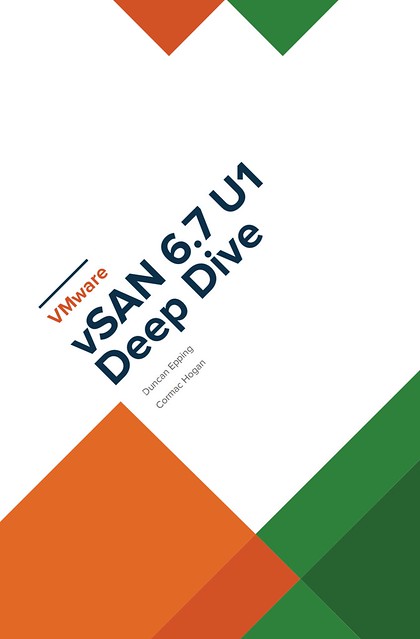
Cormac Hogan and I have been working late nights and weekends over the past months to update our vSAN book material. Thanks Cormac, it was once again a pleasure working with you on this project! As you may know, we released two versions of a vSAN based book through VMware Press. The book was titled vSAN Essentials. As mentioned before, after restructuring and rewriting a lot of the content we felt that the title of the book didn’t match the content, so we decided to rebrand it to vSAN 6.7 U1 Deep Dive. After receiving very thorough reviews by Frank Denneman and Pete Koehler (Thanks guys!) we managed to complete it this week after we added a great foreword by our business unit’s SVP and General Manager, Yanbing Li.
Cormac and I decided to take the self-publishing route for this book, which allows us to set a great price for the ebook and enable the Amazon matchbook option, giving everyone who buys the paper version through Amazon the option to buy the e-book with a nice discount! As prices will vary based on location I am only going to list the USD prices. Please check your local Amazon website for localized prices. Oh, and before I forget, I would like to recommend buying the ebook flavor! Why? Well:
“On average, each printed book releases 8.85 pounds of carbon dioxide into the environment. Together, the newspaper and book-printing industries cut down 125 million trees per year and emit 44 million tons of CO2.”
We appreciate all support, but we prefer the cleanest option from an environmental stance, this is also the reason we priced the ebook a lot cheaper than the paper version. Anyway, here are the links to the US store, we hope you enjoy the content, and of course as always an Amazon review would be appreciated! Interestingly, it seems we already reached number 1 in the category Virtualization and the category Storage before this announcement, thanks everyone, we really appreciate it! (Please note, as an Amazon Associate I earn from below qualifying purchases.)
- Paper version – 39.95 USD
- Ebook version – 9.99 USD
- Match book price – 2.99 USD for the ebook!
(you need to buy the paper edition first before you see this discount, and this may not be available in all regions, unfortunately.)
UPDATE:
It appears that some Amazon stores take a bit longer to index the content, so listing all the different versions below for the different stores that sell it:
SSH on OSX Mojave failing with broken pipe error
I recently upgraded my Macbook to OSX Mojave (10.14.1). Ever since I upgraded whenever I want to open an SSH session to any server on the internal (VMware) network I would receive the following error message:
packet_write_wait: connection to x.y.z. port 22: broken pipe
Very annoying as it made deploying labs in our dev cloud very complicated. I googled around and there were many suggestions on how to solve this, but none worked so far. A colleague today pointed me to thread on VMTN (surprisingly) which describes how to solve the problem. it is very simple, just add “ssh -o IPQoS=throughput” to your normal ssh command. So something like the following:
ssh -o IPQoS=throughput root@192.168.1.1
Thanks Alex for the pointer, and thanks Quinn for posting the solution on VMTN! Oh, and yes you can add the following to your ~/.ssh/config so that you don’t have the use the -o flag everytime:
Host *
IPQoS=throughput