• Skip to primary navigation
  • Skip to main content
  • Skip to primary sidebar

Yellow Bricks

by Duncan Epping

  • Home
  • Unexplored Territory Podcast
  • HA Deepdive
  • ESXTOP
  • Stickers/Shirts
  • Privacy Policy
  • About
  • Show Search
Hide Search

vSAN

Device X is not listed on the vSAN Compatability Guide, can I still use it?

Duncan Epping · Jan 8, 2019 ·

I get this question almost daily, and I am pretty sure I have said this various times, but just in case it wasn’t clear I figured I would share the answer to the question whether a device should be used in a vSAN cluster when it is not listed on the vSAN Compatibility Guide? if you have not looked at the components variant of the VCG for vSAN please take a look here: http://vmwa.re/vsanhclc. Of course, we also have an easier route, which is the ReadyNode VCG. But some may want to tweak based on performance, cost etc. I get that, and so does VMware, that is why we have listed all supported and tested components. Can you use a device which is not listed? Sure you can. Will VMware support the environment? Maybe they will, maybe they won’t! Should you use a device which is not listed if the previous answer is maybe? No!

So let’s be clear and let’s answer the two most asked questions:

  • Device X is not listed on the vSAN Compatability Guide, can I still use it?
    • No, you should not. If any problem arises chances are you will not get the support you need as a result of an unsupported configuration. Sure, usually VMware Support will do their best to help, but if it appears the unsupported device is causing the problem then it becomes difficult. Please do not use devices which are not listed
  • Device X is listed with Firmware version Y, but the OEM says I should use Z, what to do?
    • Ask the OEM why the version is not listed on VMware’s VCG website. Vendors are responsible for certifying components and the software (drivers / firmware) associated with it. If it is not listed then it has either not been submitted yet, it has not been tested, or it has not passed the test. Please only use tested and listed versions, the only exception is when both VMware GSS and the OEM points you to a new version.

Hope that helps,
Unexpected VMware Update Manager (VUM) baseline creation failure. Please check vSAN and VUM logs for details.

Duncan Epping · Dec 18, 2018 ·

I had a customer asking about an error they received after upgrading to 6.7 U1. The message they saw was the following: “Unexpected VMware Update Manager (VUM) baseline creation failure. Please check vSAN and VUM logs for details.” I had seen some folks on VMTN also complaining about this a couple weeks ago, and I knew a KB article was in the makings. Just to ensure people know where to get it, and to make it easier for myself to find it I want to share KB 60380 with you. I am not going to copy/paste the resolution, as I prefer to have the KB being leading on this, just in case it gets updated. I don’t want to provide potentially outdated info. So just go to KB 60380 if you are hitting the “Unexpected VMware Update Manager (VUM) baseline creation failure. Please check vSAN and VUM logs for details.” error.

New book: VMware vSAN 6.7 U1 Deep Dive

Duncan Epping · Dec 12, 2018 ·

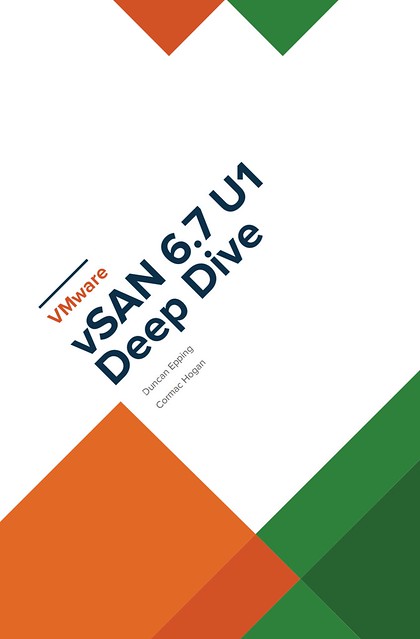
Cormac Hogan and I have been working late nights and weekends over the past months to update our vSAN book material. Thanks Cormac, it was once again a pleasure working with you on this project! As you may know, we released two versions of a vSAN based book through VMware Press. The book was titled vSAN Essentials. As mentioned before, after restructuring and rewriting a lot of the content we felt that the title of the book didn’t match the content, so we decided to rebrand it to vSAN 6.7 U1 Deep Dive. After receiving very thorough reviews by Frank Denneman and Pete Koehler (Thanks guys!) we managed to complete it this week after we added a great foreword by our business unit’s SVP and General Manager, Yanbing Li.

Cormac and I decided to take the self-publishing route for this book, which allows us to set a great price for the ebook and enable the Amazon matchbook option, giving everyone who buys the paper version through Amazon the option to buy the e-book with a nice discount! As prices will vary based on location I am only going to list the USD prices. Please check your local Amazon website for localized prices. Oh, and before I forget, I would like to recommend buying the ebook flavor! Why? Well:

“On average, each printed book releases 8.85 pounds of carbon dioxide into the environment. Together, the newspaper and book-printing industries cut down 125 million trees per year and emit 44 million tons of CO2.”

We appreciate all support, but we prefer the cleanest option from an environmental stance, this is also the reason we priced the ebook a lot cheaper than the paper version. Anyway, here are the links to the US store, we hope you enjoy the content, and of course as always an Amazon review would be appreciated! Interestingly, it seems we already reached number 1 in the category Virtualization and the category Storage before this announcement, thanks everyone, we really appreciate it! (Please note, as an Amazon Associate I earn from below qualifying purchases.)

  • Paper version – 39.95 USD
  • Ebook version – 9.99 USD
  • Match book price – 2.99 USD for the ebook!
    (you need to buy the paper edition first before you see this discount, and this may not be available in all regions, unfortunately.)


UPDATE:

It appears that some Amazon stores take a bit longer to index the content, so listing all the different versions below for the different stores that sell it:

  • Germany – Paper
  • Germany – ebook
  • UK – Paper
  • UK – ebook
  • FR – Paper
  • FR – ebook
  • ES – Paper
  • ES – ebook
  • IT – Paper
  • IT – ebook
  • JP – Paper
  • JP – ebook
  • NL – ebook
  • BR – ebook
  • CA – ebook
  • MX – ebook
  • AU – ebook
  • IN – ebook

vSAN 6.7 U1 Deep Dive book coming soon!

Duncan Epping · Nov 21, 2018 ·

Cormac and I decided to update the vSAN Essentials book. We added a whole bunch of extra info and also decided to rebrand it. “Essentials” did not really cut it, it is much more than that. Considering I just finished the Clustering Deep Dive with Frank and Niels, we figured this could be a nice addition to that series, complementing both the Host Deep Dive as well as the Clustering Deep Dive. We’ve received all the feedback from our reviewers, Frank Denneman and Pete Koehler, and spend various evenings digesting and processing it. Now it is just a matter of adding the foreword to the book, and then we can simply press: Publish. Hopefully, within 2 weeks, I will have a new article that details how you can buy the book!

The plan is right now to release the paper copy and the ebook at the same time, we will link the books, so those who buy the paper copy can buy the ebook at a discounted price. We will also make sure the ebook is priced very attractive, as we feel it should be the format of choice for everyone!

Want to test vSAN? Go to VMTestdrive!

Duncan Epping · Oct 2, 2018 ·

This week I had a conversation with two of my colleagues who are part of the Global Platform Engineering team, Rory and Marilyn. I had spoken with them before on this topic, but at that point, they weren’t quite ready to go all out just yet, but now they are. Rory and Marilyn and their team developed this great platform for product experiences and PoCs, called TestDrive. The platform was initially launched for EUC, and is now being expanded to include other solutions like vSAN, NSX and PKS to name a few. Back in March of this year, they launched the vSAN experience as part of the Modernize Data Centers solution track.

My first question to them, of course, was: what is unique here? We have the VMware HoL for people externally and we internally have OneCloud (field) and Nimbus (dev), why would I use this? The answer was straightforward: TestDrive is the only place you can see VMware products in a real-world, high performance environment, as close as possible to how our customers would deploy. Everything is built on bare metal using VMware’s reference architecture and best practices, and the experience is fully configured and ready to go, you just jump in and start using it. This environment is hosted in the cloud (Softlayer) across all regions (US, EMEA, APJ) and there’s accompanying walkthrough guides to follow or you can also do some freewheeling. Of course, you can’t wipe the environment, so there are some constraints around what you can test.

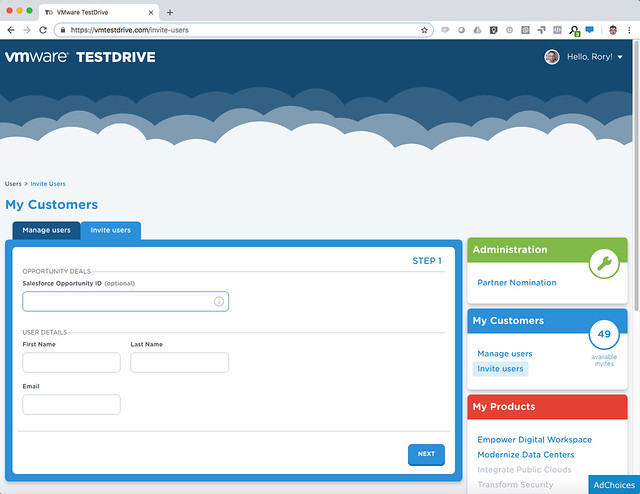
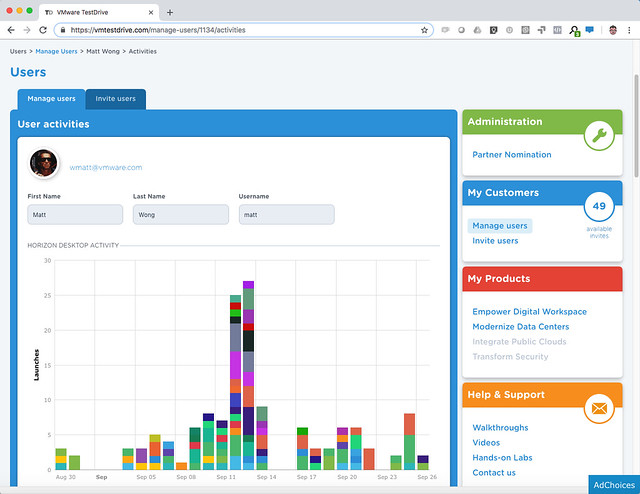
Literally, hundreds of thousands of PoCs and experiences were conducted on this platform (200k experiences in FY18, 344k so far this year) What I liked most is the integration they provided with backend systems, as a VMware employee or VMware Partner you can sign up straight away and get a permanent SuperUser account. SuperUsers also have the ability to directly invite customers to TestDrive themselves! After you, for instance, demonstrated something to a customer you can simply give them access to the same environment by inviting them from the TD portal (https://kb.vmtestdrive.com/hc/en-us/articles/360001449574-Inviting-Your-Customers-to-TestDrive)

What they end up testing is then tracked as well, so as a partner or VMware employee you can keep track and follow up when required.

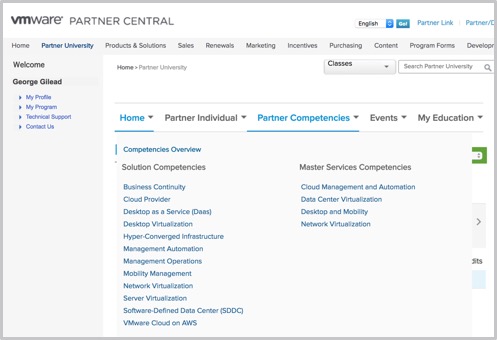
For Partners to sign up you need to be accredited with the VTSP HCI competency, available at no cost from VMware Partner Central. Simply log in, navigate to Partner University to subscribe to the Hyper-Converged Infrastructure accreditation training.

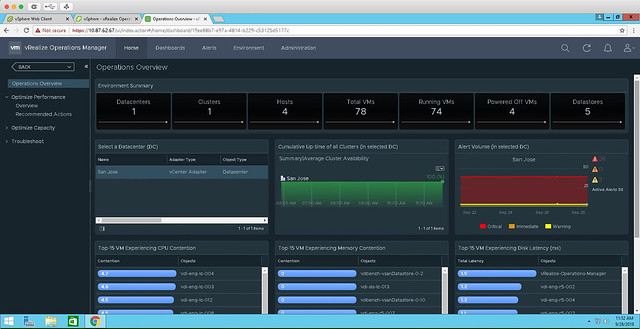
Rory and Marilyn reached out to me to look at the vSAN experience specifically. This hosted experience allows you to walkthrough a live vSAN environment, running active workloads. In the TestDrive environment, vSAN is hosting a combination of Horizon Desktops as well as VMs running HCIBench. Using both vSAN Health and Performance Service and vROps, the live vSAN environment allows you to see and measure the IOPs and latency in real time. They also have VROps available in the environment, so you can also see the stats in there, and the integration there is. Right now they are running vSphere and vSAN 6.7, but soon they will upgrade to 6.7 U1, when available. Note, this is not nested, these are bare-metal ALL-FLASH systems! Check out this walkthrough guide for a step by step of what’s available for vSAN, https://kb.vmtestdrive.com/hc/en-us/articles/360001304973-Introduction-to-vSAN-with-vCenter-and-vROps

How do you access it? Well if you are a VMware Employee or Partner simply sign up straight from https://vmtestdrive.com/ and dive in! If you are a reader, a VMware customer, and you are interested in testing this, well Rory and Marilyn were so kind to give me my own Invitation Code: DUNCANYB which gives all of you access. Simply go to: https://vmtestdrive.com/ click Getting Started, put in your email and use invitation code DUNCANYB to get 30 days access, or use this custom link with the invititation code included: http://bit.ly/dybvsan

  • « Go to Previous Page
  • Page 1
  • Interim pages omitted …
  • Page 25
  • Page 26
  • Page 27
  • Page 28
  • Page 29
  • Interim pages omitted …
  • Page 71
  • Go to Next Page »

Primary Sidebar

About the Author

Duncan Epping is a Chief Technologist and Distinguished Engineering Architect at Broadcom. Besides writing on Yellow-Bricks, Duncan is the co-author of the vSAN Deep Dive and the vSphere Clustering Deep Dive book series. Duncan is also the host of the Unexplored Territory Podcast.

Follow Us

  • X
  • Spotify
  • RSS Feed
  • LinkedIn

Recommended Book(s)

Also visit!

For the Dutch-speaking audience, make sure to visit RunNerd.nl to follow my running adventure, read shoe/gear/race reviews, and more!

Do you like Hardcore-Punk music? Follow my Spotify Playlist!

Do you like 80s music? I got you covered!

Copyright Yellow-Bricks.com © 2026 · Log in