• Skip to primary navigation
  • Skip to main content
  • Skip to primary sidebar

Yellow Bricks

by Duncan Epping

  • Home
  • Unexplored Territory Podcast
  • HA Deepdive
  • ESXTOP
  • Stickers/Shirts
  • Privacy Policy
  • About
  • Show Search
Hide Search

Server

Cool tool: RVTools 3.2 released

Duncan Epping · Oct 29, 2011 ·

Today Rob de Veij released an update of his excellent tool called RVTools. We are up to version 3.2 already. You can find the update on the RVTools website. RVTools is an essential tool for every vSphere Admin. It allows you to report on the most important aspects of your virtual infrastructure, but probably the most important ones are limits / reservations / VMware tools. Seriously give it a try and you will be surprised with what you might find. I have used it in many environments and always managed to discover inconsistencies… Thanks again for the great work Rob!

These are the changes in version 3.2:

  • New tabpage with distributed switch information
  • New tabpage with distributed port information
  • It’s now possible to export a single tabpage to an excel file from the command line
  • It’s now possible to save the filter. The next time RVtools is started it will use the filter automatically.
  • Bugfix: On vSnapshot tab the displayed filename and filesize are not always correct
  • Bugfix: Improved exception handling on vPort tab
vNUMA and vMotion

Duncan Epping · Oct 28, 2011 ·

I was listening to some VMworld talks during the weekend and something caught my attention which I hadn’t realized before. The talk I was listening to was VSP2122″VMware vMotion in vSphere 5.0, Architecture and Performance”. Now this probably doesn’t apply to most of the people reading this so let me set the scenario first:

  • Different hosts from a CPU/Memory perspective in a single cluster (different NUMA topology)
  • VMs with more than 8 vCPUs

Now the thing is that the vNUMA topology is set for a given VM during the power-on. This is based on the NUMA topology of the physical host that has received the power-on request. When you move a VM to a host which has a different NUMA topology then it could result in reduced performance. This is also described in the Performance Best Practices whitepaper for vSphere 5.0. A nice example of how you can benefit from vNUMA is explained in the recently released academic paper “Performance Evaluation of HPC Benchmarks on VMware’s ESXi Server“.

I’ve never been a huge fan of mixed clusters due to complications it adds around resource management and availability, but this is definitely another argument to try to avoid it where and when possible.

Managing resources with HA Admission Control?

Duncan Epping · Oct 26, 2011 ·

Last week at VMworld and on the VMTN community I had a couple of questions around resource management and HA Admission Control. It appears people were using HA Admission Control for managing resources within their environment. In other words, the amount of VMs that HA would allow you to restart would be leading for managing resources. But is that what you should do?

If you look at how HA works and what HA is intended to do the answer in short is, No. Now the reason for this is that HA is all about getting your virtual machines up and running again. If you look at HA Admission Control in vSphere 5.0 you will quickly see that for instance the default value for CPU has been decreased from 256MHz to 32MHz, if no CPU reservations are specified that is. Now in many scenarios virtual machines will consume and demand more than that. Another thing to point out is that if no memory reservation is specified the memory overhead of the VM is used. These values are more than likely much lower than what your virtual machine currently consumes or demands. The thing to keep in mind is that these CPU and Memory values only represent what HA needs in order to power-on your virtual machines.

If you want to manage resources, avoid severe overcommitment, guarantee a certain experience you should start looking at the DRS statistics. You should start exploring tools like VC Ops, Cap IQ… Don’t (ab)use vSphere HA for this. It is not designed to solve this problem. One thing to think about though is maybe increasing the minimum value for slotsizes to avoid scenarios where environments are fully overloaded!? If you have a consolidation ratio in mind it should be fairly simple to figure out which value to use:

available memory esource per host / consolidation ratio = das.vmMemoryMinMB
or
available CPU esource per host / consolidation ratio = das.vmCpuMinMHz

I am not saying that you should do this, but I think it might not be a bad practice in environments where multiple people have access to vCenter and can deploy VMs. At least people will be triggered when you are running out of “slots” to start VMs.

Host Admission Control: Powering on a VM…

Duncan Epping · Oct 22, 2011 ·

I was reading a whitepaper by VKernel and it mentioned the following “a failover host for these VMs requires sufficient idle resources“. In this whitepaper it is discussed how Monster VMs pose challenges for both HA and DRS. As I had a similar question last week at VMworld I figured I would post this. Also because it is fundamental to understand this with regards to HA. Now the thing is, I agree that there is no point in creating large VMs just because you can. Without a doubt do Monster VMs pose challenges with regards to managing resources. However I do want to point out that technically speaking the statement is incorrect.

To power-on a VM you need unreserved memory capacity! The unreserved memory capacity needs to be equal to the memory reservation of the VM and the memory overhead! In other words, if you set no memory reservation you can power-on multiple 96GB VMs on a 48GB host. Just because the memory overhead is much lower than 48GB of memory. Now this doesn’t mean it is a best practice, or this is something I would recommend, but it does mean that if you look at how HA handles a fail-overs it will accommodate the restart of these virtual machine. This also means that with regards to HA Admission Control, chances of not being able to power-on your virtual machine because of insufficient resources are fairly slim. I bet that if you over-commit to such an extent that a power-on operation is impossible you have a lot more challenges to begin with!

Frank Denneman wrote a nice article about this a while back, it explains perfectly what the impact is of a memory reservation.

VMworld Europe 2011 wrap-up

Duncan Epping · Oct 22, 2011 ·

I was asked to speak at VMworld Europe in Copenhagen and before I flew out I planned on writing daily wrap-ups again. It usually helps me to wind down, but this time I never really got around to it. I figured I would at least write this article at the end of the week to summarize some of my personal highlights.

First of all, let me say that I love the city of Copenhagen. I like the fact that it is clean, they have great public transportation and in most restaurants the food is great and the service okay (for European standards). The Bella Conference Center is an excellent location in my opinion. The rooms are nicely setup, to be honest the lights and audio were much better than in Las Vegas. Surprising in my opinion as you would expect that in Las Vegas they are better equipped for conferences like these.

I also love the fact that it is relatively “small” show compared to VMworld US and for some reason it also seems that the audience is different. Definitely one thing I noticed during the sessions I attended is that it is difficult to break the ice. Even at the end of the sessions I noticed far less people asked questions then during the sessions I attended in Las Vegas. This had me worried for a while as Chris Colotti, Frank Denneman and I were scheduled for a Q and A. As Chris stated on twitter, without Qs there will be no As. Besides a couple of sessions I had a lot of meetings scheduled, the week before VMworld my schedule looked fairly empty but it completely filled up with meetings the days before it started, but I cannot complain as I learned a lot from these meetings as well. Every customer has a different use case / perspective and that helps me again when writing articles or when providing feedback to the Product Managers and Engineers.

We started on Monday at the TAM day with a technical discussion panel on Cloud and all challenges around it. We had a lot of questions around security, availability, compliance, networking, storage and resource management. It was definitely an interesting session as it gave a good perspective of the challenges our customers are facing and the things people care about when it comes to cloud infrastructures or offerings.

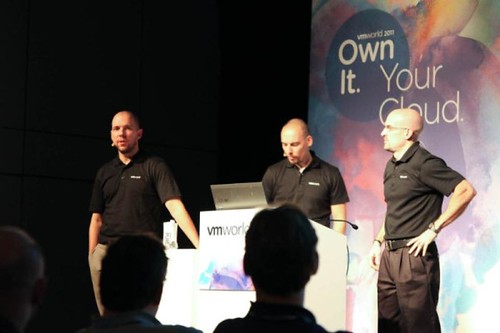
On Tuesday I had my Experts One on One session scheduled and I actually managed to attend some sessions. The Experts One on One was great, particular one 15 minute slot as that person showed up with a full diagram of his environment and we discussed some design considerations around his metro clustering solution. My vSphere Q&A session, which I co-presented with Chris Colotti and Frank Denneman was scheduled on Wednesday at 15:00. It was scheduled  in one of the larger rooms and the place filled up. Chris Colotti kicked off with a short introduction of the session and himself after which Frank and I followed. This was the point at which the audience needed to start asking questions… luckily the first person got up and our lovely assistant David Hill ran up and handed the microphone. We were off and it did not stop until the very last second. Great questions and in my opinion it was a very entertaining and educational session. Considering our survey scores I would say that the audience fully agreed. I could not be happier about the outcome (see below).

  • How would you are the session: 4.72 out of 5
  • How likely are you to recommend this session: 9.14 out of 10
  • How likely are you to implement what you’ve learned: 4.61 out of 5
  • How would you rate the speakers overall effectiveness: 4.78 out of 5

For everyone who attended the Q and A please feel free to leave your comments here on how we can improve it in the future, or if there is something you would like to see different. (Different topic, different panel members, different format, etc etc.) I am open to all suggestions.

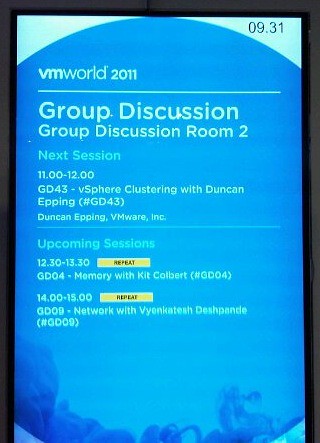
On Thursday I had my Group Discussion (GD43) planned. Again I did not know what to expect as many had told me that some of the Group Discussions were more a monologue because the audience did not speak up. I might have been lucky or I phrased my questions differently, but whatever was the reason is besides the point… It was GREAT again, just like in Las Vegas we ran out of time, but the interaction was awesome! Excellent discussions and great use cases provided by the audience. I hope they will do these at VMware Partner Exchange as well and of course next year at VMworld!

One of the other things that was definitely a highlight for me was the show down between the Dutch vMaffia and Matt of VMworld TV and the Monster VM. I think all of us had a huge laugh. Things like this is what makes VMworld fun and it is the reason I love working for VMware.

I want to thank a couple of people for an excellent time this week, Chris and Julie Colotti, David Hill, Alan Renouf, Raymon Epping, Mark Erica, Luc Dekens and Frank Denneman. I really enjoyed your company. See you at Partner Exchange or VMworld 2012 in San Francisco or Barcelona!

  • « Go to Previous Page
  • Page 1
  • Interim pages omitted …
  • Page 167
  • Page 168
  • Page 169
  • Page 170
  • Page 171
  • Interim pages omitted …
  • Page 336
  • Go to Next Page »

Primary Sidebar

About the Author

Duncan Epping is a Chief Technologist and Distinguished Engineering Architect at Broadcom. Besides writing on Yellow-Bricks, Duncan is the co-author of the vSAN Deep Dive and the vSphere Clustering Deep Dive book series. Duncan is also the host of the Unexplored Territory Podcast.

Follow Us

  • X
  • Spotify
  • RSS Feed
  • LinkedIn

Recommended Book(s)

Also visit!

For the Dutch-speaking audience, make sure to visit RunNerd.nl to follow my running adventure, read shoe/gear/race reviews, and more!

Do you like Hardcore-Punk music? Follow my Spotify Playlist!

Do you like 80s music? I got you covered!

Copyright Yellow-Bricks.com © 2026 · Log in