• Skip to primary navigation
  • Skip to main content
  • Skip to primary sidebar

Yellow Bricks

by Duncan Epping

  • Home
  • Unexplored Territory Podcast
  • HA Deepdive
  • ESXTOP
  • Stickers/Shirts
  • Privacy Policy
  • About
  • Show Search
Hide Search

Server

VSAN – The spoken reality

Duncan Epping · Mar 18, 2014 ·

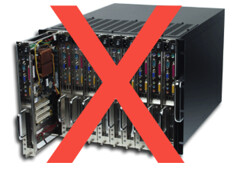
Yesterday Maish and Christian had a nice little back and forth on their blogs about VSAN. Maish published a post titled “VSAN – The Unspoken Truth” which basically talks about how VSAN doesn’t fit blade environments, and how many enterprise environments adopted blade to get better density from a physical point of view. With that meaning increase the number of physical servers to the number of rack U(nits) consumed. Also there is the centralized management aspect of many of these blade solutions that is a major consideration according to Maish.

Christian countered this with a great article titled “VSAN – The Unspoken Future“. I very much agree with Christian’s vision. Christian’s point basically is that when virtualization was introduced IT started moving to blade infrastructures as that was a good fit for the environment they needed to build. Christian then explains how you can leverage for instance the SuperMicro Twin architecture to get a similar (high physical) density while using VSAN at the same time. (See my Twin posts here) However, the essence of the article is: “it shows us that Software Designed Data Center (SDDC) is not just about the software, it’s about how we think, manage AND design our back-end infrastructure.”

There are three aspects here in my opinion:

  • Density – the old physical servers vs rack units discussion.
  • Cost – investment in new equipment and (potential) licensing impact.
  • Operations – how do you manage your environment, will this change?

First of all, I would like to kill the whole density discussion. Do we really care how many physical servers you can fit in a rack? Do we really care you can fit 8 or maybe even 16 blades in 8U? Especially when you take in to consideration your storage system sitting next to it takes up another full rack. Than on top of that there is the impact density has in terms of power and cooling (hot spots). I mean if I can run 500 VMs on those 8 or 16 blades and that 20U storage system, is that better or worse than 500 VMs on 12 x 1U rack mounted with VSAN? I guess the answer to that one is simple: it depends… It all boils down the total cost of ownership and the return on investment. So lets stop looking at a simple metric like physical density as it doesn’t say much!

Before I forget… How often have we had those “eggs in a basket” discussions in the last two years? This was a huge debate 5 years back, in 2008/2009 did you really want to run 20 virtual machines on a physical host? What if that host failed? Those discussions are not as prevalent any longer for a good reason. Hardware improved, stability of the platforms increased, admins became more skilled and less mistakes are made… chances of hitting failures simply declined. Kind of like the old Microsoft blue screen of death joke, people probably still make the joke today but ask yourself how often does it happen?

Of course there is the cost impact. As Christian indicated, you may need to invest in new equipment… As people mentioned on twitter: so did we when we moved to a virtualized environment. And I would like to add: and we all know what that brought us. Yes there is a cost involved. The question is how do you balance this cost. Does it make sense to use a blade system even for VSAN when you can only have a couple of disks at this point in time? It means you need a lot of hosts, and also a lot of VSAN licenses (+maintenance costs). It may be smarter, from economical point of view, to invest in new equipment. Especially when you factor in operations…

Operations, indeed… what does it take / cost today to manage your environment “end to end”? Do you need specialized storage experts to operate your environment? Do you need to hire storage consultants to add more capacity? What about when things go bad, can you troubleshoot the environment by yourself? How about my compute layer, most blade environments offer centralized management for those 8 or 16 hosts. But can I reduce the number of physical hosts from 16 or 8 to for instance 5 with a slightly larger form factor? What would the management overhead be, if there is any? Each of these things need to be taken in to considerations and somehow quantified to compare.

Reality is that VSAN (and all other hyper-converged solutions) brings something new to the table, just like virtualization did years ago. These (hyper-converged) solutions are changing the way the game is played, so you better revise your play book!

Essential Virtual SAN book, rough cut online now!

Duncan Epping · Mar 17, 2014 ·

A couple of weeks back Eric Sloof broke the news about the book Cormac Hogan and I are working on: Essential Virtual SAN. As of this weekend the rough cut edition is (back) online again, and you can see some of the progress Cormac and I have been making over the last couple of months. As we speak we are working on the final chapters… so hopefully before the end of the month the rough cut should be complete!

Note that this is a rough cut and that means the book will go through tech review (by VSAN Architect Christos Karamanolis, and VMware Integration Engineer Paudie O’Riordan), than editing and a final review by Cormac and I before it will be published. So expect some changes throughout that whole cycle. Never the less, I think it is worth reading for those who have a Safari Online account:

http://my.safaribooksonline.com/book/operating-systems-and-server-administration/virtualization/9780133855036

Building a hyper-converged platform using VMware technology part 3

Duncan Epping · Mar 12, 2014 ·

Considering some of the pricing details have been announced I figured I would write a part 3 of my “Building a hyper-converged platform using VMware technology” series (part 1 and part 2) Before everyone starts jumping in on the pricing details, I want to make sure people understand that I have absolutely no responsibilities whatsoever related to this subject, I am just the messenger in this case. In order to run through this exercise I figured I would take a popular SuperMicro configuration and ensure that the components used are certified by VMware.

I used the thinkmate website to get pricing details on the SuperMicro kit. Lets list the hardware first:

    • 4 hosts each with:
      -> Dual Six-Core Intel Xeon® CPU E5-2620 v2 2.10GHz 15MB Cache (80W)
      -> 128 GB (16GB PC3-14900 1866MHz DDR3 ECC Registered DIMM)
      -> 800GB Intel DC S3700 Series 2.5″ SATA 6.0Gb/s SSD (MLC)
      -> 5 x 1.0TB SAS 2.0 6.0Gb/s 7200RPM – 2.5″ – Seagate Constellation.2
      -> Intel 10-Gigabit Ethernet CNA X540-T2 (2x RJ-45)

The hardware is around $ 30081,-, this is without any discount. Just the online store price. Now the question is, what about Virtual SAN? You would need to license 8 sockets with Virtual SAN in this scenario, again this is the online store price without any discount:

  • $ 2495,- per socket = $ 19960,-

This makes the cost of the SuperMicro hardware including the Virtual SAN licenses for four nodes in this configuration roughly $ 50.041. (There is also the option to license Virtual SAN for View per user which is $ 50,-.) That is around $ 12600 per host including the VSAN licenses.

If you do not own vSphere licenses yet you will need to license vSphere itself as well, I would recommend Enterprise ( $ 2875,- per socket) as with VSAN you will automatically get Storage Policy Based Management and the Distributed Switch. Potentially, depending on your deployment type, you will also need vCenter Server. Standard license for vCenter Server is $ 4995,-. If you would include all VMware licenses the total combined would be: $ 78036,-. That is around 19600 per host including the VSAN and vSphere licenses. Not bad if you ask me,

I want to point out that I did not include Support and Maintenance costs. As this will depend on which type of support you require and what type of vSphere licenses you will have I felt there were too many variable to make a comparison. It should also be noted that many storage solutions come with very limited first year support… Before you do a comparison, make sure to look at what is included and what will need to be bought separately for proper support.

** disclaimer: Please run through these numbers yourself, and validate the HCL before purchasing any equipment. I cannot be held responsible for any pricing / quoting errors, hardware prices can vary from day to day and this is exercise was for educational purposes only! **

Virtual SAN GA aka vSphere 5.5 Update 1

Duncan Epping · Mar 12, 2014 ·

Just a quick note for those who hadn’t noticed yet. Virtual SAN went GA today, so get those download engines running and pull-in vSphere 5.5 Update 1. Below the direct links to the required builds:

  • vCenter Server Update 1 downloads | release notes
  • ESXi 5.5 Update 1 | release notes
  • Horizon View 5.3.1 (VSAN specific release!) | release notes
  • Horizon Workspace 1.8 | release notes

It looks like the HCL is being updated as we speak. The Dell T620 was just added as the first Virtual SAN ready node, and I expect many more to follow in the days to come. (Just published a white paper with multiple configurations.) Also the list of supported disk controllers has probably quadrupled.

A couple of KB Articles I want to call out:

  • Horizon View 5.3.1 on VMware VSAN – Quickstart Guide
  • Adding more than 16 hosts to a Virtual SAN cluster
  • Virtual SAN node reached threshold of opened components
  • Virtual SAN insufficient memory
  • Storing ESXi coredump and scratch partitions in Virtual SAN

Two things I want to explicitly call out, first is around upgrades from Beta to GA:

Upgrade of Virtual SAN cluster from Virtual SAN Beta to Virtual SAN 5.5 is not supported.
Disable Virtual SAN Beta, and perform fresh installation of Virtual SAN 5.5 for ESXi 5.5 Update 1 hosts. If you were testing Beta versions of Virtual SAN, VMware recommends that you recreate data that you want to preserve from those setups on vSphere 5.5 Update 1. For more information, see Retaining virtual machines of Virtual SAN Beta cluster when upgrading to vSphere 5.5 Update 1 (KB 2074147).

The second is around Virtual SAN support when using unsupported hardware:

KB reference
Using uncertified hardware may lead to performance issues and/or data loss. The reason for this is that the behavior of uncertified hardware cannot be predicted. VMware cannot provide support for environments running on uncertified hardware.

Last but not least, a link to the documentation , a ;and of course a link to my VSAN page (vmwa.re/vsan) which holds a lot of links to great articles.

Virtual SAN GA update: Flash vs Magnetic Disk ratio

Duncan Epping · Mar 7, 2014 ·

With the announcement of Virtual SAN 1.0 a change in recommended practice when it comes to SSD to Magnetic Disk capacity ratio was also introduced (page 7) has been introduced. (If you had not spotted it yet, the Design and Sizing Guide for VSAN was updated!) The rule was straight forward: Recommended SSD to Magnetic Disk capacity ratio is 1:10. This recommendation has been changed to the following:

The general recommendation for sizing flash capacity for Virtual SAN is to use 10 percent of the anticipated consumed storage capacity before the number of failures to tolerate is considered.

Lets give an example to show the differences:

  • 100 virtual machines
  • Average size: 50GB
  • Projected VM disk utilization: 50%
  • Average memory: 5GB
  • Failures to tolerate = 1

Now this results in the following from a disk capacity perspective:

100 VMs * 50GB * 2 = 10.000GB
100 VMs * 5GB swap space * 2 = 1000GB
(We multiplied by two because FTT was set to 1)

This means we will need 11TB to run all virtual machines. As explained in an earlier post I prefer to add additional capacity for slack space (snapshots etc) and meta data overhead, so I suggest to add 10% at a minimum.This results in ~12TB of total capacity.

From an SSD point of view this results in:

  • Old rule of thumb: 10% of 12TB = 1.2TB of cache. Assuming 4 hosts, this is 300GB of SSD per host.
  • New rule of thumb: 10% of ((50% of (100 * 50GB)) + 100 * 5GB) = 300GB. Assuming 4 hosts this is 75GB per host.

Now lets dig some deeper, 70% read cache and 30% write buffer. On a per host basis that means:

  • Old rule: 210GB Read Cache, 90GB Write Buffer
  • New rule: 52,5GB Read Cache, 22,5GB Write Buffer

Sure from a budgetary perspective this is great, only 75GB versus 300GB per host. Personally, I would prefer to spend more money and make sure you have a larger read cache and write buffer… Nevertheless, with this new recommendation you have the option to go lower without violating any of the recommendations.

Note, this is my opinion and doesn’t reflect VMware’s statement. Read the Design and Sizing Guide for more specifics around VSAN sizing.

  • « Go to Previous Page
  • Page 1
  • Interim pages omitted …
  • Page 108
  • Page 109
  • Page 110
  • Page 111
  • Page 112
  • Interim pages omitted …
  • Page 336
  • Go to Next Page »

Primary Sidebar

About the Author

Duncan Epping is a Chief Technologist and Distinguished Engineering Architect at Broadcom. Besides writing on Yellow-Bricks, Duncan is the co-author of the vSAN Deep Dive and the vSphere Clustering Deep Dive book series. Duncan is also the host of the Unexplored Territory Podcast.

Follow Us

  • X
  • Spotify
  • RSS Feed
  • LinkedIn

Recommended Book(s)

Also visit!

For the Dutch-speaking audience, make sure to visit RunNerd.nl to follow my running adventure, read shoe/gear/race reviews, and more!

Do you like Hardcore-Punk music? Follow my Spotify Playlist!

Do you like 80s music? I got you covered!

Copyright Yellow-Bricks.com © 2026 · Log in