I didn’t know, but apparently our session was a featured session at VMworld Europe. For those interested in our VMworld: Top 10 vSAN session there’s a “mini player” below of our European VMworld session. I somehow can’t get it in a proper size but still wanted to share it. Easier probably for you is to go to this link and simply watch the video there as it is displayed in a proper way. Awesome to see our session up there, and congrats Cormac on having 3 sessions in the top list!
Software Defined
List all “thick” swap files on vSAN
As some may know, on vSAN by default the swap file is a fully reserved file. This means that if you have a VM with 8GB of memory, vSAN will reserve 16GB capacity in total for it. 16GB? Yes, 16GB as the FTT=1 policy is also applied to it. In vSAN 6.2 we introduced the ability to have swap files created “thin” or “unreserved” I should probably say. You can simply do these by setting an advanced setting on each host in your cluster. (SwapThickProvisionDisabled) Now when you have set this and power-off/power-on your VMs the swap file is recreated and the swap file will be thin. Jase McCarty wrote a script that will set the setting for you in each host of your cluster, but the problem of course is how do you know which VM has the “new unreserved” swap file and which VM still has the fully reserved swap file. This is what a customer asked me last week.
I was sitting next to William at a session and I asked him this question. William went at it and knocked out a Python script which lists all VMs in a cluster which have a fully reserved swap file. Very useful for those who are moving to “unreserved / sparse” swap. This way you can figure out which VMs still need a reboot and reclaim that (unused) disk capacity.
Note, the “sparse” / “unreserved” swap files are only intended for environments which do not overcommit on memory. If you do overcommit on memory please ensure you have disk capacity available, as you will need the disk capacity as soon as the hypervisor wants to place memory pages in the swap file. If there’s no disk capacity available it will result in the VM failing.
Thanks William for knocking out this script so fast…
#vmworld #STO1770BU – Tech Preview of Integrated Data Protection for vSAN
This session was hosted by Michael Ng and Shobhan Lakkapragada and is all about Data Protection in the world of vSAN. Note that this was also a tech preview and features may or may not ever make it in to a future release. The session started with Shobhan explaining the basics of vSAN and the current solutions that are available for vSAN data resiliency, I am not going to rehash that as I am going to assume that you have read most of my articles on those topics already.
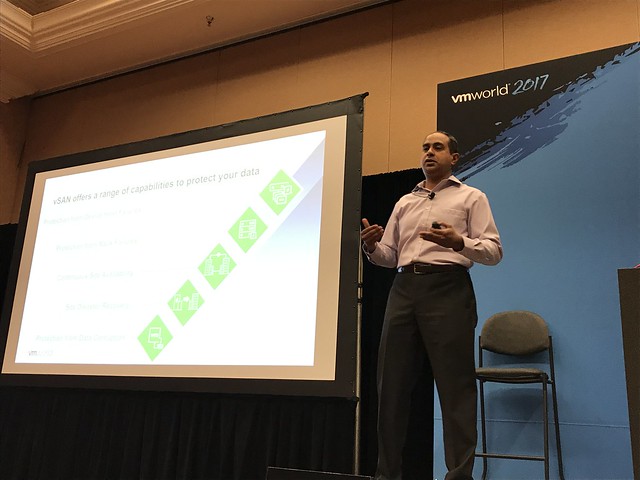
Vision: Native Data Protection for vSAN. Provide the ability to specify in policy how many snapshots you would like per VM and how often, and what the retention should be. These snapshots will be stored locally. However, it will also be possible to specify in policy if data needs to moved outside of the primary datacenter. For instance, move data once every 4 hours to the DR site or the Archival Site, also referred to “local protection” and “remote protection”. Not just to vSAN by the way for “remote protection”, but also NFS, Data Domain and even S3 based storage. This is the overall vision of what we are trying to achieve with the native data protection feature.
First problem we will need to solve is snapshotting. The current vSphere/vSAN snapshotting mechanism will not scale to the extend it will need to scale. A new snapshotting mechanism is being worked on which will give far better performance and scale. The design goal is to support up to 100 snapshots per VM with a low (minimal) performance impact. The technology is developed on vSAN, but not tied to vSAN, this may be expanded to vSphere overall.
Michael now took over and started diving deeper in the functionality that we are aiming to provide. First of all “native local data protection”. This is where the snapshots which are created through a schedule in a policy are stored locally on the datastore. This is a “first line of defense” mechanism where we can recover VMs really fast by simply going to a previous snapshot. Snapshots can be created in an application consistent state, even leveraging VSS providers. What is critical if you ask me is that all of this uses the familiar SPBM policies. If you know how to create a policy then you can configure data protection!
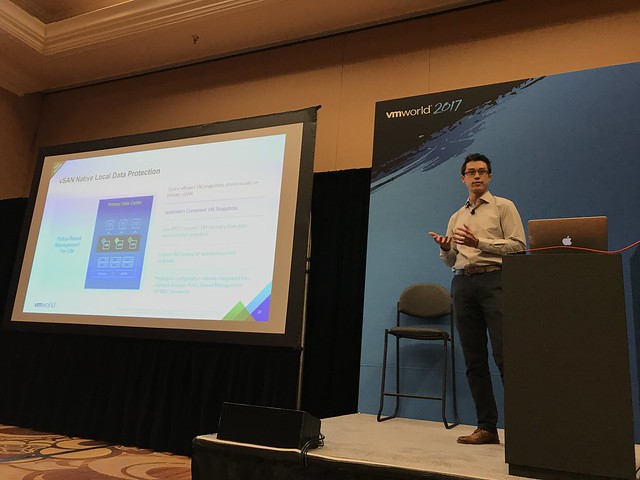
In the demo Michael showed the H5 interface next for vSAN Data Protection. A policy is created with the new capabilities that are there as part of vSAN Data Protection. It is shown how you can can specify RPO, RTO, application consistency etc. The policy is created and next that policy is now attached to VMs. Next the snapshot catalog view was demoed. The H5 UI shows the catalog on a per VM basis, but of course there are various views. In this case the per VM view shows all the snapshots, whether they are locally stored or remotely, and it provides you the option to move back and forth in time. Very useful when you need to restore an older snapshot. When you click a snapshot you will then see all the details of that snapshot.

In the next demo Michael shows how to restore a snapshot, not the most spectacular demo, why not? Well because it is dead simple. First he simulates a data file corruption and then goes to the H5 UI, right clicks the VM and goes to the restore option. Next selects the snapshot he wants to restore and even restores it as “new VM”, which is a linked clone, but it can also be restored as a fully independent VM. In the case you want to restore fully independently a linked clone (sort of) will be created and in the back-end the instance will be migrated to being independently. So the recover is instantly and over time the task of making it independently will complete. During the recovery by the way, there’s even the option to have the VM recovered without networking, or you can customize the VM as well to avoid conflicts.
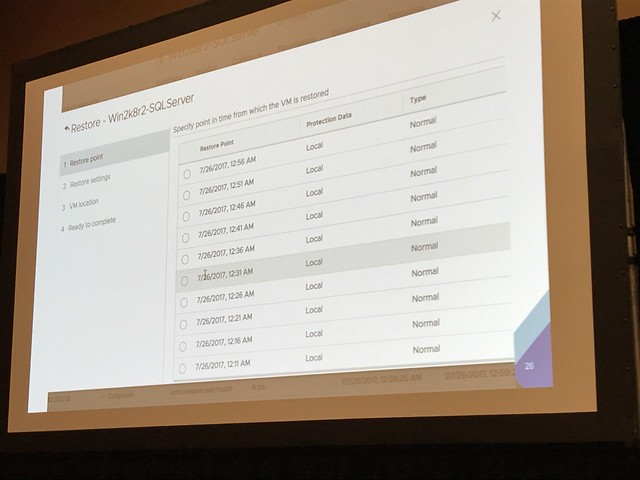
When the recovery finished Michael showed how the “corrupted file” was succesfully restored. Or actually I should say, the VM was restored to the ‘last known good state’, as this is not a file level restore but a VM level restore.
Besides snapshotting / restoring it is of course also possible to closely monitor the state of your protected VMs. Creating snapshots is important, but being to restore them is even more important. Custom health checks are being developed for vSAN Data Protection which shows you the current state of data protection in your environment. Is the service running, are VM snapshots created, are they crash consistent?
And with that the session ended. Very impressive demoes and interesting feature, I cannot wait to see this being released! Again, when the session is published, I will share the link. Thanks Michael and Shobhan.
#VMworld #STO1378 – vSAN Management Today and in the Future
#STO1378 “vSAN Management Today and in the Future” by Junchi Zhang and Christian Dickmann. Christian did this session by himself last year, and it was one of the coolest sessions of last year, so the expectations are set high. In this session Junchi and Christian will be discussing what vSAN management looks like today, but more importantly they will demo what it will look like in the future.
Christian started with the basics. As Christian stated: when we started with vSAN we developed a storage solution, but we evolved to HCI, which means deep integration with vSphere and hardware. As Christian stated: it is our mission to provide Radically simple HCI with choice. This means building an “appliance-ike” experience on your choice of hardware. Deep integration with vSphere and vSphere workflows. All of this for environments with 2 hosts or 1000s of hosts.
In the past releases vSAN provided a lot of new functionality to realize our mission. Just as an example: Health Checks in 6.0, Capacity Reporting in 6.2, Performance Analytics in 6.6. Going forward however the focus will be: Easier Liefecycle Management, Rich Monitoring, Infrastructure Analytics.
First demo up: HTML5 vSphere Client Demo. In the demo the HTML5 interface is shown, and what stood out to me is the responsiveness. As Christian said, we kept what worked well, but we also have new ways of presenting info. For instance the Health Check view has changed. But also the Virtual Object view has changed, we will be showing swap and for instance iSCSI object. On top of that it will provide filters to make it easier to find what you are looking for. Biggest change in the H5 UI is the SPBM interface. New screens, new layout, simpler, fast and more intuitive!
Up next: Patching ESXi / Firmware. In 6.6 we launched the capability to upgrade disk controllers using Config Assist. But what about VUM? And will it be able to not just do a disk controller but also the SAS Expander, BIOS, NICs etc? And that is what the next demo is about. First of all, they removed 1 required reboot. So down from 2 to just 1! Which will easily save 10-15 minutes per host. The demo next shows the current version of the iDRAC firmware, and the version of vSphere used. Leveraging VUM a new baseline is created which not only contains the latest version of vSphere but also a baseline for firmware. Which in this demo updates the iDRAC firmware and the bios. VUM places the host in maintenance mode, upgrades the firmware and BIOS, then updates the hosts itself and reboots the host and the host is done. As Christian said: One click for you as an admin, but many different steps happening in the back-end. The next thing the team will be looking at is not just doing per host updates, but remediating full clusters at a time. This will include full vSAN Health integrations, which will help validating the hosts if they are “safe / healthy” to run vSAN/Workloads again. In other words: update firmware>> update software >> validate health >> bring back in to cluster.
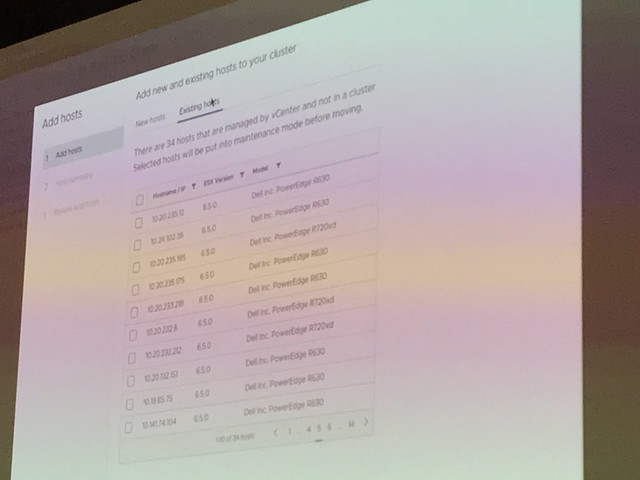
Next demo was around “HCI Cluster Creation and Extension”. How can we make the creation of clusters easier. Those who have seen the VxRail demoes know how simple things can be. But what if have a vSAN Ready Node? In this demo a simplified UI is shown. During the creation of the demo it is shown how for instance all hosts are added to a cluster at the same time. Before the hosts are added though the hosts are validated/verified. Yes, from a vSAN Health point of view. And when they are safe to add, they are added in to the cluster in “maintenance mode”. This is something I have personally been asking for for a long time now. Great to see this is finally added. Also the health check before adding it to the cluster is great, no point in adding a host which is not healthy. Not just adding hosts, but also configure the network as part of the cluster configuration and apply all the vSAN best practices are applied (yes you can change the settings as you go), not just vSAN but also HA/DRS/NTP/Security settings etc. Great demo, great work!
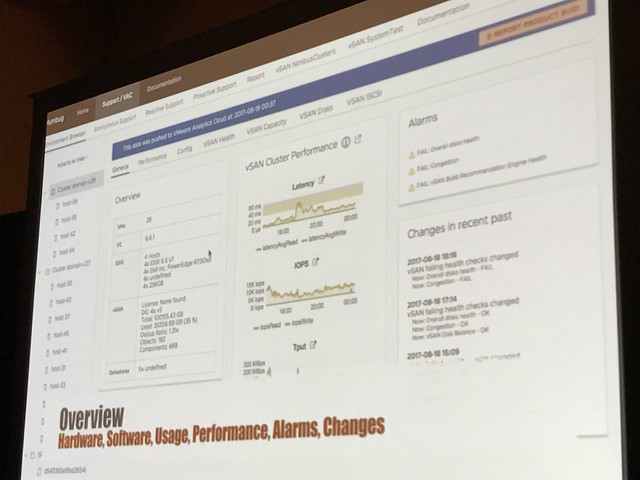
“Rich Infra Analytics” is up next. Christian explained that we already have some cool analytics tools in vSAN 6.6 and vSAN 6.6.1 with the Cloud Connected Health Check and the Performance Analytics tool. This demo is showing an internal tool. So this is not showing what the customers will be using, but showing how engineers and GSS can leverage internal tooling to make the support experience better! In the demo it is shown how GSS can instantly view your environment and details leveraging the “Phone Home” data. More or less replicating the H5 UI. It will allow support to validate if you set advanced settings, if health checks have failed, if you have contention etc. Not just that, also go deep on performance of your environment. They can even go back in time, everything worked fine day ago? Did anything change? What did the environment look like? Simply by going by that “point in time”. Not only when you phone us up, but we can also provide pro-active support. We have the data, we can contact you when something is about to fail, or configuration settings could cause issues in the future. (Depending on the bought support level of course) In order for this to work though, CEIP will need to be enabled.
Up next: Junchi talking about VROps Dashboards and what we are doing in this space. As it stands right now, there are different interfaces to monitor vSAN: VROps and vCenter. But can we collapse these when VROps is installed and provide all the info you need under the H5 Client? We have a great number of dashboards in VROps and in the future that data will automatically be exposes in the H5 Client when you have VROps installed.
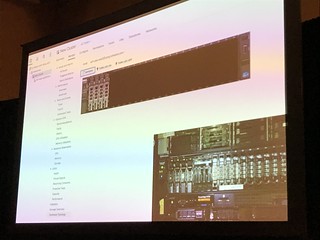
What about hardware topology? What if you need to swap a disk or add a disk. In the demo it is shown how the H5 will show you the hardware topology in a physical overview. You add a disk and the UI will instantly show you the new disk in the chassis. That was a very “simple” change, but very welcome!

Great session, highly recommended to watch the recording when it becomes available. I will add a link when it is published (DONE!) Thanks Junchi and Christian for showing what we are working on and what the future of vSAN/HCI looks like!
#VMworld #STO1794BU – Evolution of vSAN
First session of the day at 08:30: “The Evolution of vSAN”. Vijay Ramachandran and Christos Karamanolis will be talking where vSAN came from and where it will be going towards in the upcoming years. Vijay started out laying the foundation, talking about what HCI is, what the benefits are and where it fits in.
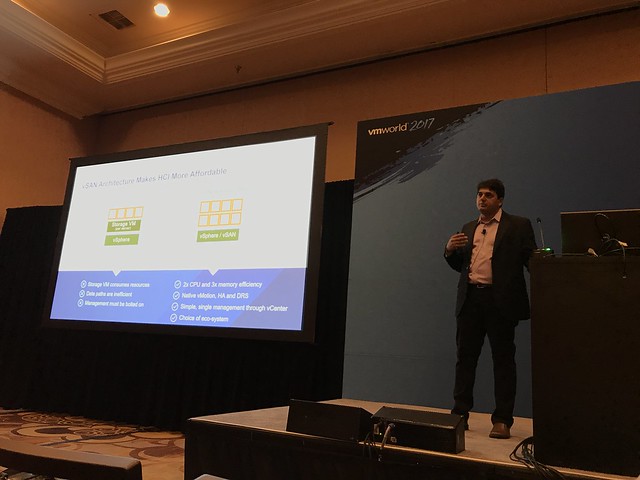
I think Vijay was spot on, HCI simplifies operating storage / infrastructure as the various layers have converged and the single management pane simplifies your life. Especially when using an appliance model. I liked how Vijay explained the difference between vSAN and competitive solutions. The big difference is the fact that for competitors the storage piece is a separate entity(virtual appliance), with vSAN your storage stack comes as part of vSphere.
Next Vijay discussed all the different use cases and customer types. He showed some new survey data, and it showed that 65% of our customers use vSAN for business critical apps (Oracle, SQL, Exchange, SAP etc). With the two other big use cases being Horizon View/Citrix Xen Desktop but also for Management Clusters and DMZ. Some of the newer use cases we are starting to see are NoSQL solutions.
Next Performance was discussed, shocking how vSAN 6.6 bumped performance with 60% even when all data services are enabled. 60% is a lot higher than I expected, especially as this wasn’t just an increase in IOPS but 6.6 also brought a decrease in latency! Before Vijay handed it over, he mentioned the latest vSAN Customer Count: 10k!
Up now Christos, this will be the forward looking part of the session. Christos kicks off talking about three key tends. First, the new storage devices out in the market: NVMe and NVDIMM. These faster devices in most cases will require a re-architecture or at a minimum think about how you leverage these devices. NVMe devices are becoming more affordable and provide extremely low latency and high IOPS, and non-volatile memory even tops that. How will this change the architecture for vSAN? Secondly, the growth of public cloud, is there a way HCI can leverage that? And thirdly, cloud native apps. How do these new application architectures and delivery methods change the storage requirements?
Christos briefly discussed a potential future change for vSAN which is the convergence of the caching tier and the capacity tier… Providing essentially a single tier of storage devices in your vSAN environment, where vSAN will automatically tier data between devices. You could imagine meta-data residing on NVDIMM or NVMe while “cold data” resides on the “lower tiers”. No longer should it be needed to define a caching layer and a capacity layer. Which should result in better performance and better capacity utilization.
Next point being discussed is the operational aspect. Functionality introduced recently have made the life of customers easier, things like vSAN and VUM, S.M.A.R.T support, PowerCLI cmlets, vRA / VROps and LogInsight advanced support and integration. Next Christos demoed one of the latest addition, the Performance Diagnostic feature that is part of vSAN 6.6.1. If you haven’t seen it yet, watch my demo on youtube.
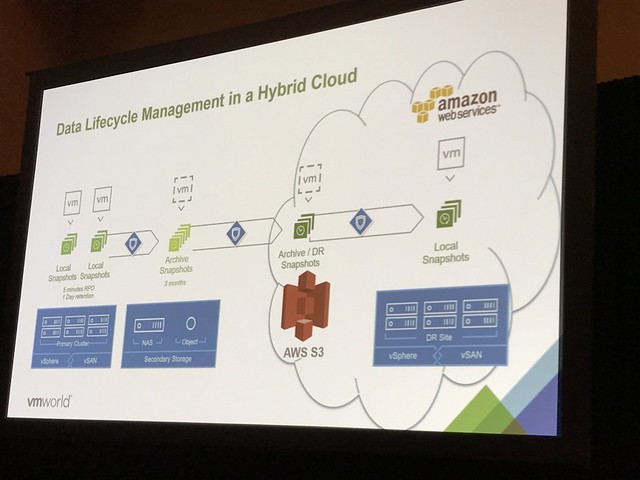
Next Christos discusses how vSAN is used in AWS and how hybridity is achieved leveraging Hyper-Converged architectures. Enterprise grade storage is needed in AWS to provide the ability to use DRS, HA and other essential vSphere functionality. This is where vSAN came in to play. This provides you a very similar experience in the cloud as on-premises. But of course there’s a big benefit of leveraging VMware Cloud on AWS. In the future you can expect an extremely easy scalable storage stack. Compute already scales in a simple manner, but what if you do not need extra compute and just want to add storage, this will be possible soon. Not only will you be able to add storage, but you will also be able to connect to all native AWS Services. You can imagine that a great use case would be “Disaster Recover”. What you can expect from VMware in the near future is a DR as a Service solution, allowing you to failover from your local datacenter in to VMware Cloud on AWS. This offering would be leveraging SRM and vSphere Replication. But on top of that a new snapshotting mechanism is developed, which will allow even for a more flexible architecture. Not just the ability to replicate to vSAN, NFS or something like data domain. But also store your data in S3 in AWS, and when a recovery needs to occur, without having an environment pre-provisioned in VMware Cloud on AWS, trigger a fail-over when it needs to occur and have a VMware Cloud on AWS infrastructure being spun out and your VMs being recovered from S3 in to that environment.
Last topic of the session was Cloud Native Apps. Christos discussed Project Hatchway. Project Hatchway provides the Docker Volume Service and the vSphere Cloud Provider for Kubernetes. On top of that vSAN will be optimized for “share-nothing” applications. As mentioned in my summary of STO1490, these enhancements will allow you to co-locate data and compute when you have “FTT=0” configured even. Also, sequential I/O will be improved in future releases, as in many cases these share-nothing applications are highly sequential workloads.
Great session, not sure it was recorded, but if it was… watch it online when it is released!