• Skip to primary navigation
  • Skip to main content
  • Skip to primary sidebar

Yellow Bricks

by Duncan Epping

  • Home
  • Unexplored Territory Podcast
  • HA Deepdive
  • ESXTOP
  • Stickers/Shirts
  • Privacy Policy
  • About
  • Show Search
Hide Search

drs

New fling released: VM Resource and Availability Service

Duncan Epping · Feb 2, 2015 ·

I have the pleasure of announcing a brand new fling that was released today. This fling is called “VM Resource and Availability Service” and is something that I came up with during a flight to Palo Alto while talking to Frank Denneman. When it comes to HA Admission Control the one thing that always bugged me was why it was all based on static values. Yes it is great to know my VMs will restart, but I would also like to know if they will receive the resources they were receiving before the fail-over. In other words, will my user experience be the same or not? After going back and forth with engineering we decided that this could be worth exploring further and we decided to create a fling. I want to thank Rahul(DRS Team), Manoj and Keith(HA Team) for taking the time and going to this extend to explore this concept.

Something which I think is also unique is that this is a SaaS based solution, it allows you to upload a DRM dump and then you can simulate failure of one or more hosts from a cluster (in vSphere) and identify how many:

  • VMs would be safely restarted on different hosts
  • VMs would fail to be restarted on different hosts
  • VMs would experience performance degradation after restarted on a different host

With this information, you can better plan the placement and configuration of your infrastructure to reduce downtime of your VMs/Services in case of host failures. Is that useful or what? I would like to ask everyone to go through the motion, and of course to provide feedback if you feel this is useful information or not. You can leave feedback on this blog post or the fling website, we are aiming to monitor both.

For those who don’t know where to find the DRM dump, Frank described it in his article on the drmdiagnose fling, which I also recommend trying out! There is also a readme file with a bit more in-depth info!

  • vCenter server appliance: /var/log/vmware/vpx/drmdump/clusterX/
  • vCenter server Windows 2003: %ALLUSERSPROFILE%\Application Data\VMware\VMware VirtualCenter\Logs\drmdump\clusterX\
  • vCenter server Windows 2008: %ALLUSERSPROFILE%\VMware\VMware VirtualCenter\Logs\drmdump\clusterX\

So where can you find it? Well that is really easy, no downloads as I said… fully ran as a service:

  1. Open hasimulator.vmware.com to access the web service.
  2. Click on “Simulate Now” to accept the EULA terms, upload the DRM dump file and start the simulation process.
  3. Click on the help icon (at the top right corner) for a detailed description on how to use this service.
DRS is just a load balancing solution…

Duncan Epping · Jan 15, 2015 ·

Recently I’ve been hearing this comment more and more, DRS is just a load balancing solution. It seems that some folks spread this FUD to diminish what DRS really is and does. Let me start by saying that DRS is not a load balancing solution. The ultimate goal of DRS is to ensure all workloads receive the resources they demand. Frank Denneman has a great post on this topic as this has led to some confusion in the past. I would advise reading it if you want to understand why exactly VMs are not moved while the cluster seems imbalanced. In short: why balance VMs when the VMs are not constraint? In other words, DRS has a VM centric view of the virtual world and not a host centric… In the end, it is all about your applications and how they perform and not necessarily about the infrastructure it is hosted on, DRS cares about VM/Application happiness. Also, keep in mind that there is a risk and a cost involved with every move you do.

Of course there is a lot of functionality that you leverage without thinking about it and take for granted. Things like Resource Pools (limits / reservations / shares), DRS Maintenance Mode (fully automated), VM Placement, Admission Control (yes DRS has one) and last but not least the various types of (anti) affinity rules. Also, before anyone starts shouting about active memory vs consumed (PercentIdleMBInMemDemand solves this) or %RDY taken in to account… DRS has many knobs you can twist.

But besides that, there is more. Something not a lot of people realize is that for instance HA and DRS are loosely coupled but tightly integrated. When you have both enabled on your cluster then HA will be able to call upon DRS for making the right placement decision and defragmenting resources when needed. What does that mean? Well lets assume for a second that you are running at full (or almost) capacity and a host fails while taking a host failure in to account by leveraging HA admission control. When the host fails HA will need to restart your VMs, but if there at some point is not enough spare capacity left to restart a VM on a given host? Well in that case HA will call upon DRS to make space available so that these VMs can be restarted. That is nice right?! And there is more smartness coming with considering HA / DRS admission control, hopefully I can tell you all about it soon.

Then of course there is also the case where resource pools are implemented. vSphere HA and DRS work in conjunction to ensure that when VMs are failed over that shares are flattened to avoid strange prioritisation during times of contention. HA and DRS do this as VMs always failover to the root resource pool of a host, but of course DRS will place the VMs back where they belong when it runs the first time after the failover has occurred. This especially is important when you have set shares on VMs individually in a resource pool model.

So when someone says DRS is just a simple load balancing solution take their story with a grain of salt…

vSphere 5.1 Clustering Deep Dive promotion & major milestone

Duncan Epping · Oct 9, 2014 ·

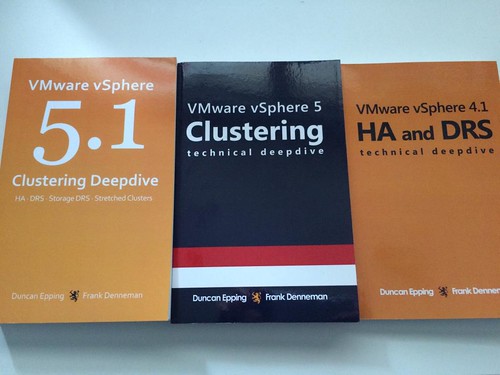
This week when looking at the sales numbers of the vSphere Clustering Deep Dive series and Frank and I noticed that we hit a major milestone! In September 2014 we passed the 45000 copies distributed of the vSphere Clustering Deep Dive. Frank and I never ever expected this or even dared to dream to hit this milestone.

When we first started writing the 4.1 book we had discussions around what to expect from a sales point of view and I recall having a discussion with Frank around the sales number, Frank said he would be happy with 100 and I said well 400 would be nice. Needless to say we reset our expectations many times since then… We didn’t really follow it closely in the last 12-18 months, and as today we were discussing a potential update of the book we figured it was time to look at the numbers again just to get an idea. 45000 copies distributed (ebook + printed) is just remarkable, and we are very humbled, baffled and honoured!

We’ve noticed that the ebook is still very popular, and decided to do a promo. As of Monday the 13th of October the 5.1 ebook (kindle) will be available for only $ 0.99 for 72 hours, then after 72 hours the price will go up to $ 3.99 and then after 72 hours it will be back to the normal price. Make sure to get it while it is low priced!

You can pick it up here on Amazon.com! The only other kindle store we could open the promotion up for was amazon.co.uk, so that is also an option.

Don’t create a Frankencluster just because you can…

Duncan Epping · Feb 19, 2014 ·

In the last couple of weeks I have had various discussions around creating imbalanced clusters. Imbalanced from either CPU, memory and even a storage point of view. This typically comes up in discussions where either someone wants to bring larger scale to their cluster and they want to add hosts with more resources of any of the before mentioned types. Or also when licensing costs need to be limited and people want to restrict certain VMs to run a specific set of hosts. Something that comes up often when people are starting to look at virtualizing Oracle. (Andrew Mitchell published this excellent article on the topic of Oracle Licensing and soft vs hard partitioning which is worth reading!)

Why am I not a fan of imbalanced clusters when it comes to compute or storage resources? Why am I not a fan of crippling your environment purposely to ensure your VMs will only run on a subset of vSphere hosts? The reason is simple, the problems I have seen and experienced and the inefficiency in certain scenarios. Lets look at some examples:

Lets assume I have 4 hosts with each 128GB of memory. I need more memory in my cluster and I add a host with 256GB of memory. Now you just went from 512Gb to 768GB which is a huge increase. However, this is only true when you don’t do any form of admission control and resource management. When you do proper resource management or admission control than you would need to make sure that all of your virtual machines can run in the case of a failure, and preferably run with equal performance before and after the failure has occured. If you added 256GB of memory and this is being used and that host containing 256GB goes down your virtual machines could potentially be impacted. They might not restart, and if they restart they may not get the same amount of resources as they received before the failure. This scenario also applies to CPU, if you create an imbalance .

Another one I encountered recently was presenting a LUN to a limited set of hosts, in this case a LUN was only presented to 2 hosts out of the 20 hosts in that cluster… Guess what, when those two hosts die… so do your VMs. Not optimal right when they are running an Oracle database for instance. On top of that I have seen people pitching a VSAN cluster of 16 nodes with only 3 hosts contributing storage. Yes you can do that, but again… when things go bad, they will go horribly bad. Just imagine 1 host fails, how will you rebuild your components that were impacted? What is the performance impact? Very difficult to predict how it will impact your workload, so just keep it simple. Sure there is a cost overhead associated with separating workloads and creating dedicated clusters, but it will be easier to manage and more predictable in failure scenarios.

I guess in summary: If you want predictability in terms of availability and recoverability of your virtual machines go for a balanced environment, don’t create a Frankencluster!

vSphere 5.5 nuggets: High Availability Enhancement

Duncan Epping · Sep 4, 2013 ·

There aren’t a lot of changes in 5.5 when it comes to vSphere High Availability aka HA, but one is worth noting. As most of you are probably aware of, vSphere HA in the past did nothing with VM to VM Affinity or Anti Affinity rules. Typically for people using “affinity” rules this was not an issue, but those using “anti-affinity” rules did see this as an issue. They created these rules to ensure specific virtual machines would never be running on the same host, but vSphere HA would simply ignore the rule when a failure had occurred and just place the VMs “randomly”. With vSphere 5.5 this has changed! vSphere HA is now “anti affinity” aware. In order to ensure anti-affinity rules are respected you will need to set an advanced setting:

das.respectVmVmAntiAffinityRules - Values: "false" (default) and "true"

Now note that this also means that when you configure anti-affinity rules and have this advanced setting  configured to “true” and somehow there aren’t sufficient hosts available to respect these rules… then rules will be respected and it could result in HA not restarting a VM. Make sure to understand this potential impact when configuring this setting and configuring these rules.

  • « Go to Previous Page
  • Page 1
  • Interim pages omitted …
  • Page 4
  • Page 5
  • Page 6
  • Page 7
  • Page 8
  • Interim pages omitted …
  • Page 19
  • Go to Next Page »

Primary Sidebar

About the Author

Duncan Epping is a Chief Technologist and Distinguished Engineering Architect at Broadcom. Besides writing on Yellow-Bricks, Duncan is the co-author of the vSAN Deep Dive and the vSphere Clustering Deep Dive book series. Duncan is also the host of the Unexplored Territory Podcast.

Follow Us

  • X
  • Spotify
  • RSS Feed
  • LinkedIn

Recommended Book(s)

Also visit!

For the Dutch-speaking audience, make sure to visit RunNerd.nl to follow my running adventure, read shoe/gear/race reviews, and more!

Do you like Hardcore-Punk music? Follow my Spotify Playlist!

Do you like 80s music? I got you covered!

Copyright Yellow-Bricks.com © 2026 · Log in