• Skip to primary navigation
  • Skip to main content
  • Skip to primary sidebar

Yellow Bricks

by Duncan Epping

  • Home
  • Unexplored Territory Podcast
  • HA Deepdive
  • ESXTOP
  • Stickers/Shirts
  • Privacy Policy
  • About
  • Show Search
Hide Search

vSAN

Which disk controller to use for vSAN

Duncan Epping · Sep 28, 2017 ·

I have many customers going through the plan and design phase for implementing a vSAN based infrastructure. Many of them have conversations with OEMs and this typically results in a set of recommendations in terms of which hardware to purchase. One thing that seems to be a recurring theme is the question which disk controller a customer should buy. The typical recommendation seems to be the most beefy disk controller on the list. I wrote about this a while ago as well, and want to re-emphasize my thinking. Before I do, I understand why these recommendations are being made. Traditionally with local storage devices selecting the high-end disk controller made sense. It provided a lot of options you needed to have a decent performance and also availability of your data. With vSAN however this is not needed, this is all provided by our software layer.

When it comes to disk controllers my recommendation is simple: go for the simplest device on the list that has a good queue depth. Just to give an example, the Dell H730 disk controller is often recommended, but if you look at the vSAN Compatibility Guide then you will also see the HBA330. The big difference between these two is the RAID functionality offered on the H730 and the cache on the controller. Again, this functionality is not needed for vSAN, by going for the HBA330 you will save money. (For HP I would recommend the H240 disk controller.)

Having said that, I would at the same time recommend customers to consider NVMe for the caching tier instead of SAS or SATA connected flash. Why, well for the caching layer it makes sense to avoid the disk controller. Place the flash as close to the CPU as you can get for low latency high throughput. In other words, invest the money you are saving on the more expensive disk controller in NVMe connected flash for the caching layer.
VMworld vSAN Sessions Playlist

Duncan Epping · Sep 27, 2017 ·

I just created a simple playlist up on youtube which has most (if not all) vSAN sessions on there. If you are interested in vSAN simply have a look at the playlist and pick what you want to watch.

Sharing the “Top 10 things to know about vSAN” slides…

Duncan Epping · Sep 19, 2017 ·

I was asked by a few people to share the slides for our Top 10 vSAN session at VMworld. Instead of sending the slides around via email I figured I would simply throw it up on slideshare and share it here.

Watch VMworld session “Top 10 Things to Know about vSAN #STO1264BE” for free …

Duncan Epping · Sep 19, 2017 ·

I didn’t know, but apparently our session was a featured session at VMworld Europe. For those interested in our VMworld: Top 10 vSAN session there’s a “mini player” below of our European VMworld session. I somehow can’t get it in a proper size but still wanted to share it. Easier probably for you is to go to this link and simply watch the video there as it is displayed in a proper way. Awesome to see our session up there, and congrats Cormac on having 3 sessions in the top list!

#vmworld #STO1770BU – Tech Preview of Integrated Data Protection for vSAN

Duncan Epping · Aug 30, 2017 ·

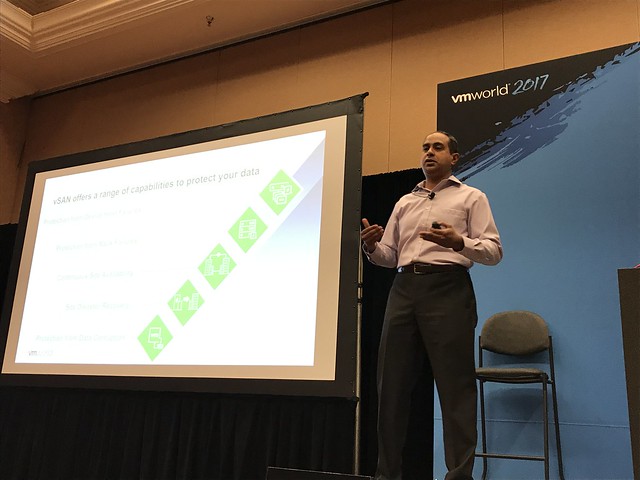
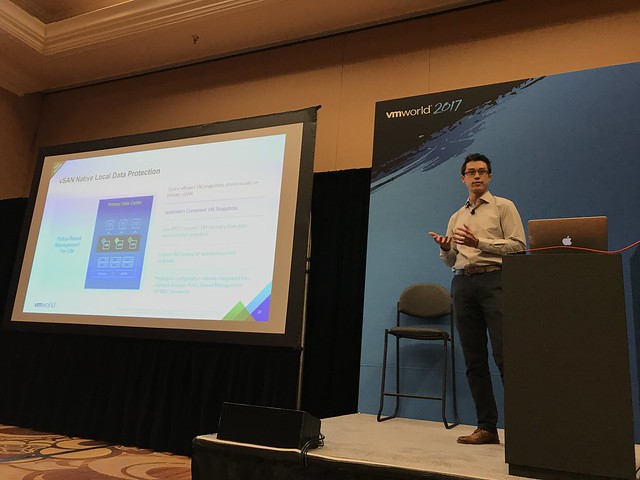
This session was hosted by Michael Ng and Shobhan Lakkapragada and is all about Data Protection in the world of vSAN. Note that this was also a tech preview and features may or may not ever make it in to a future release. The session started with Shobhan explaining the basics of vSAN and the current solutions that are available for vSAN data resiliency, I am not going to rehash that as I am going to assume that you have read most of my articles on those topics already.

Vision: Native Data Protection for vSAN. Provide the ability to specify in policy how many snapshots you would like per VM and how often, and what the retention should be. These snapshots will be stored locally. However, it will also be possible to specify in policy if data needs to moved outside of the primary datacenter. For instance, move data once every 4 hours to the DR site or the Archival Site, also referred to “local protection” and “remote protection”. Not just to vSAN by the way for “remote protection”, but also NFS, Data Domain and even S3 based storage. This is the overall vision of what we are trying to achieve with the native data protection feature.

First problem we will need to solve is snapshotting. The current vSphere/vSAN snapshotting mechanism will not scale to the extend it will need to scale. A new snapshotting mechanism is being worked on which will give far better performance and scale. The design goal is to support up to 100 snapshots per VM with a low (minimal) performance impact. The technology is developed on vSAN, but not tied to vSAN, this may be expanded to vSphere overall.

Michael now took over and started diving deeper in the functionality that we are aiming to provide. First of all “native local data protection”. This is where the snapshots which are created through a schedule in a policy are stored locally on the datastore. This is a “first line of defense” mechanism where we can recover VMs really fast by simply going to a previous snapshot. Snapshots can be created in an application consistent state, even leveraging VSS providers. What is critical if you ask me is that all of this uses the familiar SPBM policies. If you know how to create a policy then you can configure data protection!

In the demo Michael showed the H5 interface next for vSAN Data Protection. A policy is created with the new capabilities that are there as part of vSAN Data Protection. It is shown how you can can specify RPO, RTO, application consistency etc. The policy is created and next that policy is now attached to VMs. Next the snapshot catalog view was demoed. The H5 UI shows the catalog on a per VM basis, but of course there are various views. In this case the per VM view shows all the snapshots, whether they are locally stored or remotely, and it provides you the option to move back and forth in time. Very useful when you need to restore an older snapshot. When you click a snapshot you will then see all the details of that snapshot.

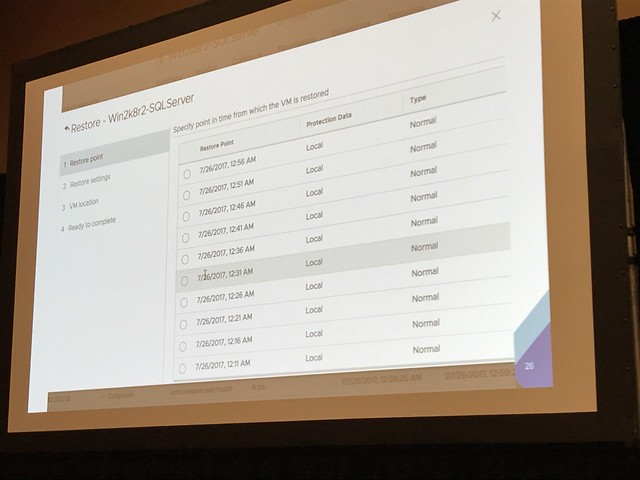
In the next demo Michael shows how to restore a snapshot, not the most spectacular demo, why not? Well because it is dead simple. First he simulates a data file corruption and then goes to the H5 UI, right clicks the VM and goes to the restore option. Next selects the snapshot he wants to restore and even restores it as “new VM”, which is a linked clone, but it can also be restored as a fully independent VM. In the case you want to restore fully independently a linked clone (sort of) will be created and in the back-end the instance will be migrated to being independently. So the recover is instantly and over time the task of making it independently will complete. During the recovery by the way, there’s even the option to have the VM recovered without networking, or you can customize the VM as well to avoid conflicts.

When the recovery finished Michael showed how the “corrupted file” was succesfully restored. Or actually I should say, the VM was restored to the ‘last known good state’, as this is not a file level restore but a VM level restore.

Besides snapshotting / restoring it is of course also possible to closely monitor the state of your protected VMs. Creating snapshots is important, but being to restore them is even more important. Custom health checks are being developed for vSAN Data Protection which shows you the current state of data protection in your environment. Is the service running, are VM snapshots created, are they crash consistent?

And with that the session ended. Very impressive demoes and interesting feature, I cannot wait to see this being released! Again, when the session is published, I will share the link. Thanks Michael and Shobhan.

  • « Go to Previous Page
  • Page 1
  • Interim pages omitted …
  • Page 31
  • Page 32
  • Page 33
  • Page 34
  • Page 35
  • Interim pages omitted …
  • Page 71
  • Go to Next Page »

Primary Sidebar

About the Author

Duncan Epping is a Chief Technologist and Distinguished Engineering Architect at Broadcom. Besides writing on Yellow-Bricks, Duncan is the co-author of the vSAN Deep Dive and the vSphere Clustering Deep Dive book series. Duncan is also the host of the Unexplored Territory Podcast.

Follow Us

  • X
  • Spotify
  • RSS Feed
  • LinkedIn

Recommended Book(s)

Also visit!

For the Dutch-speaking audience, make sure to visit RunNerd.nl to follow my running adventure, read shoe/gear/race reviews, and more!

Do you like Hardcore-Punk music? Follow my Spotify Playlist!

Do you like 80s music? I got you covered!

Copyright Yellow-Bricks.com © 2026 · Log in