 Over the past 6 years, my focus has very much been VMware vSAN. I started focussing on vSAN when we internally started working on Project Marvin in 2012, or EVO:RAIL as it was officially called, which then became Dell EMC VxRail. After a brief stop in the corporate Office of CTO I then joined the Office of CTO for Storage and Availability to focus solely on vSAN. I think it is fair to say that vSAN has been on top of mind for what feels forever. As such, I figured I needed a break, some time to think and talk about something different for a change, some time to learn new technologies, some time to work on something else.
Fortunately, VMware has this great concept called “Take 3”. Take 3 provides you the opportunity, if you have been with VMware for at least 5 years, to spend 3 months working on something else. No, I am not going to a cabin in the woods and think for 3 months. That would be nice, but that is not an option. Take 3 provides you the option to join projects, or teams, which have published an opening and are looking for help. I looked around the Take 3 portal to see what kind of opportunities were listed, and I found one that immediately caught my attention: Spatial Computing aka VR/AR/MR. (If you work for VMware and want to know more, or are interested simply go to the Take 3 portal, note that the Spatial Computing team has other T3 opportunities open.)
Some of you may recall the awesome demo Alan Renouf gave at VMworld during the keynote a few years ago. Well, that demo ultimately turned in to an incubation project which Alan is running together with my old professional services colleague Matt Coppinger. I had a conversation with Alan, Matt and their lead developer Arjun Dube and decided to jump on-board for 3 months. Note, jump on board for 3 months! This doesn’t mean I will be leaving the HCI BU or move away from vSAN. I will return for duty in March, but until then I will dive into virtual/augmented reality. I am aiming to update you folks occasionally, over the course of the next 3 months, on my experience of taking on this project. If you want to know more about what it is all about, listen to Alan on the VMTN Podcast below.
For now, I am looking forward to learning new technologies like AR, VR, GPUs etc. I am very thankful that VMware provides its employees with opportunities like these. The only thing I wonder is, why I waited 11 years before trying this. Ah well, time to put on my goggles and submerge in virtual reality!
 At VMworld US there was this really cool new initiative at the hands-on-labs. They had this competition called Odyssey where lab teams were competing against each other to complete labs successfully as fast as possible! These labs are on the topic of vSAN, vSphere, vRealize, NSX-T, Horizon and AppD. Not only was the gamification aspect of the HoL a very interesting and fun concept, but it also meant for the participant that they had to work in teams to complete the labs and had to communicate to get a good understanding of who is doing what. Adds a whole new aspect to the exercise, and at the same time made it even a bit more similar to how you manage your datacenters.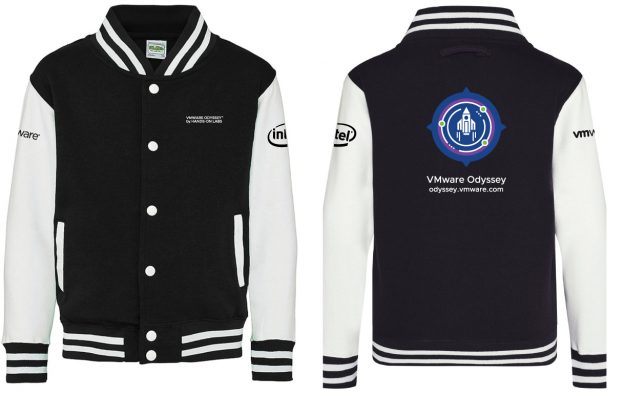
 Unfortunately the rooms they allocated to my sessions filled up extremely fast. They have been able to move my sessions in to other rooms twice, but as HCI1870BER (HA best practices for vSAN) filled up again and there was no bigger room available the VMworld team decided to schedule a repeat for Thursday at 12:00, it is also filling up fast so make sure to register ASAP if you want to join the HA best practices session for vSAN. Note it is only a 30 minutes session, so it won’t be a full-on deep dive. Anyway. go to the following link to find all of my sessions and register. Before I forget, the Virtually Speaking Podcast session was a huge hit in the US, and I would also highly recommend signing up to that one!