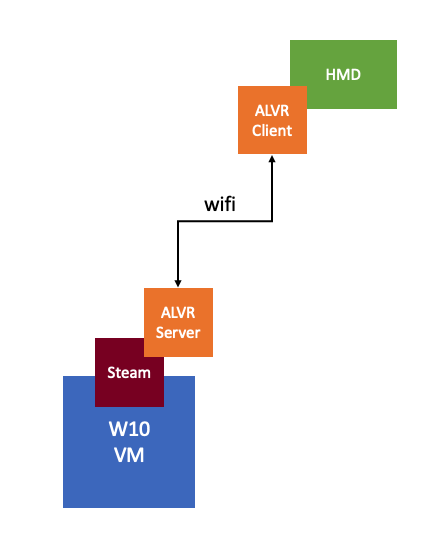
I have been playing with VR technology for the past month. The last couple of weeks my focus has been to install/configure a VM which streams the VR app over wifi to a headset. I ran into a problem with ALVR last week as documented here, but I also ran into an issue with the AMD Radeon software when I wanted to use the AMD tools to stream a VR app. When you install the AMD Radeon software within a VM and want to configure the (passthrough) graphics card or ReLive VR the Radeon configuration window shows up transparent, it looks as below. Which means you can’t configure it, you can’t enable things like ReLive VR.
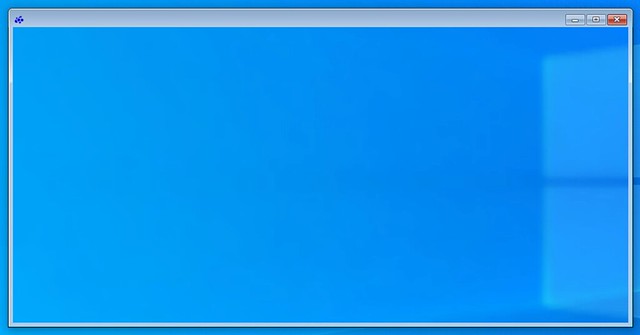
The only way to get the window to show up normal is to remove the VMware SVGA device using Device Manager. Simply completely remove it and restart the VM and the problem is solved. If you have svga.present set to false you will need to click “view hidden devices” in Device Manager first before you can remove the installed software/driver by the way. When rebooted it will look normal again and it will allow you to enable and configure ReLive VR, or any other options you need to configure of course.

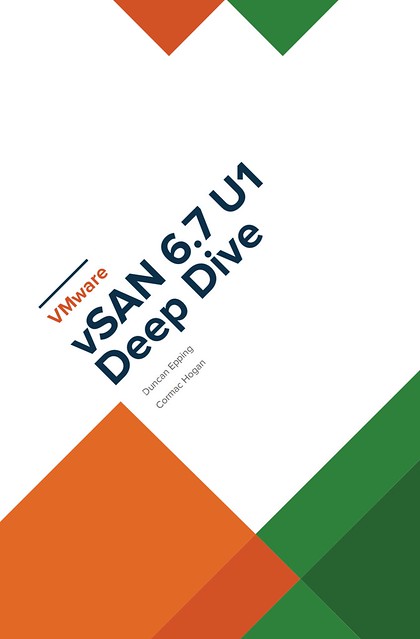 Amazon allows publishers to create book promotions and I just created one for the vSAN 6.7 U1 Deep Dive ebook. The promotion starts on the 24th of December and will end on the 31st of December. The ebook promotion will be available only on Amazon.com and Amazon.co.uk, as that is where Amazon allows publishers to create these. The price will start as low as 0.99 USD for the ebook in the US and will go up in increments of 1 USD over the course of 10 days, for the UK the price will start at 0.99 Pounds. The paper copy will also drop in price starting today and will return to normal on the 31st of December. (Note, unfortunately for the UK the ebook promo will start on the 20th of January, Amazon doesn’t allow me to schedule it sooner.) The paper copy will be discounted in all Amazon stores worldwide we have dropped the price by over 50%, in other words, for the US market you can pick it up for less than 20 USD, for EMEA it is less than 15 Euro. This should be a great deal to brush up your vSAN skills over the holiday season!

 I first got introduced to Virtual Reality (VR) in the 90’s. Back then it was all about gaming of course. Even today though the perception is that it is mainly about gaming, and to be honest that was also my perception. When I spoke with Alan Renouf the first time about the project he was working on and I saw his keynote demo I didn’t really see the opportunity. It all felt a bit gimmicky, to be honest, but can you blame me when the focus of the demo is moving workloads to the cloud by picking up a VM and throwing it over “the fence”.
 It isn’t something I ever thought about, but in order to train firefighters they create a room inside a container, burn down the container and then have groups of firefighters try to figure out how and where the fire started. The problem is though if they train 10 groups per day, only the last group can touch the objects and do a proper investigation. With VR this problem is solved, as after every training session you reset and start over. Same for instance could apply to police force training for things like crime scene investigation. Or for instance training of personnel working (nuclear) power plants, oil platforms, etc etc. Or even customer services training for retailers like Walmart, let them deal with difficult customers in VR first, let them handle dozens of difficult situations in VR before they are exposed to “real” customers.