• Skip to primary navigation
  • Skip to main content
  • Skip to primary sidebar

Yellow Bricks

by Duncan Epping

  • Home
  • Unexplored Territory Podcast
  • HA Deepdive
  • ESXTOP
  • Stickers/Shirts
  • Privacy Policy
  • About
  • Show Search
Hide Search

Server

HA Futures: VMCP for Networking – Part 3 of 4 – (Please comment!)

Duncan Epping · Oct 30, 2018 ·

VMCP, or VM Component Protection, has been around for a while. Many of you are probably using this to mitigate storage issues. However, what if the VM network fails? Well, that is a problem right now… if the VM network fails then there’s no response from HA. This by many customers is considered to be a problem. So what would we like to propose? VM Component Protection for Networking!

How would this work? Well the plan would be to allow you to enable VM Component Protection for Networking for any network on your host. This could be the vMotion network, different VM networks etc. On this network HA would need to have an IP address it could check “liveness” against of course, very similar to how it used the default gateway to verify “host isolation”.

On top of that, besides validating liveness through an IP address, of course, HA should also monitor the physical NIC. If either of the two would not work, well then HA should take action immediately. What this action will be will depend on the type of failure that has occurred. We are considering the following two types of responses to a failure:

  1. If vMotion still works, migrate the VM from impacted host to a healthy host
  2. If vMotion doesn’t work, restart the impacted VM on a healthy host

In addition to monitoring the health of the physical NIC, HA can also use in guest/VM monitoring techniques to monitor the network route from within the VM to a certain address/gateway. Would this technique be useful?

What do you think? Please provide feedback/comments below, even if it is just a “yes, please!” Please help shape the future of HA!
HA Futures: Admission Control – Part 2 of 4 – (Please comment, feedback needed!)

Duncan Epping · Oct 23, 2018 ·

Admission Control is always a difficult topic when I talk to customers. It seems that many people still don’t fully grasp the concept, or simply misunderstand how it works. To be honest, I can’t blame them. It doesn’t always make sense when you think things through. Most recently for Admission Control we introduced a mechanism in which you can specify what the “tolerated performance loss” should be for any given VM. This isn’t really admission control unfortunately as it doesn’t stop you from powering on new VMs, it does, however, warn you if you reach the threshold where a host failure would lead to the specified performance degradation.

After various discussion with the HA team over the past couple of years, we are now exploring what we can change about Admission Control to give you more options as a user to ensure VMs are not only restarted but also receive the resources you expect them to receive. As such, the HA team is proposing 3 different ways of doing Admission Control, and we would like to have your feedback on this potential change:

  • Admission Control based on reserved resources and VM overheads
    This is what you have today, nothing changes here. We use the static reservations and ensure that all VMs can be powered on!
  • Admission Control based on consumed resources
    This is similar to the “performance degradation tolerated” option. We will look at the average consumed CPU and Memory resources, let’s say past 24 hours), and base our admission control calculations on that. This will allow you to guarantee performance for workloads to be similar after a failure.
  • Admission Control based on configured resources
    This is a static way of doing admission control similar to the first. The only difference is that here Admission Control will do the calculations based on the resources configured. So if you configured a VM with 24GB of memory, then we will do the math with 24GB of memory for that VM. The big advantage, of course, is that the VMs will always be able to claim the resources they have assigned.

In our opinion, adding these options should help to ensure that VMs will receive the resources you (or your customers) would expect them to get. Please help us by leaving a comment/providing feedback. If you agree that this would be helpful then let us know, if you have serious concerns then we would also like to know. Please help shape the future of HA!
HA Futures: Orchestrated Restart and Restart Priority – Part 1 of 4 – (Please comment!)

Duncan Epping · Oct 15, 2018 ·

Last week I visited Palo Alto. I had a long conversation with my friends from the vSphere HA team. I have done a series of articles in the past asking for feedback/comments on future features/functions of HA that the team is looking to implement. One of the first features I would like to discuss is Orchestrated Restart and Restart Priority. Funny enough, this feature is one I discussed in the previous series as well.

For those who don’t know, today you can specify in the vSphere Client what the dependency is between VMs. If a host fails, or multiple hosts fail, and the VMs in a dependency chain are impacted than HA ensures that these VMs are powered on in a particular order. And actually, vSphere HA also has the ability to specify what the restart priority should be of VMs. I described both of these features here. The difference between the two is fairly straightforward though: restart priority are considered “soft rules” and restart orchestration is considered a hard rule. In other words: if one VM can’t be restarted when restart orchestration is used then the next batch will not start.

The UI, to be honest, is confusing, and having two similar concepts that more or less do the same is also confusing. We have discussed various things we would like to have your opinion on. Please leave your feedback in the comments using a valid email address, this way when needed we can follow up.

  • Would you like to have the ability to restart a full chain of VMs, when Orchestration or Priority is enabled and only a few VMs in the chain are impacted by a failure? In other words, would you like to have an option that allows you to restart running VMs that are part of a chain which is impacted by a failure?
  • Would you like to have Orchestrated Restarts / Restart Priority for APD impacted VMs and VM & App Monitoring as well?
  • Would you like to have Orchestrated Restarts and Restart Priority combined in a single feature?
    • Potentially have an option to have multi-level for Orchestration like Restart Priority has
    • Define if it is a “hard” or “soft” rule

And of course, if you feel anything else needs to change about this feature, then please also leave that in a comment. The HA team will be reading this, and are happy to take all feedback they can get. Please help shape the future of HA!
See you at VMworld Europe

Duncan Epping · Oct 11, 2018 ·

VMworld Europe is coming up fast. I always get the question where people can find me. This is not an easy question as VMworld Europe usually means two things: sessions and meetings. Actually, it means three things: sessions, meetings and running between those. If you want to find me it is best to attend one of the three sessions I will be part of. Note that one session is full right now.

  • Innovating Beyond HCI: How VMware is Driving the Next Data Center Revolution [HCI3728KE] (seats available)
    Wednesday, Nov 07, 11:00 a.m. – 12:00 p.m.
    In this session, I will be joining Yanbing Lee and John Gilmartin up on stage. This is the general session for the Storage and Availability BU as well as the Integrated Systems BU. In this session, we will discuss where, how, and why HCI and VMware Cloud Foundation started. But more importantly where we are today and where we will be going in the future. It will have great demos that reveal what we have planned in the upcoming year(s), so make sure to register for this one!
  • The Power of Storage Policy-Based Management [HCI1270BE] (seats available)
    Wednesday, Nov 07, 12:30 p.m. – 1:30 p.m.
    The world of software-defined storage moves at a rapid pace, and VMware is one of the biggest enablers. In this session, Cormac and I will guide you through the world of software-defined storage initiatives at VMware and provide a primer to VMware vSAN, VMware Virtual Volumes (VVol), persistent cloud-native storage options (Project Hatchway), the VMware vSphere APIs for I/O filtering, and the binding factor in these cases: storage policy-based management. Be warned: We will bring demos!
  • vSphere Clustering Deep Dive, Part 1: vSphere HA and DRS [VIN1249BE]
    Tuesday, Nov 06, 11:00 a.m. – 12:00 p.m.
    In this session, Frank and I will take you through the trenches of VMware vSphere Distributed Resource Scheduler (DRS) and vSphere High Availability (HA). Find out about options to optimize your DRS settings for your specific requirements and goals, such as if you should be load balancing on active or consumed memory, as well as what has recently changed in the DRS algorithm and if it will impact DRS behavior. And for vSphere HA, you will learn about when it restarts virtual machines (VMs), what kind of restart times to expect, and where you can find evidence that a VM (or multiple) have been restarted. You will find out about all of these items and more. Prepare to dive deep, as the basics will not be covered.

    • Session is repeated on Thursday at 10:30!

Oh, and rumor has it that Frank, Niels and I may be handing out some signed copies of our book again at the Rubrik booth… More on that later. I am hoping we will see long queues through the solution exchange again.

@rubrikInc giving away free copies of the @ClusterDeepDive signed by @FrankDenneman @DuncanYB @NHagoort #VMworld pic.twitter.com/lzIuY0n3ln

— Emad Younis (@emad_younis) August 28, 2018

Want to test vSAN? Go to VMTestdrive!

Duncan Epping · Oct 2, 2018 ·

This week I had a conversation with two of my colleagues who are part of the Global Platform Engineering team, Rory and Marilyn. I had spoken with them before on this topic, but at that point, they weren’t quite ready to go all out just yet, but now they are. Rory and Marilyn and their team developed this great platform for product experiences and PoCs, called TestDrive. The platform was initially launched for EUC, and is now being expanded to include other solutions like vSAN, NSX and PKS to name a few. Back in March of this year, they launched the vSAN experience as part of the Modernize Data Centers solution track.

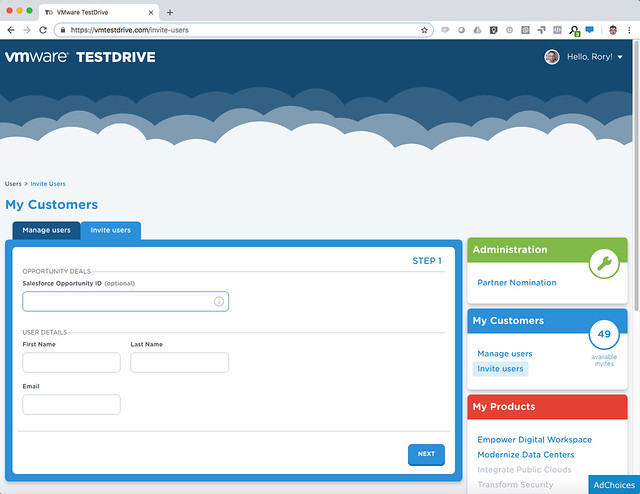
My first question to them, of course, was: what is unique here? We have the VMware HoL for people externally and we internally have OneCloud (field) and Nimbus (dev), why would I use this? The answer was straightforward: TestDrive is the only place you can see VMware products in a real-world, high performance environment, as close as possible to how our customers would deploy. Everything is built on bare metal using VMware’s reference architecture and best practices, and the experience is fully configured and ready to go, you just jump in and start using it. This environment is hosted in the cloud (Softlayer) across all regions (US, EMEA, APJ) and there’s accompanying walkthrough guides to follow or you can also do some freewheeling. Of course, you can’t wipe the environment, so there are some constraints around what you can test.

Literally, hundreds of thousands of PoCs and experiences were conducted on this platform (200k experiences in FY18, 344k so far this year) What I liked most is the integration they provided with backend systems, as a VMware employee or VMware Partner you can sign up straight away and get a permanent SuperUser account. SuperUsers also have the ability to directly invite customers to TestDrive themselves! After you, for instance, demonstrated something to a customer you can simply give them access to the same environment by inviting them from the TD portal (https://kb.vmtestdrive.com/hc/en-us/articles/360001449574-Inviting-Your-Customers-to-TestDrive)

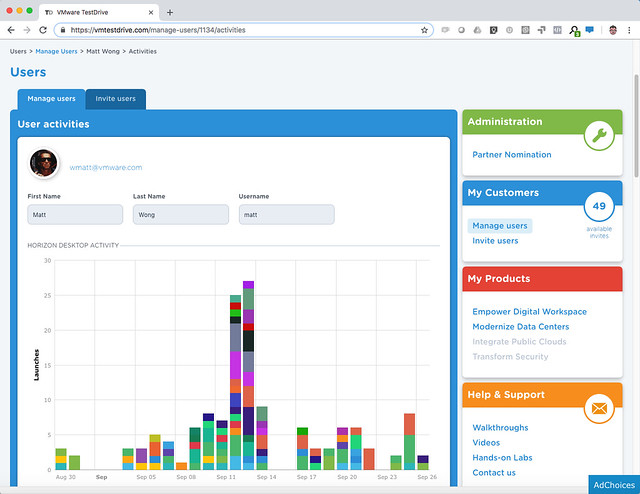
What they end up testing is then tracked as well, so as a partner or VMware employee you can keep track and follow up when required.

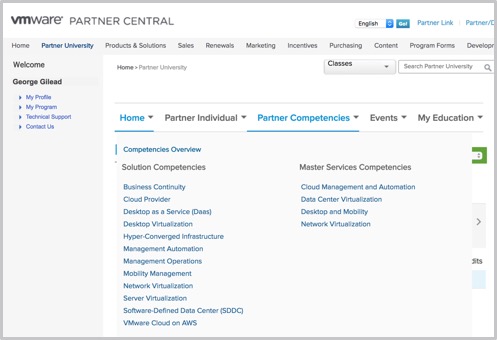
For Partners to sign up you need to be accredited with the VTSP HCI competency, available at no cost from VMware Partner Central. Simply log in, navigate to Partner University to subscribe to the Hyper-Converged Infrastructure accreditation training.

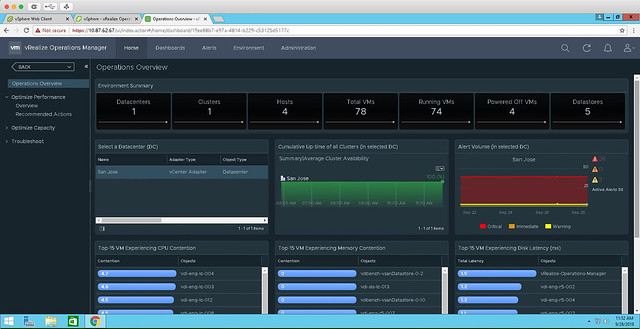
Rory and Marilyn reached out to me to look at the vSAN experience specifically. This hosted experience allows you to walkthrough a live vSAN environment, running active workloads. In the TestDrive environment, vSAN is hosting a combination of Horizon Desktops as well as VMs running HCIBench. Using both vSAN Health and Performance Service and vROps, the live vSAN environment allows you to see and measure the IOPs and latency in real time. They also have VROps available in the environment, so you can also see the stats in there, and the integration there is. Right now they are running vSphere and vSAN 6.7, but soon they will upgrade to 6.7 U1, when available. Note, this is not nested, these are bare-metal ALL-FLASH systems! Check out this walkthrough guide for a step by step of what’s available for vSAN, https://kb.vmtestdrive.com/hc/en-us/articles/360001304973-Introduction-to-vSAN-with-vCenter-and-vROps

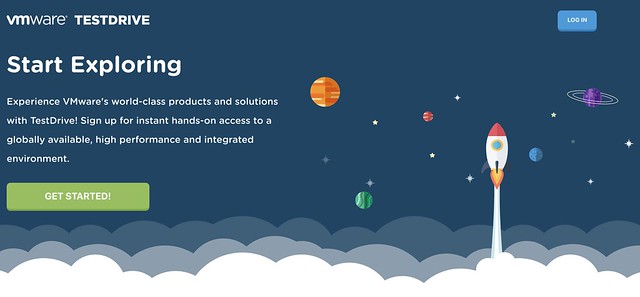
How do you access it? Well if you are a VMware Employee or Partner simply sign up straight from https://vmtestdrive.com/ and dive in! If you are a reader, a VMware customer, and you are interested in testing this, well Rory and Marilyn were so kind to give me my own Invitation Code: DUNCANYB which gives all of you access. Simply go to: https://vmtestdrive.com/ click Getting Started, put in your email and use invitation code DUNCANYB to get 30 days access, or use this custom link with the invititation code included: http://bit.ly/dybvsan

  • « Go to Previous Page
  • Page 1
  • Interim pages omitted …
  • Page 40
  • Page 41
  • Page 42
  • Page 43
  • Page 44
  • Interim pages omitted …
  • Page 336
  • Go to Next Page »

Primary Sidebar

About the Author

Duncan Epping is a Chief Technologist and Distinguished Engineering Architect at Broadcom. Besides writing on Yellow-Bricks, Duncan is the co-author of the vSAN Deep Dive and the vSphere Clustering Deep Dive book series. Duncan is also the host of the Unexplored Territory Podcast.

Follow Us

  • X
  • Spotify
  • RSS Feed
  • LinkedIn

Recommended Book(s)

Also visit!

For the Dutch-speaking audience, make sure to visit RunNerd.nl to follow my running adventure, read shoe/gear/race reviews, and more!

Do you like Hardcore-Punk music? Follow my Spotify Playlist!

Do you like 80s music? I got you covered!

Copyright Yellow-Bricks.com © 2026 · Log in