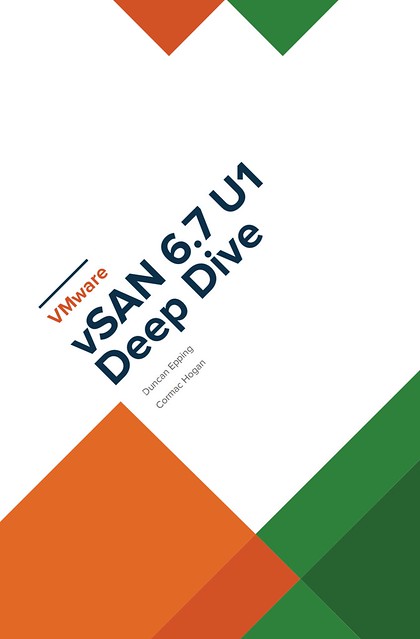
 Today the vSAN Deep Dive ebook promo starts for the UK market! Unfortunately, Amazon only allows us to run these promotions in 2 stores, .com and .co.uk. So we scheduled them where possible. Starting today the ebook will be available on .co.uk for 0.99 pounds for a full week! So to be clear, it starts on the 20th of January and ends on the 27th! Pick it up here: https://www.amazon.co.uk/VMware-vSAN-6-7-Deep-Dive-ebook/dp/B07L8CNZ53/. After the 27th the book will return to the normal price. We hope you all will enjoy it.
Server
Map head-mounted display to AMD ReLive VR instance
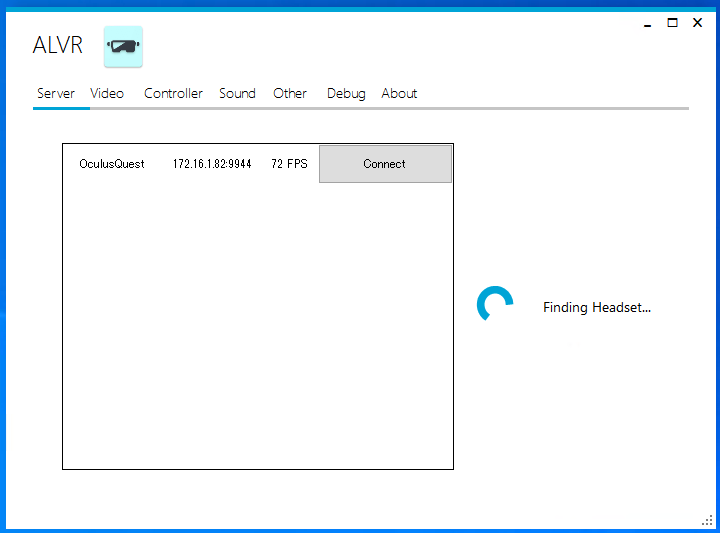
Warning before the post, I don’t have a good solution for you unfortunately at this time. One of the things I have been testing during my Take 3 is to have multiple head-mounted displays (VR goggles) on the same network connecting to multiple VMs. With ALVR this is pretty easy to do as the ALVR interface allows you to select the head-mounted display (HMD) you want to connect with as shown below. Very easy to use, and it allows you to always connect to the same head-mounted display as there’s an “auto-reconnect” option as well. (Which wasn’t always consistently reconnecting in my testing, unfortunately.)
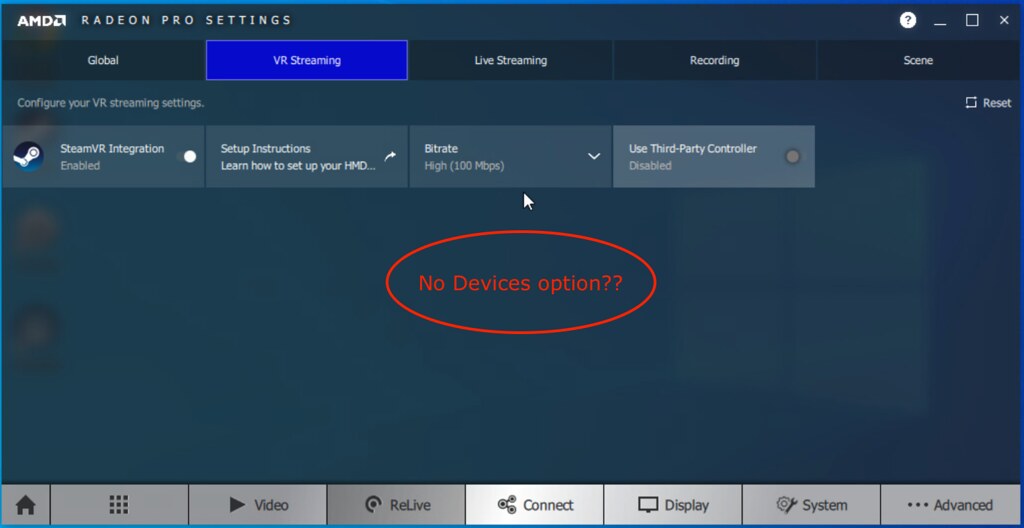
I figured AMD would offer something similar, and it appears they do. After installing the AMD Radeon Pro software I couldn’t find the option that was described on Github. In the Radeon Pro software there’s no “devices” tab. Then I noticed that this is, unfortunately, only available for Adrenalin 2020, which is different then Radeon Pro software. So it seems that this functionality hasn’t been ported yet.
Can you get around it? Well, of course, you can have multiple VMs with ReLive VR instances running and have HMD’s connect to them, but this would be completely random. During normal behavior this wouldn’t be a problem, but when troubleshooting this would make life a lot more challenging. The way to get around it today would be to create different (wifi) networks and separate each pair (VM+ReLive VR instance and HMD) logically. This would work okay with a few head-mounted displays, but of course would not scale when you have more than a few. Let’s hope that AMD solves this problem soon. I reached out to AMD for a comment, they mentioned that you can use the Adenalin 2020 driver as well for the Pro cards, and that the feature for the Pro card is coming soon.
Enabling maintenance mode via esxcli
I have been having to place my lab host into maintenance mode a few times now via the command-line, for whatever reason I just keep forgetting the command that I should use to place my host into maintenance mode using esxcli, so I figured I would dump it here so I can find it easily. Hopefully, now it sticks…
enter maintenance mode:
esxcli system maintenanceMode set --enable true
exit maintenance mode:
esxcli system maintenanceMode set --enable false
vSAN Deep Dive Book Promotion! Price paper copy dropped by 50% and ebook as low as 0.99 USD!
Amazon allows publishers to create book promotions and I just created one for the vSAN 6.7 U1 Deep Dive ebook. The promotion starts on the 24th of December and will end on the 31st of December. The ebook promotion will be available only on Amazon.com and Amazon.co.uk, as that is where Amazon allows publishers to create these. The price will start as low as 0.99 USD for the ebook in the US and will go up in increments of 1 USD over the course of 10 days, for the UK the price will start at 0.99 Pounds. The paper copy will also drop in price starting today and will return to normal on the 31st of December. (Note, unfortunately for the UK the ebook promo will start on the 20th of January, Amazon doesn’t allow me to schedule it sooner.) The paper copy will be discounted in all Amazon stores worldwide we have dropped the price by over 50%, in other words, for the US market you can pick it up for less than 20 USD, for EMEA it is less than 15 Euro. This should be a great deal to brush up your vSAN skills over the holiday season!
Make sure to pick a copy up using my referral links below:
- Paper US Store – https://amzn.to/2SFsKxF
- Ebook US Store – https://amzn.to/2L67DCl
Happy holidays!
Joined GigaOm’s David S. Linthicum on a podcast about cloud, HCI and Edge.
 A while ago I had the pleasure to join David S. Linthicum from GigaOm on their Voices in Cloud Podcast. It is a 22 minute podcast where we discuss various VMware efforts in the cloud space, edge computing and of course HCI. You can find the episode here, where they also have the full transcript for those who prefer to read instead of listen to a guy with a Dutch accent. It was a fun experience for sure, I always enjoy joining podcast’s and talking tech… So if you run a podcast and are looking for a guest, don’t hesitate to reach out!
Of course you can also find Voices in Cloud on iTunes, Google Play, Spotify, Stitcher, and other platforms.