I had this question twice in the past three months, so somehow this is something which isn’t clear to everyone. With HA Admission Control you set aside capacity for fail-over scenarios, this is capacity which is reserved. But of course VMs also use reservations, how can you see what the total combined used reserved capacity is including Admission Control?
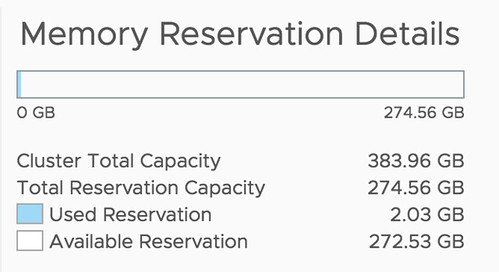
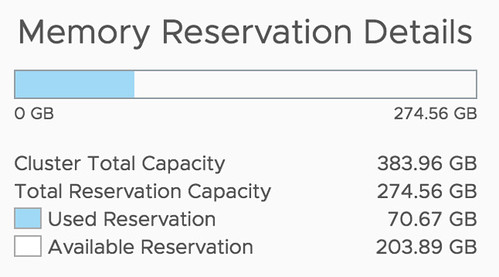
Well, that is actually pretty simple it appears. If you open the Web Client, or the H5 client, and go to your cluster then you have a “Monitor” tab, under the Monitor tab there’s an option called “Resource Reservation” and it has graphs for both CPU as well as Memory. This actually includes admission control. To verify this I took a screenshot in the H5 client before enabling admission control, and after enabling it, as you can see a big increase in “reserved resources”, which indicates that admission control is taken into consideration.
Before:
After:
This is also covered in our Deep Dive book, by the way, if you want to know more, pick it up.
 Over the past couple of months Frank, Niels and I have worked ferociously to update the vSphere Clustering Deep Dive. Some of the material was already brought up to date to vSphere 6.0 U2, but the majority was never updated after vSphere 5.1. As you can imagine, this was a tremendous undertaking. Not only did we need to validate every sentence, all diagrams needed to be updated, and with the introduction of the HTML-5 Client also all screenshots had to be retaken.
 I wrote a blog post a while back about