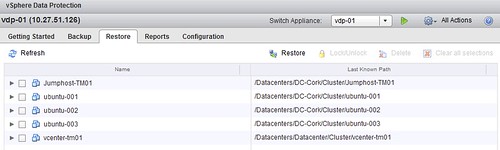
I had this question this week, what if I am using vSphere Data Protection (VDP) and my vCenter Server appliance (VCVA) crashes… well lets just test it.
I just killed my vCenter Server appliance and deleted if from disk. Next step is to get a brand new vCenter Server appliance up and running. So I deploy a brand new VCVA first. As I have pointed my vSphere Client directly to a host I will need to login to the commandline to configure my networking, you can use vami_config_net but also Yast.
/opt/vmware/share/vami/vami_config_net
Next I go through the regular setup and configuration steps. Create a Datacenter and a Cluster and add some hosts. Now I see my VDP appliance again in my inventory… but I don’t see those nice shiny VDP icons. So how do I get those back? Well that is simple, just register the appliance to the new vCenter Server:
- Point your browser to the VDP configuration web page
https://<ip address or name of vdp appliance>:8543/vdp-configure/ - Click on the “configuration” tab
- Click on the lock to unlock the config
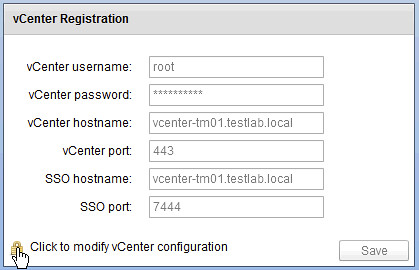
- Now enter your appliance password
- Provide the new vCenter Server details (in my case they are the same as the old so I just provide the password of the vCenter Server appliance)
- Reboot the VDP appliance
- Reboot the vCenter Server appliance
Now open up the Web Client and …
- Click the “vSphere Data Protection” option in the left pane of your Web Client
- If you see the “Not Connected” status, click “Connect”
- That is it… now you can restore VMs again