• Skip to primary navigation
  • Skip to main content
  • Skip to primary sidebar

Yellow Bricks

by Duncan Epping

  • Home
  • Unexplored Territory Podcast
  • HA Deepdive
  • ESXTOP
  • Stickers/Shirts
  • Privacy Policy
  • About
  • Show Search
Hide Search

Archives for 2009

New whitepapers

Duncan Epping · Nov 26, 2009 ·

VMware just published two whitepapers. I hadn’t noticed them yet and especially the second one is a very good read!

  1. VMCI Socket Performance
    The VMCI (Virtual Machine Communication Interface) device allows fast, efficient communication between virtual machines running on the same host, without using the guest networking stack. This paper presents VM-VM performance results using VMCI Sockets and compares these results to the VM-VM performance achieved using regular TCP/IP sockets.
  2. VMware vCenter Site Recovery Manager 4.0 Performance and Best Practices for Performance
    The goal of this white paper is to provide you with Site Recovery Manager performance data and recommendations so that you can architect an efficient recovery plan that minimizes the downtime for your environment.
    This white paper addresses various dimensions on which the recovery time depends:

    • Recoveries with iSCSI, FC, and NFS storage
    • Number of virtual machines and protection groups associated with a recovery plan
    • Virtual machine to protection group relation
    • Recovery site performance in a cluster with DPM and DRS
    • Configuration of various recovery plan parameters
    • Priority assignment of virtual machines in the recovery plan
    • High latency network between protected and recovery sites

    Furthermore, best practices are suggested in applicable areas so that you can optimize the recovery time using Site Recovery Manager.
vSphere and Service Console Memory

Duncan Epping · Nov 24, 2009 ·

Today I read something I have not seen anywhere else before. I have always been under the impression that the memory reserved for the Service Console was increased from 272MB to 300MB. Although the bare minimum is indeed 300MB there’s another side to this story, something I did not expect but actually does make sense. As of ESX 4.0 the allocated Service Console memory automatically scales up and down when there is enough memory available during installation. Let’s make try to make that crystal clear:

  • ESX Host – 8GB RAM -> Default allocated Service Console RAM = 300MB
  • ESX Host – 16GB RAM -> Default allocated Service Console RAM = 400MB
  • ESX Host – 32GB RAM -> Default allocated Service Console RAM = 500MB
  • ESX Host – 64GB RAM -> Default allocated Service Console RAM = 602MB
  • ESX Host – 96GB RAM -> Default allocated Service Console RAM = 661MB
  • ESX Host – 128GB RAM -> Default allocated Service Console RAM = 703MB

Lessons learned:

  1. Allocated Service Console memory is based on a formula which takes available RAM into account. (Haven’t found the exact formula yet, if I do I will of course add it to this article.)
  2. Always make your swap partition 1600MB; as an increase of RAM might automatically lead to a swap partition which is too small.

vSphere 4.0 Quick Start Guide: Shortcuts down the path of Virtualization

Duncan Epping · Nov 23, 2009 ·

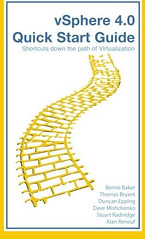
It took us longer than expected, my apologies for that, but the vSphere 4.0 Quick Start Guide is finally available! Time lines got extended as we decided to go with Booksurge instead of Lulu. Booksurge is an Amazon company which means Amazon sells it as of today.

So what is the vSphere Quick Start Guide? 256 Pages of tips and hints on how to get around with vCenter, the Service Console and Powershell. Or as Amazon describes it: “vSphere 4.0 Quick Start Guide continues from an idea started several years ago by a few engineers. The idea was simple, provide an easy to use reference guide for all level administrators, consultants and architects. Recently VMware introduced many new features in vSphere 4.0 and with this handy pocket guide you will learn about each of these new features. With each chapter, the pages in this essential guide will answer common questions while giving you unprecedented insight into: Expert tips & tricks Pitfalls to avoid RemoteCLI & PowerCLI (PowerShell) scripts Configuration how to’s Virtualization best practices.”

Just to make it absolutely clear, although Alan Renouf is not mentioned on Amazon he is one of the six Authors and responsible for all Powershell scripts included in the book. For some weird reason Amazon does not take more than 5 authors and Alan got cut off but we are working on getting Alan listed as we speak.

vMA Patch 2

Duncan Epping · Nov 21, 2009 ·

vMA 4.0 Patch 2 has just officially been released. This release contains multiple bugfixes and security patches. Make sure to install the patch. KB article 1014689 describes how to do the upgrade from within the appliance.

VMware View is available!

Duncan Epping · Nov 21, 2009 ·

VMware View has just officially been released. (VMware View Manager 4.0 | 11/20/09 | Build 210939) Key features are:

  • VMware View with PCoIP – PCoIP provides an optimized desktop experience for the delivery of the entire desktop environment including applications, images, audio, and video content for a wide range of users on the LAN or across the WAN. PCoIP can compensate for an increase in latency or a reduction in bandwidth, to ensure that end users can remain productive regardless of network conditions.
  • PCoIP includes VMware View Display with support for up to four monitors and the ability to deliver the optimal resolution and pivot orientation to each monitor independently.
  • VMware vSphere Support – VMware vSphere 4 support enables improved virtual machine scalability, performance, and management, with continued support for VMware Infrastructure 3.x.
  • Enhanced single sign-on – The Log in as current user feature is integrated with Active Directory and smart cards to help simplify the process of logging in to a VMware View desktop.
  • Restricted entitlements – Administrators can control user access to virtual desktops based on the View Connection Server being used for authentication.
  • Smart card policies – Administrators can set group policies to force desktop disconnection and require reconnection when users remove smart cards.
  • Domain filtering – You can use vdmadmin.exe to control the accessibility of domains and traverse trust relationships more quickly.

The full release notes can be found here.

  • « Go to Previous Page
  • Page 1
  • Interim pages omitted …
  • Page 5
  • Page 6
  • Page 7
  • Page 8
  • Page 9
  • Interim pages omitted …
  • Page 85
  • Go to Next Page »

Primary Sidebar

About the Author

Duncan Epping is a Chief Technologist and Distinguished Engineering Architect at Broadcom. Besides writing on Yellow-Bricks, Duncan is the co-author of the vSAN Deep Dive and the vSphere Clustering Deep Dive book series. Duncan is also the host of the Unexplored Territory Podcast.

Follow Us

  • X
  • Spotify
  • RSS Feed
  • LinkedIn

Recommended Book(s)

Also visit!

For the Dutch-speaking audience, make sure to visit RunNerd.nl to follow my running adventure, read shoe/gear/race reviews, and more!

Do you like Hardcore-Punk music? Follow my Spotify Playlist!

Do you like 80s music? I got you covered!

Copyright Yellow-Bricks.com © 2026 · Log in