• Skip to primary navigation
  • Skip to main content
  • Skip to primary sidebar

Yellow Bricks

by Duncan Epping

  • Home
  • Unexplored Territory Podcast
  • HA Deepdive
  • ESXTOP
  • Stickers/Shirts
  • Privacy Policy
  • About
  • Show Search
Hide Search

Archives for 2009

VMUG Aftermath

Duncan Epping · Dec 14, 2009 ·

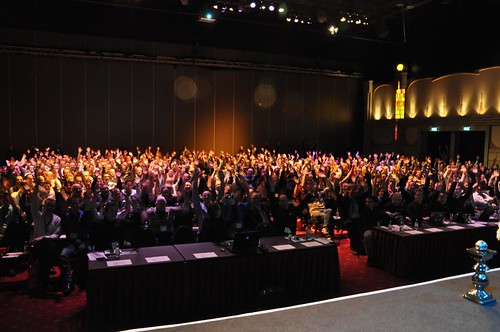
As you know Friday was the fifth anual Dutch VMUG Event. The event is not like most VMUG events, it’s almost a mini VMworld. This year over 600 enthusiastic people attended… or should I say soldiers! It’s the Dutch VCP VMUG Army. The following picture was taken by Victor when he was opening the event.
VMware’s CTO Steve Herrod welcomed the audience during the opening, you can watch bits and pieces of it on Eric Sloof’s blog, and mentioned that he personally follows Yellow-Bricks.com and NTPro.nl… How cool is that huh!?! After the opening it was Richard Garsthagen’s turn. Richard’s keynote was about evolution. The evolution of the VMware logo and the evolution of going from virtualization to cloud computing. Again a very good presentation, but I expected nothing less of Richard.

First session of the day for me was Eric Sloof, Managing VMware vSphere 4 m.b.v. de Virtualization EcoShell. In other words Eric’s favorite topic Powershell, but with the help of VESI. Eric knows how to address the audience and with a subject like this you know he is totally “heppie de peppie” or should I say enthusiastic so that those that weren’t there also understand what I am talking about. Eric gave some great examples of where any operational department could benefit from using Powershell/VESI. Great presenter, fantastic session. Unfortunately I had to leave before Scott Herold went on-stage.

Next up was Danny Claproth. Danny works for Vizioncore and showed us all the offerings Vizioncore has. Not only paid but also completely free solutions. One of the products that really stood out to me was most definitely vFoglight. Especially during the demo Danny managed to show the strength of vFoglight. I will need to install and check out some time.

After a short lunch it was time for Joep Piscaer to tell us all about Lab Manager. Joep showed the audience the use cases of Lab Manager and did a deep dive on Storage best practices and network fencing. I’ve only played around with Lab Manager once or twice and it’s definitely something I need to start looking into.

One of the most refreshing presentations was by Bouke Groenescheij on Performance Troubleshooting. Bouke did not use powerpoint but prezi.com to create a presentation. The combination of an excellent chosen topic and visual violence made this session a real treat! Bouke also has excellent presentation skills and knew how to entertain the audience. Best session of the day?

Up last was Gabe aka Gabes Virtual World. His session was titled “Design tips for a VMware Virtual Infrastructure”. Gabe kicked off by explaining why business requirements are essential for a solid design and I can’t agree more. Gabe’s presentation consisted of many best practices and recommendations. The presentation can be found here and is most definitely a must read.

Overall I must say that the Dutch VMUG Event was a well organized event. I enjoyed meeting everyone and had a great time at the post VMUG dinner. I also want to thank Viktor for all the great work he has been doing for the Dutch VMware Community.

For those who care, you can find pictures of the event here and here.
Book: VMware VI and vSphere SDK

Duncan Epping · Dec 13, 2009 ·

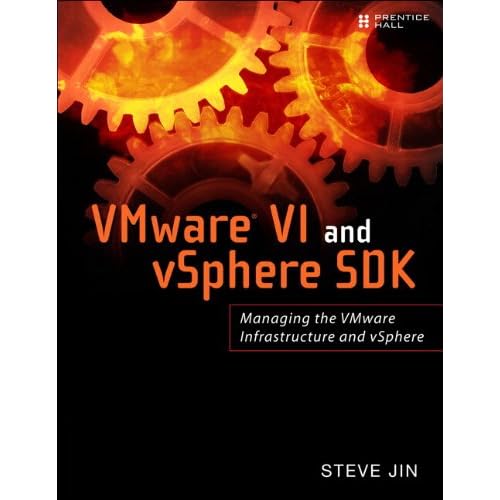
I received Steve Jin’s book VMware VI and vSphere SDK: Managing the VMware Infrastructure and vSphere two weeks ago. For those who don’t know Steve, he is the man behind the VI and vSphere Java API which can be found here. But that’s not the topic today, the topic is the book Steve recently published. The book is available via Amazon and most other large (online) bookstores.

VMware VI and vSphere SDK takes you on a tour through the SDK trenches. Knowing the SDK is essential when scripting or programming with for instance Powershell, Perl, Java and Python.

I am not a developer and always had a tough time understanding the structure and getting my head wrapped around the “managed objects” and “data objects” concepts. Steve managed to get me on the track. I’m half way through the book right now and can already highly recommend it to everyone who wants to know more about the SDK, everyone who recently started scripted and is running into limitations of provided examples, and everyone who wants to know more about the core of vSphere / VI3.

One of the Amazon reviews that stood out to me is the following by David Rousseau:

If like me you are tired of using vSphere or VI 2.5 official SDK, this book is for you.

Steve Jin has done a great job simplifying SDK access and improving performance drastically.
After using his VI Java API described in this book, you will no longer return to official VI Java SDK or other VI Toolkit.

You can code in Java but also in Python using Jython or IronPython.

We’ve choosed Jython and coupled it with some great web frameworks in python like Django. We’ve built a powerful web app exposing a RESTful API.

Add to this a real talent in popularizing VI objects in the SDK, this book saved me lots of time.

ESXi – lessons learned part 2

Duncan Epping · Dec 10, 2009 ·

New week, new lessons learned… You can find part 1 here.

When Jumbo Frames were introduced in ESX 3.5 a lot of people were interested but it wasn’t supported for the VMkernel which is were most people want to use it as it reduces CPU cycles used due to iSCSI/NFS traffic. When vSphere was released it was one of the things I noticed first. Full support for Jumbo Frames… however:

  • Jumbo frames are not supported for VMkernel networking interfaces in ESXi. (page 54)

Although obvious in my opinion it wasn’t obvious for one of my customers:

  • VMware ESXi does not support web access at this time.

Although I personally usually disable web access as it a security risk this customer had specific operational procedures around vCenter failures which included web access. It’s not a huge problem as the vSphere/vCenter Client can directly connect to an ESXi host, but it is something you will need to keep in mind when implementing ESXi.

Another thing I discovered today is that scripted/unattended installations of ESXi are not currently supported which makes deploying difficult. (Not only unsupported but also not easily set up) I am currently investigating the option to at least install it with default settings and without manual intervention… If I am successful I will post it in the next “lessons learned”.

REVISED!

ESX 4.0 Update 1A

Duncan Epping · Dec 10, 2009 ·

ESX(i) 4 Update 1 has just been re-released:

We’ve released a new version of ESX 4.0 Update 1 that resolves the issue with the ESX 4.0 Update 1 install failing, timing out and resulting in the host entering an usable state.

The new version is called ESX 4.0 Update 1A.

You can find the new version on VMware Downloads.

For more details, see Due to a possible dead lock on rpmpd, upgrading ESX 4.0 to ESX 4.0 Update 1 can fail or time out and leave the host in an unusable state (1016070).

SPC-2 set or not?

Duncan Epping · Dec 8, 2009 ·

For those like me who see different types of Arrays daily it is hard to keep up with all the specific settings that need to be configured. Especially when we are talking about enterprise level storage there are several dependencies and requirements.

One of the settings that is often overlooked on EMC DMX storage is the SPC-2 bit. I already noticed a while back what kind of impact it can have on your environment and witness it again today.

During the creation of a VMFS volume we received an error which basically stated that it was impossible to create the volume. The error message was a bit misleading but I noticed in the detailed section that the LUN was identified as “sym.<identifier string>”. This normally should state “naa.<identifier string>” and that triggered me to check the documentation of the array.

When an additional front-end port is zoned to an ESX host, to provide further connectivity to devices, the SPC-2 bit must be set; otherwise, the Symmetrix devices will not be properly identified. Instead of identifying each device with their proper Network Authority Address (NAA), the devices will show up with a SYM identification number. Any device provisioned to the non-SPC-2 compliant port will be identified as a new device by the ESX host system.

Again, it is hard to keep up with every single vendor out there. Let alone all the different type of arrays and all the different settings. Luckily EMC acknowledged that and created the “EMC Storage Viewer for vSphere”. The EMC Storage Viewer actually shows you if the “SPC-2” (amongst other settings) is enabled or not… This will save you a lot of pain and discussion with the Storage Team when push comes to shove. Definitely one of the reasons I would recommend to use this plugin.

For those facing spc-2 bit issues make sure to read “H4116-enabling-spc2-compl-emc-symmetrix-dmx-vmware-envnmt-wp.pdf”. (Available via EMC’s powerlink.)

  • « Go to Previous Page
  • Page 1
  • Page 2
  • Page 3
  • Page 4
  • Page 5
  • Page 6
  • Interim pages omitted …
  • Page 85
  • Go to Next Page »

Primary Sidebar

About the Author

Duncan Epping is a Chief Technologist and Distinguished Engineering Architect at Broadcom. Besides writing on Yellow-Bricks, Duncan is the co-author of the vSAN Deep Dive and the vSphere Clustering Deep Dive book series. Duncan is also the host of the Unexplored Territory Podcast.

Follow Us

  • X
  • Spotify
  • RSS Feed
  • LinkedIn

Recommended Book(s)

Also visit!

For the Dutch-speaking audience, make sure to visit RunNerd.nl to follow my running adventure, read shoe/gear/race reviews, and more!

Do you like Hardcore-Punk music? Follow my Spotify Playlist!

Do you like 80s music? I got you covered!

Copyright Yellow-Bricks.com © 2026 ยท Log in