Posts under Tag: service console
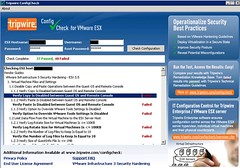
Tripwire Configcheck

When I published my article on tools/scripts I use during a VMware Healthcheck I received a couple of emails on Tripwire’s Configcheck. I’ve been on a holiday for a couple of weeks so it took me a bit longer than usual to check out the product. Configcheck can be downloaded for free. Configcheck is a Java Application so you will [...]

By with 5 comments
Old School: Label your Hardware

So you were used to labelling your hardware with the name of the System running on it. But when running everything virtual you can label your ESX hosts but never know which VM resides at which Server without checking your console and/or vCenter. Wouldn’t it be cool if you would have a magic Label that updated itself every once in [...]

By with 2 comments
vimsh, what can I do with it?

Vimsh(and vmware-vim-cm) is probably one of the worst documented commands out there. At the same time it’s one of the most powerful commands(I know it’s a shell…) out there. You name it and “vimsh” does it. Most of you ran into the “enabling vmotion” from the Service Console problem when first starting out with scripted install. Vimsh solves this: /usr/bin/vmware-vim-cmd [...]

By with 10 comments
Check if autostart is enabled from the COS

I didn’t know this was possible. But you can easily check via the COS if autostarting of VM’s in enabled or not according to this KB article: Log in as root to your ESX host with SSH. Open the /etc/vmware/hostd/vmAutoStart.xml file in text editor. Search for a line that reads: <enabled>true</enabled> If you find the line, the functionality is enabled. [...]

By with 0 comments
Health Check tools I use

A few days ago Scott Lowe asked me which tools I use to deliver a health check engagement. A health check is a standard VMware PSO engagement, a VMware Consultant will be on site to check the status of your environment and will draw up a report. I personally use the following tools: Health Check script by A.Mikkelsen → for [...]

By with 10 comments
Create VMFS volumes from the command-line

I just had to create a couple VMFS volumes from the command-line on a local disk. It’s pretty straight forward but I needed to document it anyway, here it is: fdisk -l (check what the last partition is) fdisk /dev/sda n (new) default (start block) default (end block) t (partition type) 10 (partition 10, just created) fb (vmfs type) w [...]

By with 7 comments
ESXi and warranty

I just finished my VIMA blog and 12 hours later Edward published an article on security and warranty when opening up ESXi for SSH access: Working with VMware ESXi can be frustrating; you’re not supposed to enable the Dropbear SSH client or use its technical support mode without the assistance of a VMware support representative. System administrators, however, may be [...]

By with 0 comments
Page 2 of 612345...Last »