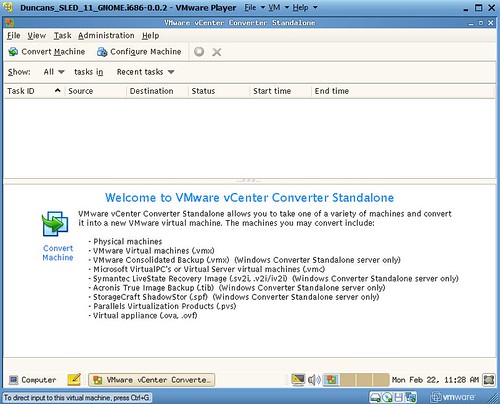
William already reported on it a few days ago, and I just noticed it on VMTN that VMware vCenter Converter Standalone is back, or better said in beta! If you are a customer who already has access to the beta community, simply go to this link: vCenter Convert Beta Community to get access to the community and the download/releasenotes. If you don’t have access to the beta community, register for it via the following registration page: https://www.vmware.com/learn/1645300_REG.html, and download vCenter Converter!
<update>Available now: https://www.vmware.com/products/converter.html
I just went to the community and looked at the release notes and wanted to share some details with you:
- VMware vCenter Converter Standalone 6.3.0 (GA) | 11 October 2022
- You cannot upgrade to VMware vCenter Converter Standalone 6.3.0 from previous versions. If you have a previous version of Converter Standalone installed, uninstall it and then install Converter Standalone 6.3.0
- You can install Converter on:
- Windows Server 2012 (64-bit
- Windows 8.1 (32-bit and 64-bit)
- Windows Server 2012 R2 (64-bit)
- Windows 10 (32-bit and 64-bit)
- Windows Server 2016 (64-bit)
- Windows Server 2019 (64-bit)
- Windows 11 (64-bit)
- Windows Server 2022 (64-bit)
- VMware Converter Standalone can convert offline virtual machines from the following Hyper-V servers:
- Windows Server 2012 (64-bit)
- Windows Server 2012 R2 (64-bit)
- Windows 10 (64-bit)
- Windows Server 2016 (64-bit)
- Windows Server 2019 (64-bit)
- Windows 11 (64-bit)
- Windows Server 2022 (64-bit)
- VMware Converter Standalone can convert offline virtual machines from the following VMware products and versions:
- VMware vSphere 6.5 (Update 3)
- VMware vSphere 6.7 (Update 3)
- VMware vSphere 7.0 + Update 1 + Update 2 + Update 3
- VMware Workstation 16.x
- VMware Fusion 12.x
Of course I downloaded the build and installed it on my Windows host, and it is up and running. Time to convert some machines!

As mentioned by William, the focus was very much on getting a new version out which was fully supported and developed using the latest frameworks. Next, the focus will be on adding new functionality and support for other platforms. I can’t wait for the next version!