Limit a VM from an IOps perspective

Last couple of weeks I heard people either asking questions around how tot limit a VM from an IOps perspective or making comments that Storage IO Control (SIOC) allows you to limit VMs. As I pointed at least three folks to this info I figured I would share it publicly.

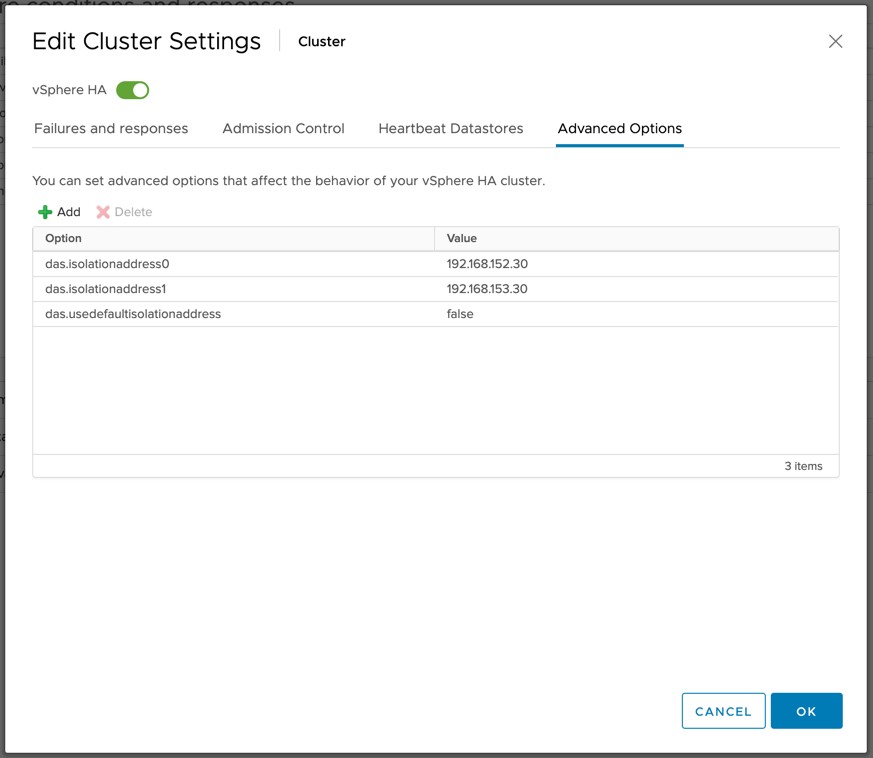
There is an IOps limit setting on the virtual disk as an option… This is what allows you to limit a virtual machine / virtual disk to a specific amount of IOps. Now it should be noted that when you set this limit this is handled (vSphere 5.1 and prior) by the local host scheduler, also known as SFQ. One thing to realize though is that when you set a limit on multiple virtual disks for a virtual machine is that all of these limits will be added up and that will be your threshold. In other words:

  • Disk01 – 50 IOps limit
  • Disk02 – 200 IOps limit
  • Combined total: 250 IOps limit
  • If Disk01 only uses 5 IOps then Disk02 can use 245 IOps!

There is one caveat though, “combined total” only goes for the disks which are stored on the same datastore. So if you have 4 disks and they are stored across 4 datastores then each of the individual limits apply respectively.

More details can be found in this KB article: http://kb.vmware.com/kb/1038241

RE: Is VSA the future of Software Defined Storage? (OpenIO)

I was reading this article on the HP blog about the future of Software Defined Storage and how the VSA fits perfectly. Although I agree that a VSA (virtual storage appliance) could potentially be a Software Defined Storage solution I do not really agree with IDC quote used for the basis of this article and on top of that I think some crucial factors are left out. Lets start with the IDC quote:

IDC defines software-based storage as any storage software stack that can be installed on any commodity resources (x86 hardware, hypervisors, or cloud) and/or off-the-shelf computing hardware and used to offer a full suite of storage services and federation between the underlying persistent data placement resources to enable data mobility of its tenants between these resources.

Software Defined Storage solutions to me are not necessarily just a software-based storage product. Yes as said a VSA, or something like Virtual SAN (VSAN), could be part of your strategy but how about the storage you have today? Do we really expect customers to forget about their “legacy” storage and just write it off? Surely that won’t happen, especially not in this economical climate and considering many companies invested heavily in storage when they started virtualizing production workloads. What is missing in this quote, or in that article (although briefly mentioned in linked article), is the whole concept of “abstract, pool, automate”. I guess some of you will say, well that is VMware’s motto right? Well yes and no. Yes, “abstract, pool, automate” is the way of the future if you ask VMware. However this is not something new. Think about Software Defined Networking for instance, this is fully based on the “abstract, pool, automate” concept.

This had me thinking, what is missing today? There are various different initiatives around networking (openflow etc), but what about storage? I created this diagram that from a logical perspective explains what I think we need when it comes to Software Defined Storage. I guess this is what Ray Lucchesi is referring to in his article on Openflow and the storage world. Brent Compton from FusionIO also had an insightful article on this topic, worth reading.

future of software defined storage - OpenIO?

If you look at my diagram… (yes FCoE/Infiniband etc is missing, not because it shouldn’t be supported but just to simplify the diagram) I drew a hypervisor at the top, reason for it being is that I have been in the hypervisor business for years but reality is this could be anything right. From a hypervisor perspective all you should see is a pool. A pool for your IO, a pool where you can store your data. Now this layer should provide you various things. Lets start at the bottom and work our way up.

  • IO Connect = Abstract / Pool logic. This should allow you to connect to various types of storage abstract it for your consumers and pool it of course
  • API = Do I need to explain this? It addresses the “automate” part but also probably even more importantly the integration aspect. Integration is key for a Software Defined Datacenter. The API(s) should be able to provide both north-, south-, east- and west-bound capabilities (for explanation around this read this article, although it is about Software Defined Networking it should get the point across)
  • PE = Policy Engine, takes care of making sure your data ends up on the right tier with the right set of services
  • DS = Data Services. Although the storage can provide specific data services this is also an opportunity for the layer in between the hypervisor and the storage. Matter a fact, data services should be possible on all layers: physical storage, appliance, host based etc
  • $$ = Caching. I drew this out separately for a reason, yes it could be seen as a data service but I wanted it separately as for any layer inserted there is an impact on performance. An elegant and efficient caching solution at the right level could mitigate the impact. Again, caching could be part of this framework but could very well sit outside of it on the host-side or at the storage layer, or appliance based

One thing I want to emphasize here is the importance of the API. I briefly mentioned enabling north-, south-, east- and west-bound capabilities but in order for a solution like this to be successful this is a must. Although with automation you can go a long way, integration is key here! Whether it is seamless integration with your physical systems, integration with your virtual management solution or with an external cloud storage solution… These APIs should be able to provide that kind of functionality and be enable a true pluggable framework experience.

If you look at this approach, and I drew this out before I even looked at Virsto, it kind of resembles what Virsto offers today. Although there are components missing the concept is similar. It also resembles VVOLs in a way, which was discussed at VMworld in 2011 and 2012. I would say that what I described is a combination of both combined with what Software Defined Networking promises.

So where am I going with this? Good question, honestly I don’t know… For me articles like these are a nice way of blowing steam, get the creative juices going and open up the conversation. I do feel the world is ready for the next step from a Software Defined Storage perspective, I guess the really question is who is going to take this next step and when? I would love to hear your feedback.

Install and configure Virsto

Last week I was in Palo Alto and I had a discussion about Virsto. Based on that discussion I figured it was time to setup Virsto in my Lab. I am not going to go in to much details around what Virsto is or does as I already did that in this article around the time VMware acquired Virsto. On top of that there is an excellent article by Cormac which provides an awesome primer. But lets use two quotes from both of the articles to give an idea of what to expect:

source: yellow-bricks.com
Virsto has developed an appliance and a host level service which together forms an abstraction layer for existing storage devices. In other words, storage devices are connected directly to the Virsto appliance and Virsto aggregates these devices in to a large storage pool. This pool is in its turn served up to your environment as an NFS datastore.

source: cormachogan.com
Virsto Software aims to provide the advantages of VMware’s linked clones (single image management, thin provisioning, rapid creation) but deliver better performance than EZT VMDKs.

Just to give an idea, what do I have running in my lab?

  • 3 x ESX 5.1 host
  • 1 x vCenter Server (Windows install as VCVA isn’t supported_
  • VNX 5500

After quickly glancing the quickstart guide I noticed I needed a Windows VM to install some of Virsto’s components, that VM is what Virsto refers to as the “vMaster”. I also need a bunch of empty LUNs which will be used for storage. I also noticed reference of Namespace VMs and vIOService VMs. Hmmm, it sounds complicated, but is it? I am guessing these components will need to be connected. This is kind of the idea, note that the empty LUNs will be automatically connected by to the IOService VMs. I did not add those to the diagram as that would make it more complex than needed.

Virsto Network Architecture Diagram

[Read more...]

Tintri releases version 2.0 – Replication added!

I have never made it a secret that I am a fan of Tintri. I just love their view on storage systems and the way they decided to solve specific problems. When I was in Palo Alto last month I had the opportunity to talk to the folks of Tintri again and what they were working on. Of course we had a discussion about the Software Defined Datacenter and more specifically Software Defined Storage and what Tintri would bring to the SDS era. As all of that was under strict NDA I can’t share it, but what I can share are some cool details of what Tintri has just announced, version 2.0 of their storage system.

For those who have never even looked in to Tintri I suggest you catch-up by reading the following two articles:

  1. Tintri – virtual machine aware storage
  2. Tintri follow-up

When I was briefed initially about Tintri back in 2011 one of the biggest areas of improvement I saw were around availability. Two things were on my list to be solved, first one was the “single controller” approach they took. This was solved back in 2011. Another feature I missed was replication. Replication is the main feature that is announced today and it will be part of the 2.0 release of their software. What I loved about Tintri is that all data services they offered were on a virtual machine level. Of course the same applies to replication, announced today.

Tintri offers a-synchronous replication which can go down to a recovery point objective (RPO) of 15 minutes. Of course I asked if there were plans on bringing this down, and indeed this is planned but I can’t say when. What I liked about this replication solution is that as data is deduplicated and compressed the amount of replication traffic is kept to a limit. Let me rephrase that, globally deduplicated… meaning that if a block already exists in the DR site then it will not be replicated to that site. This will definitely have a positive impact on your bandwidth consumption, and Tintri has seen up to 95% reduction in WAN bandwidth consumption. The diagram below shows how this works.

The nice thing about the replication technique Tintri offers is that it is well integrated with VMware vSphere and thus it offers “VM consistent” snapshots by leveraging VMware’s quiescing technology. My next obvious question was what about Site Recovery Manager? As failover is on a per VM basis, orchestrating / automating this would be a welcome option. Tintri is still working on this and hopes to add support for Site Recovery Manager soon. Another I would like to see added was grouping of virtual machines for replication consistency; again this is something which is on the road map and hopefully will be added soon.

One of the other cool features which is added with this release is remote cloning. Remote cloning basically allows you to clone a virtual machine / template to a different array. Those who have multiple vCenter Server instances in their environment know what a pain this can be, hence the reason I feel this is one of those neat little features which you will appreciate once you have used it. Would be great if this functionality could be integrated within the vSphere Web Client as a “right click”, judging by the comments made by the Tintri team I would expect that they are already working on deeper / tighter integration with the Web Client, and I can only hope a vSphere Web Client plugin will be released soon so that all granular VM level data services can be managed from a single console.

All-in-all a great new release by Tintri, if you ask me this release is 3 huge steps forward!

Software Defined Storage; just some random thoughts

I have been reading many articles over the last weeks on Software Defined Storage and wrote an article on this topic a couple of weeks ago. While reading up one thing that stood out was that every single storage/flash vendor out there  has jumped on the bandwagon and (ab)uses this term where ever and when ever possible. In most of those cases however the term isn’t backed by SDS enabling technology or even a strategy, but lets not get in to the finger pointing contest as I think my friends who work for storage vendors are more effective at that.

The article which triggered me to write this article was released a week and a half a go by CRN. The article was a good read, so don’t expect me to tear it down. The article just had me thinking about various things, and what better way to clear your head then to write an article about it. Lets start with the following quote:

While startups and smaller software-focused vendors are quick to define software-defined storage as a way to replace legacy storage hardware with commodity servers, disk drives and flash storage, large storage vendors are not giving ground in terms of the value their hardware offers as storage functionality moves toward the software layer.

Let me also pull out this comment by Keith Norbie in the same article, as I think Keith hit the nail on the head:

Norbie said to think of the software-defined data center as a Logitech Harmony remote which, when used with a home theater system, controls everything with the press of a button.

If you take a look at how Keith’s quote relates to Software Defined Storage it would mean that you should be able to define EVERYTHING via software. Just like you can simply program the Logitech Harmony remote to work with all your devices; you should be able to configure your platform in such a way that spinning up new storage objects can be done by the touch of one button! Now getting back to the first quote, whether functionality moves out of a storage system to a management tool or even to the platform is irrelevant if you ask me. If your storage system has an API and it is allows you to do everything programmatically you are half way there.

I understand that many of the startups like to make potential customers believe different, but the opportunity is there for everyone if you ask me. Yes that includes old-timers like EMC / NetApp / IBM (etc) and their “legacy” arrays. (As some of the startups like to label them.) Again, don’t get me wrong… playing in the SDS space will require significant changes to most storage platforms as most were never architected for this usecase. Most are currently not capable of creating thousands of new objects programmatically. Many don’t even have a public API.

However, what is missing today is not just a public API on most storage systems, it is also the platform which doesn’t allow you to efficiently manage these storage systems through those APIs. When I say platform I refer to vSphere, but I guess the same applies to Hyper-V, KVM, Xen etc. Although various sub-components are already there like the vSphere APIs for Array Integration (VAAI) and the vSphere APIs for Storage Awareness (VASA), there are also still a lot capabilities missing. A good example would be defining and setting specific data-services on a virtual disk level granularity, or end to end Quality of Service for virtual disks or virtual machines, or automatic instantiation of storage objects during virtual machine provisioning without manual action required from your storage admin. Of course, all of this from a single management console…

If you look at VMware vSphere and what is being worked on in the future you know those capabilities will come at some point, in this case I am referring to what was previewed at VMworld as “virtual volumes” (sometime also referred to as VVOLs), but this will take time… Yes I know some storage vendors already offer some of this granularity (primarily the startups out there), but can you define/set this from your favorite virtual infrastructure management solution during the provisioning of a new workload? Or do you need to use various tools to get the job done? If you can define QoS on a per VM basis, is this end-to-end? What about availability / disaster recovery, do they offer a full solution for that? If so, is it possible to simply integrate this with other solutions like for instance Site Recovery Manager?

I think exciting times are ahead of us; but lets all be realistic… they are ahead of us. There is no “Logitech Harmony” experience yet, but I am sure we will get there in the (near) future.

VMFS Deepdive Paper

I received this question yesterday about material around VMFS. Of course I pointed them to the white paper Cormac recently published, which is an awesome read. But I also had this other link laying around which I forgot to share with the world. This paper is written by Satyam Vaghani (former VMware Principal Engineer, now CTO of PernixData) and is a true deepdive on VMFS and topics like locking / metadata. Do note that this paper was written in the VMFS 3.x timeframe, and as such some of the concepts might have changed.

Nevertheless, a very interesting read if you ask me! Make sure to pick up a copy here.

Nimbus Data releases HALO 2013

Last week Nimbus Data reached out to me to update me on what they are working on, and more explicitly what they are releasing today. Today Nimbus announces HALO 2013 (their storage operating system). Those who are not familiar with Nimbus Data my colleagues Cormac Hogan wrote a great article about what they offer last year, make sure to read it. In short though:

Nimbus Data offers a flash array which is called Gemini. The array offers support for Fibre Channel, Infiniband, iSCSI and NFS. Of course data services like deduplication and replication are supported and they are all about extreme amounts of IOps, low latency and high throughput. Gemini also supports VMware VAAI.

With the 2013 release of HALO I believe Nimbus is getting ready to enter the world of Software Defined Storage. The 2013 release of HALO offers an Analytics module. This analytics module can provide real-time and historical data, and serve up over 200 metrics. This includes things like storage utilization and efficiency, but also statistics on various different levels like host level / port level etc.

Why I said “is getting ready to enter the world of Software Defined Storage” is because Nimbus Data also developed and published a REST based API. This API will allow for full administration of the platform and allow you to integrate with existing solutions in your stack. For instance all statistics are exposed via the API, I guess that means that plugins for all relevant monitoring solutions would be a logical next step, personally I think having a VC Ops adapter would be nice. Another thing which is added with the 2013 release is a mobile management platform, although I am not sure how many people would expose that to the outside… it is nice to have at least the ability to do so if you want. The mobile solution offers you utilization and performance charts, but also allows you to monitor system events.

I guess that this REST API also means that it shouldn’t take too long before VMware Site Recovery Manager support is added for Nimbus Data. This in my opinion is one of the few gaps they will still need to address, but I am guessing that is a matter of time. Also, Gemini is as of writing not on the VMware HCL however Nimbus has indicated that they are going through the motion and they should be listed within a reasonable amount of time. (At least that is what I was told, make sure to check the HCL if you are looking to buy a new array) Nevertheless, a nice update from Nimbus Data which will make your life as an administrator easier.